> ## Documentation Index
> Fetch the complete documentation index at: https://docs.userpilot.com/llms.txt
> Use this file to discover all available pages before exploring further.
# Welcome to Lia
> Chat with Lia, Userpilot's AI agent, to analyze your product data, run ready-made skills, and create reports, dashboards, checklists and surveys. Lia helps you to the insight and take action quickly.
## Overview
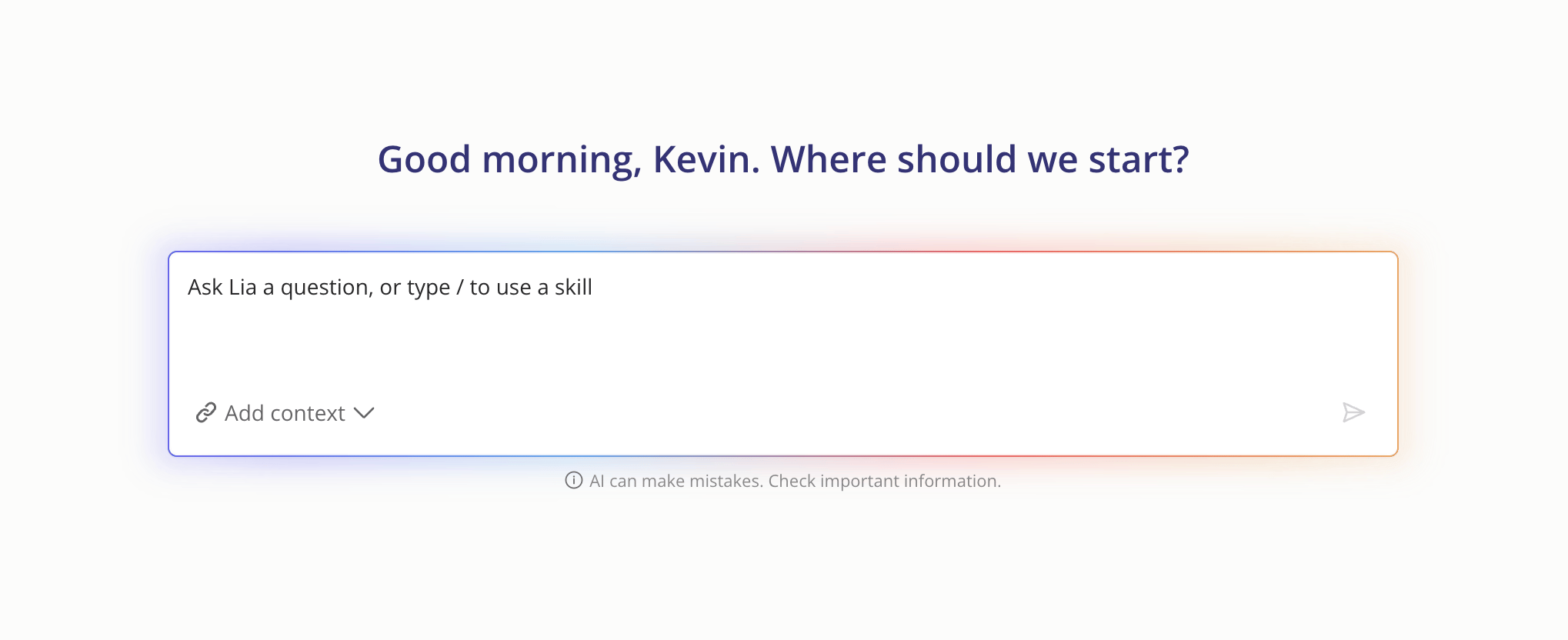
Lia is Userpilot's built-in AI agent. It reads your product data and helps you understand what's happening, why it's happening, and what to do next. You can ask Lia questions in plain language, or run ready-made analyses called skills.
Lia works with the data already in your Userpilot account, including events, features, users, companies, segments, flows, surveys, and NPS. There's nothing extra to set up.
 ## What You Can Do with Lia
* **Ask questions about your product.** For example, "How is activation trending this month?" or "Which accounts are using Invoices the most?"
* **Run in-depth analyses.** Use skills to get a structured breakdown of retention, adoption, conversion, sentiment, and more.
* **Get recommendations.** Lia points out drop-offs, risks, and opportunities, then suggests next steps.
* **Build from the results.** Ask Lia to create a segment, report, dashboard, or survey based on what it found.
## Chatting with Lia
1. Open Lia from **the top of the navbar**.
2. Type your question in the chat box and press **Enter**.
3. Lia pulls the relevant data and replies with an answer, key numbers, and suggested next steps.
4. Keep the conversation going with follow-up questions, like "Break that down by plan" or "Compare it to last quarter."
**Tip:** Be specific. Mention the feature, flow, segment, or time range you care about for more accurate answers.
## What You Can Do with Lia
* **Ask questions about your product.** For example, "How is activation trending this month?" or "Which accounts are using Invoices the most?"
* **Run in-depth analyses.** Use skills to get a structured breakdown of retention, adoption, conversion, sentiment, and more.
* **Get recommendations.** Lia points out drop-offs, risks, and opportunities, then suggests next steps.
* **Build from the results.** Ask Lia to create a segment, report, dashboard, or survey based on what it found.
## Chatting with Lia
1. Open Lia from **the top of the navbar**.
2. Type your question in the chat box and press **Enter**.
3. Lia pulls the relevant data and replies with an answer, key numbers, and suggested next steps.
4. Keep the conversation going with follow-up questions, like "Break that down by plan" or "Compare it to last quarter."
**Tip:** Be specific. Mention the feature, flow, segment, or time range you care about for more accurate answers.
 ### Using Skills
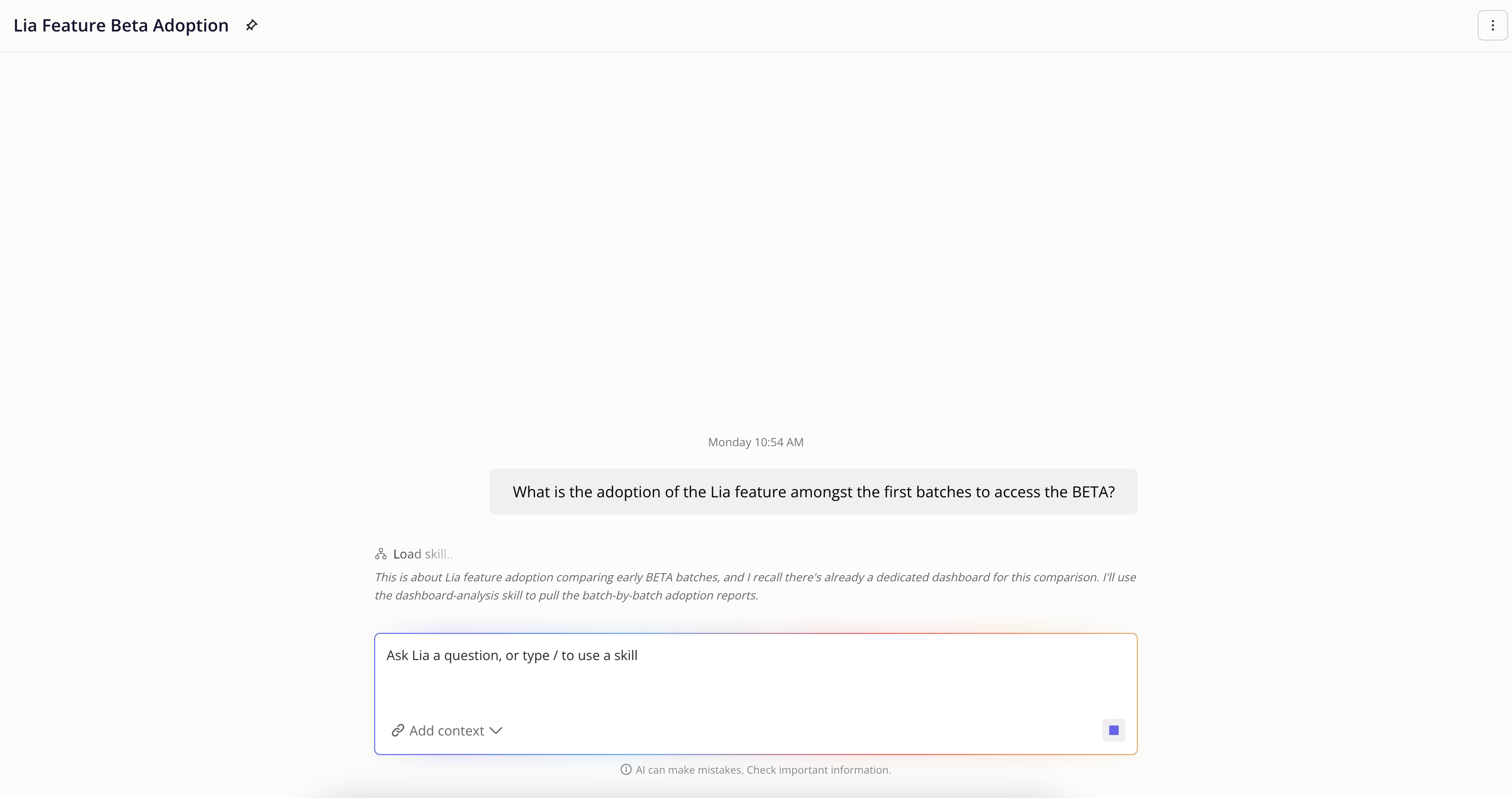
Skills are pre-built analyses that follow a proven structure, so you get a complete, consistent answer every time.
There are two ways to run a skill:
* **Ask naturally.** If your question matches a skill, Lia runs it for you. For example, "Why are users churning?" runs the Analyze retention skill.
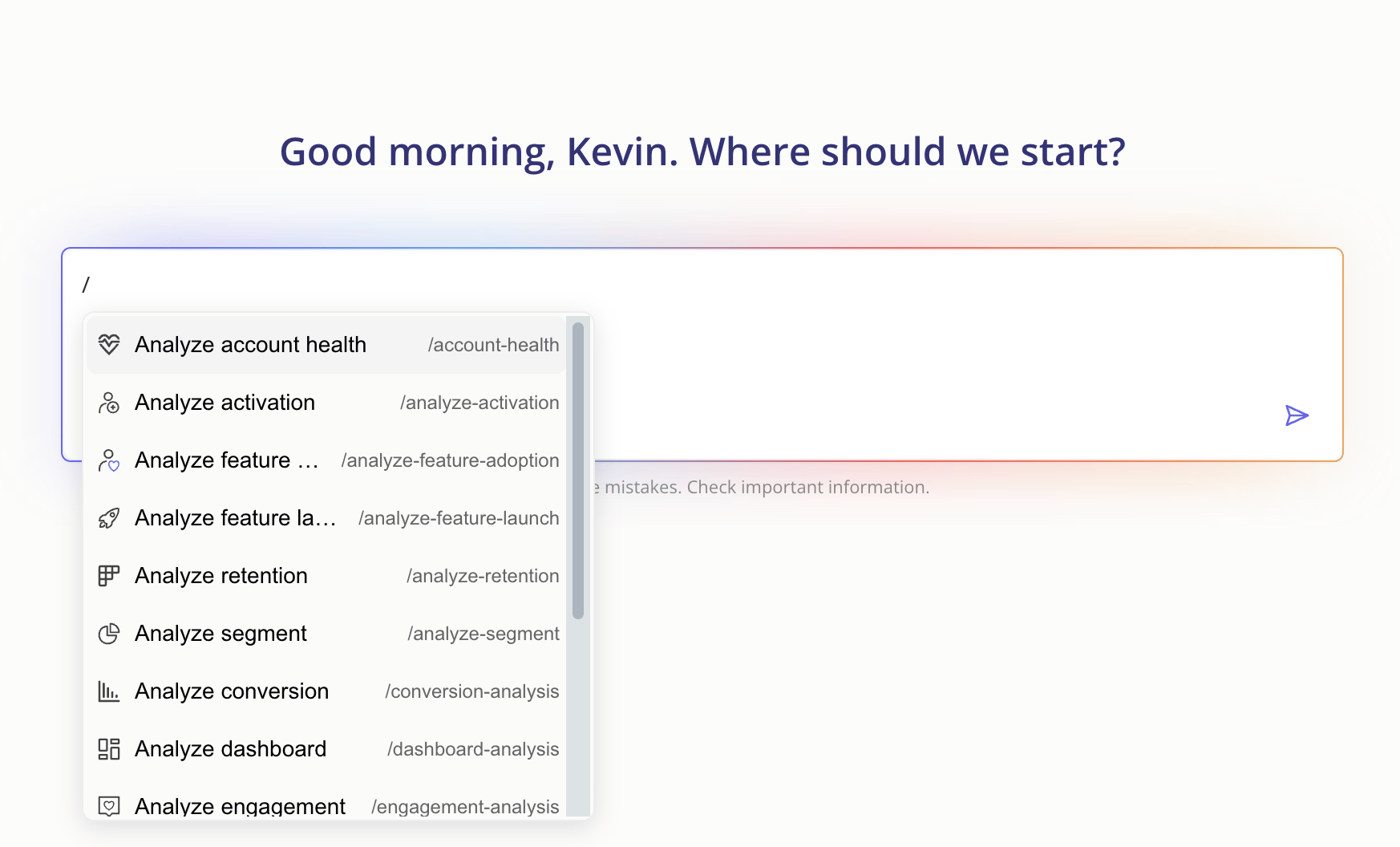
* **Run it directly.** Type **/** in the chat to see all available skills, then pick one (for example, `/analyze-activation`).
### Using Skills
Skills are pre-built analyses that follow a proven structure, so you get a complete, consistent answer every time.
There are two ways to run a skill:
* **Ask naturally.** If your question matches a skill, Lia runs it for you. For example, "Why are users churning?" runs the Analyze retention skill.
* **Run it directly.** Type **/** in the chat to see all available skills, then pick one (for example, `/analyze-activation`).
 ### Available Skills
| Skill | Command | What it does |
| :---------------------------- | :-------------------------- | :------------------------------------------------------------------------------------------------------------------------------------------------------------------------------------------------------------------------- |
| Analyze activation | `/analyze-activation` | Shows how your activation rate is trending, where users drop off on the path to activation, and how long it's taking them to get there. |
| Analyze feature adoption | `/analyze-feature-adoption` | Shows how many users are reaching the value moment of a specific feature, where they drop off on the way there, and whether the ones who adopt keep coming back. |
| Trending users and companies | `/trending-users` | Surfaces the users and accounts whose engagement is accelerating fastest, identifies what's driving the rise, and turns the insight into an action. |
| Declining users and companies | `/declining-users` | Surfaces the users and companies losing momentum fastest, identifies what stopped and when, and flags which declines signal genuine churn risk versus natural dips. |
| Analyze feature launch | `/analyze-feature-launch` | Measures how a feature is landing in the weeks after launch: adoption velocity, where users drop off on the path to value, whether any attached in-app content is working, and what to do next. |
| Analyze segment | `/analyze-segment` | Gives a complete behavioral picture of a segment: who they are, what they do, how they retain, and what makes them meaningfully different from your overall user base. |
| Segments comparison | `/segment-comparison` | Puts two or more segments side-by-side across the same behavioral dimensions and surfaces what actually separates them, not just the numbers, but what the gap means. |
| Analyze account health | `/analyze-account-health` | Gives a single-account view across usage trends, feature breadth, key-user activity, sentiment, and contract context: everything needed to assess health and identify risk or expansion signals before a call or decision. |
| Analyze retention | `/analyze-retention` | Shows how well users return to the product over time, finds where the biggest drop-off happens, and identifies which behaviors separate users who retain from those who don't. |
| Summarize user sentiment | `/summarize-sentiment` | Reads across your NPS scores and survey responses to surface how users feel, what themes are driving sentiment, and whether things are getting better or worse. |
| Analyze a survey | `/analyze-survey` | Breaks down a specific survey's results: completion rate, score distributions, question-level drop-off, open-text themes, and how results compare to prior runs if the survey has been run before. |
| Conversion analysis | `/conversion-analysis` | Analyzes how users are converting through a defined journey: step-by-step conversion rates, drop-off points, time to complete, segment differences, and the actual paths users take around the critical step. |
| Analyze dashboard | `/analyze-dashboard` | Reads across all the reports and widgets in a dashboard, finds the overall narrative, identifies what's healthy vs. concerning, and prioritizes what needs action. |
| Analyze engagement | `/engagement-analysis` | Evaluates how a piece of Userpilot content (a flow, checklist, banner, or spotlight) performed and whether it moved the behavior it was designed to influence. |
### Key Notes
* Lia only uses data from your own Userpilot account. Your data is isolated and never shared with other customers.
* Lia can only see what's tracked in Userpilot. If a feature or event isn't tagged, Lia can't analyze it.
* Surveys created by Lia are saved as drafts. Review and publish them yourself when you're ready.
* Segments, reports, and dashboards created by Lia are saved to your account right away.
### FAQs
No. Lia works with your existing Userpilot data out of the box.
Lia can create segments, reports, dashboards, and draft surveys when you ask it to. It won't publish surveys or change live content on its own.
Chat is best for quick questions and follow-ups. Skills are best when you want a complete, structured analysis of a specific topic.
For any questions or concerns please reach out to [**support@userpilot.com**](mailto:support@userpilot.com)
### Available Skills
| Skill | Command | What it does |
| :---------------------------- | :-------------------------- | :------------------------------------------------------------------------------------------------------------------------------------------------------------------------------------------------------------------------- |
| Analyze activation | `/analyze-activation` | Shows how your activation rate is trending, where users drop off on the path to activation, and how long it's taking them to get there. |
| Analyze feature adoption | `/analyze-feature-adoption` | Shows how many users are reaching the value moment of a specific feature, where they drop off on the way there, and whether the ones who adopt keep coming back. |
| Trending users and companies | `/trending-users` | Surfaces the users and accounts whose engagement is accelerating fastest, identifies what's driving the rise, and turns the insight into an action. |
| Declining users and companies | `/declining-users` | Surfaces the users and companies losing momentum fastest, identifies what stopped and when, and flags which declines signal genuine churn risk versus natural dips. |
| Analyze feature launch | `/analyze-feature-launch` | Measures how a feature is landing in the weeks after launch: adoption velocity, where users drop off on the path to value, whether any attached in-app content is working, and what to do next. |
| Analyze segment | `/analyze-segment` | Gives a complete behavioral picture of a segment: who they are, what they do, how they retain, and what makes them meaningfully different from your overall user base. |
| Segments comparison | `/segment-comparison` | Puts two or more segments side-by-side across the same behavioral dimensions and surfaces what actually separates them, not just the numbers, but what the gap means. |
| Analyze account health | `/analyze-account-health` | Gives a single-account view across usage trends, feature breadth, key-user activity, sentiment, and contract context: everything needed to assess health and identify risk or expansion signals before a call or decision. |
| Analyze retention | `/analyze-retention` | Shows how well users return to the product over time, finds where the biggest drop-off happens, and identifies which behaviors separate users who retain from those who don't. |
| Summarize user sentiment | `/summarize-sentiment` | Reads across your NPS scores and survey responses to surface how users feel, what themes are driving sentiment, and whether things are getting better or worse. |
| Analyze a survey | `/analyze-survey` | Breaks down a specific survey's results: completion rate, score distributions, question-level drop-off, open-text themes, and how results compare to prior runs if the survey has been run before. |
| Conversion analysis | `/conversion-analysis` | Analyzes how users are converting through a defined journey: step-by-step conversion rates, drop-off points, time to complete, segment differences, and the actual paths users take around the critical step. |
| Analyze dashboard | `/analyze-dashboard` | Reads across all the reports and widgets in a dashboard, finds the overall narrative, identifies what's healthy vs. concerning, and prioritizes what needs action. |
| Analyze engagement | `/engagement-analysis` | Evaluates how a piece of Userpilot content (a flow, checklist, banner, or spotlight) performed and whether it moved the behavior it was designed to influence. |
### Key Notes
* Lia only uses data from your own Userpilot account. Your data is isolated and never shared with other customers.
* Lia can only see what's tracked in Userpilot. If a feature or event isn't tagged, Lia can't analyze it.
* Surveys created by Lia are saved as drafts. Review and publish them yourself when you're ready.
* Segments, reports, and dashboards created by Lia are saved to your account right away.
### FAQs
No. Lia works with your existing Userpilot data out of the box.
Lia can create segments, reports, dashboards, and draft surveys when you ask it to. It won't publish surveys or change live content on its own.
Chat is best for quick questions and follow-ups. Skills are best when you want a complete, structured analysis of a specific topic.
For any questions or concerns please reach out to [**support@userpilot.com**](mailto:support@userpilot.com)