> ## Documentation Index
> Fetch the complete documentation index at: https://docs.userpilot.com/llms.txt
> Use this file to discover all available pages before exploring further.
# Data Capture & Privacy
> The Data Capture & Privacy settings allow you to configure how user interaction data is collected, recorded, masked, and restricted across features like Session Replay and Auto-capture (raw events).
### Use Cases
* **Control what user data is collected** – Decide which interactions, inputs, and sessions are captured to balance insights with privacy requirements.
* **Protect sensitive information** – Mask or exclude specific elements, text inputs, URLs, or pages to prevent PII from being recorded.
* **Enable secure session replays** – Observe real user behavior while ensuring sensitive fields and actions are hidden or excluded.
* **Optimize session replay usage** – Make the most of your sessions allowance by recording only users or segments that are relevant to your analysis.
* **Support compliance and governance** – Configure capture rules that align with GDPR, CCPA, or internal data-handling policies.
## Key Controls & Options
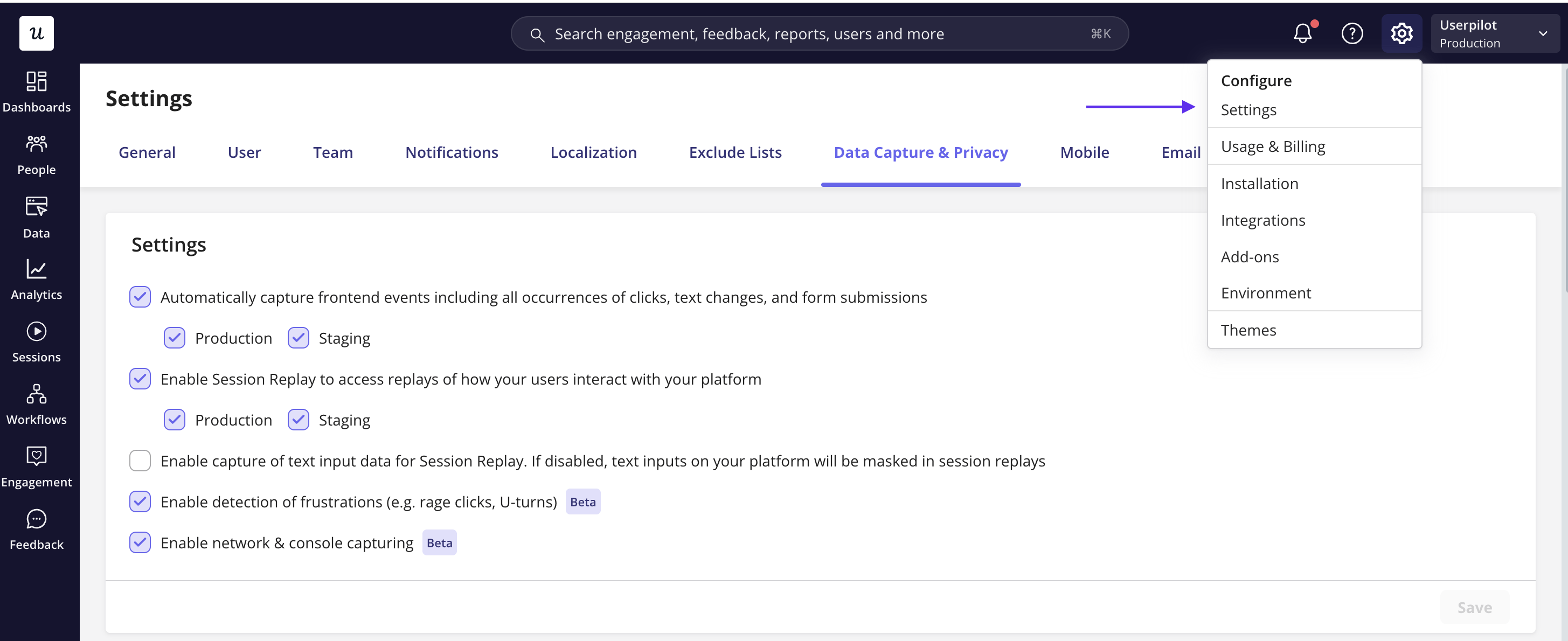
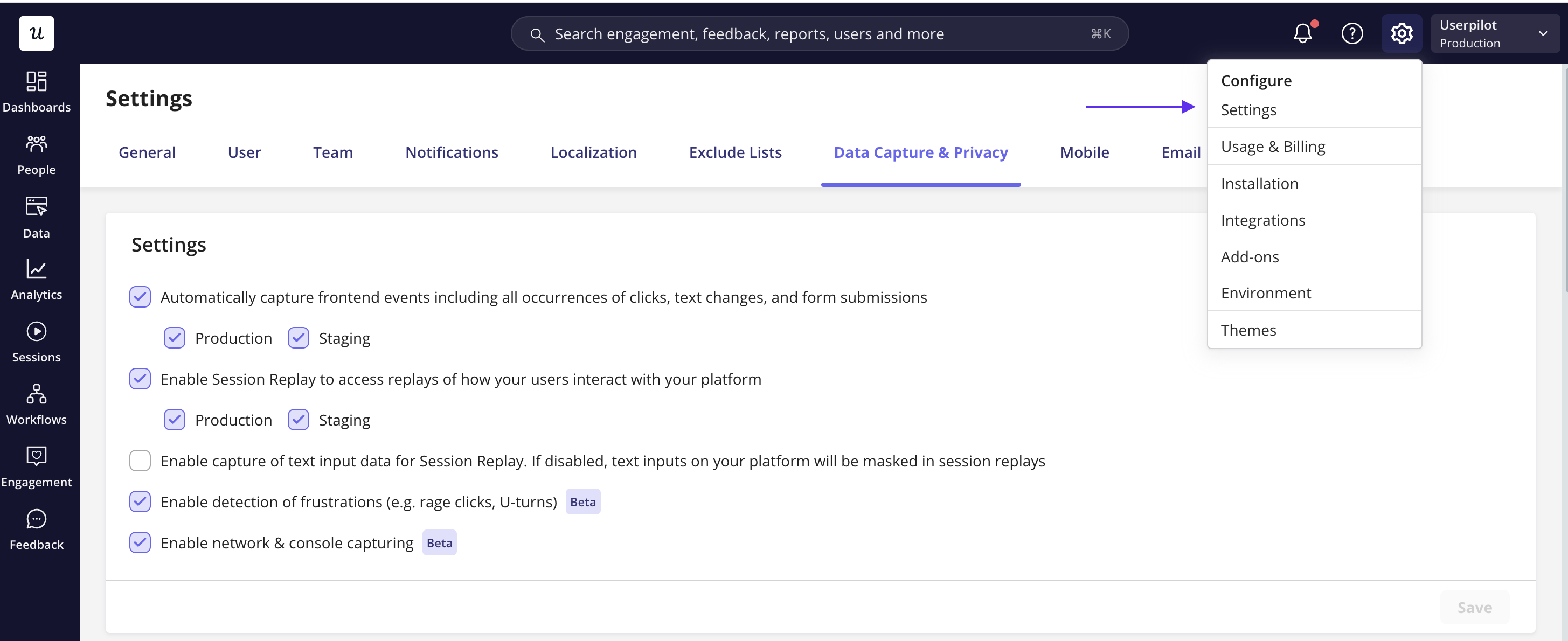
Before getting started, navigate to the ‘Data Capture & Privacy’ tab within your settings.
 ### 1. Core data capture settings
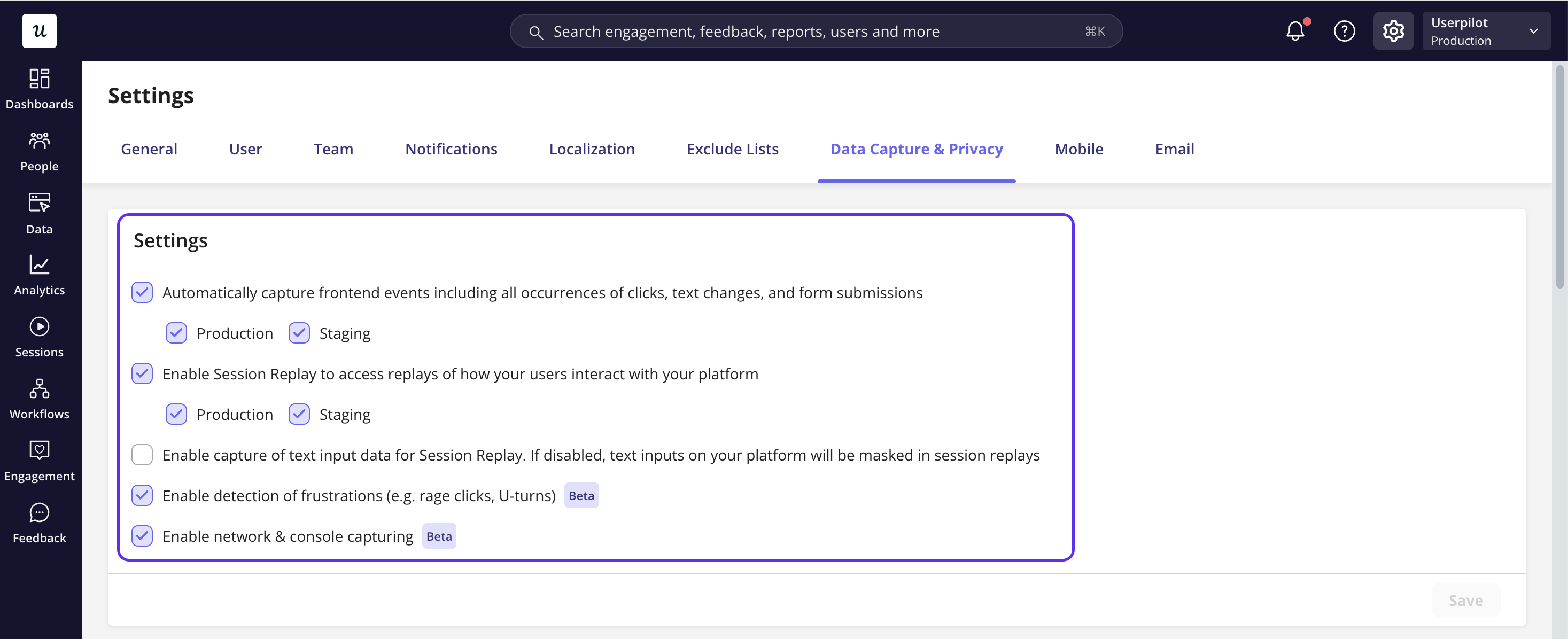
* **Automatically capture frontend events** - Enable Userpilot’s **autocapture** feature (raw events) to record frontend interactions automatically: clicks, text input changes, and form submissions. When enabled, Userpilot will start collecting this data once the SDK is active in your app.
* **Session playback toggle** - Enable or disable **Session Replay** entirely. If turned off, Userpilot won’t store or display replayable session data
* **Capture text input** - Enable text capture if you want typed interactions to show up in replays; if disabled, all text inputs are masked.
* **Detection of Frustrations** - Automatically flags signals that indicate a user struggled. It detects dead clicks, rage clicks, u-turns, form abandonment, and error clicks during a session.
* **Network & Console Capturing** - Records network errors, console errors, and uncaught exceptions and syncs them to the session replay in the built-in Dev Tools panel, so you can debug without pulling in engineering.
### 1. Core data capture settings
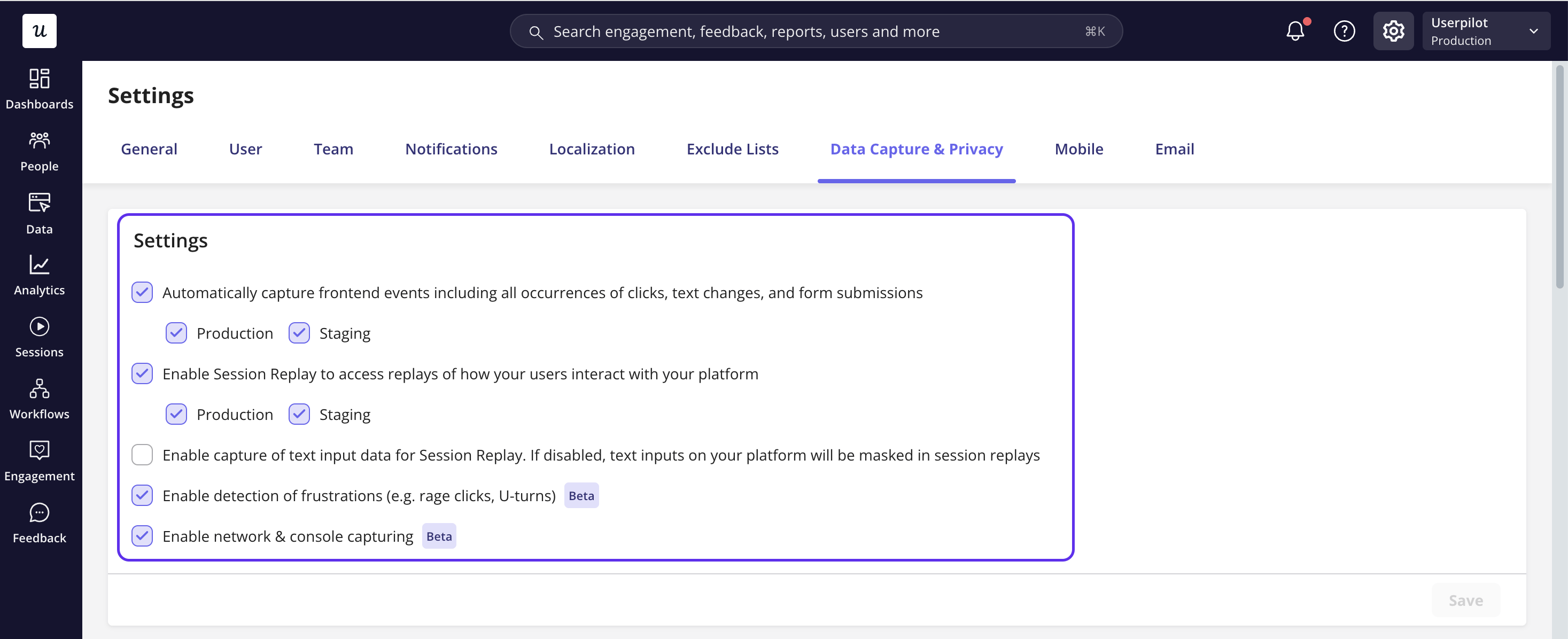
* **Automatically capture frontend events** - Enable Userpilot’s **autocapture** feature (raw events) to record frontend interactions automatically: clicks, text input changes, and form submissions. When enabled, Userpilot will start collecting this data once the SDK is active in your app.
* **Session playback toggle** - Enable or disable **Session Replay** entirely. If turned off, Userpilot won’t store or display replayable session data
* **Capture text input** - Enable text capture if you want typed interactions to show up in replays; if disabled, all text inputs are masked.
* **Detection of Frustrations** - Automatically flags signals that indicate a user struggled. It detects dead clicks, rage clicks, u-turns, form abandonment, and error clicks during a session.
* **Network & Console Capturing** - Records network errors, console errors, and uncaught exceptions and syncs them to the session replay in the built-in Dev Tools panel, so you can debug without pulling in engineering.
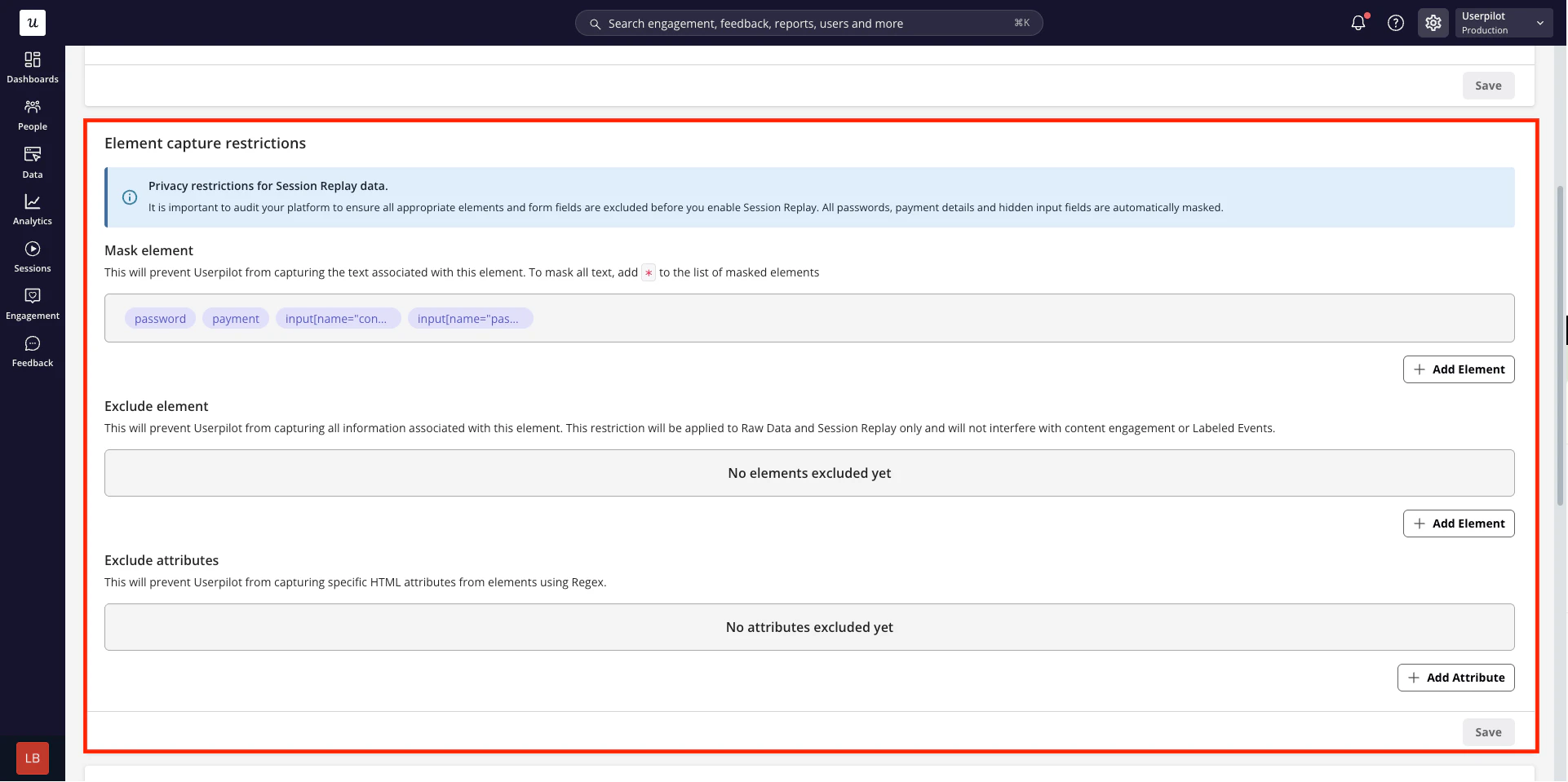
 ### 2. Element capture restrictions
Use element-level rules to control how specific UI elements are captured in auto-captured events and session replays.
* **Mask elements** — Hide the text content of selected elements in session replays. Masked elements remain visible in replays, but their content is replaced so sensitive information isn’t exposed.
* **Exclude elements** — Fully exclude selected elements from data capture. Interactions, text, and metadata related to these elements won’t be recorded in raw events or session replays.
* **Exclude attributes** — You can also exclude specific **attributes** (for example, `value`, `placeholder`, or custom data attributes) to prevent sensitive or unnecessary information from being captured.
### 2. Element capture restrictions
Use element-level rules to control how specific UI elements are captured in auto-captured events and session replays.
* **Mask elements** — Hide the text content of selected elements in session replays. Masked elements remain visible in replays, but their content is replaced so sensitive information isn’t exposed.
* **Exclude elements** — Fully exclude selected elements from data capture. Interactions, text, and metadata related to these elements won’t be recorded in raw events or session replays.
* **Exclude attributes** — You can also exclude specific **attributes** (for example, `value`, `placeholder`, or custom data attributes) to prevent sensitive or unnecessary information from being captured.
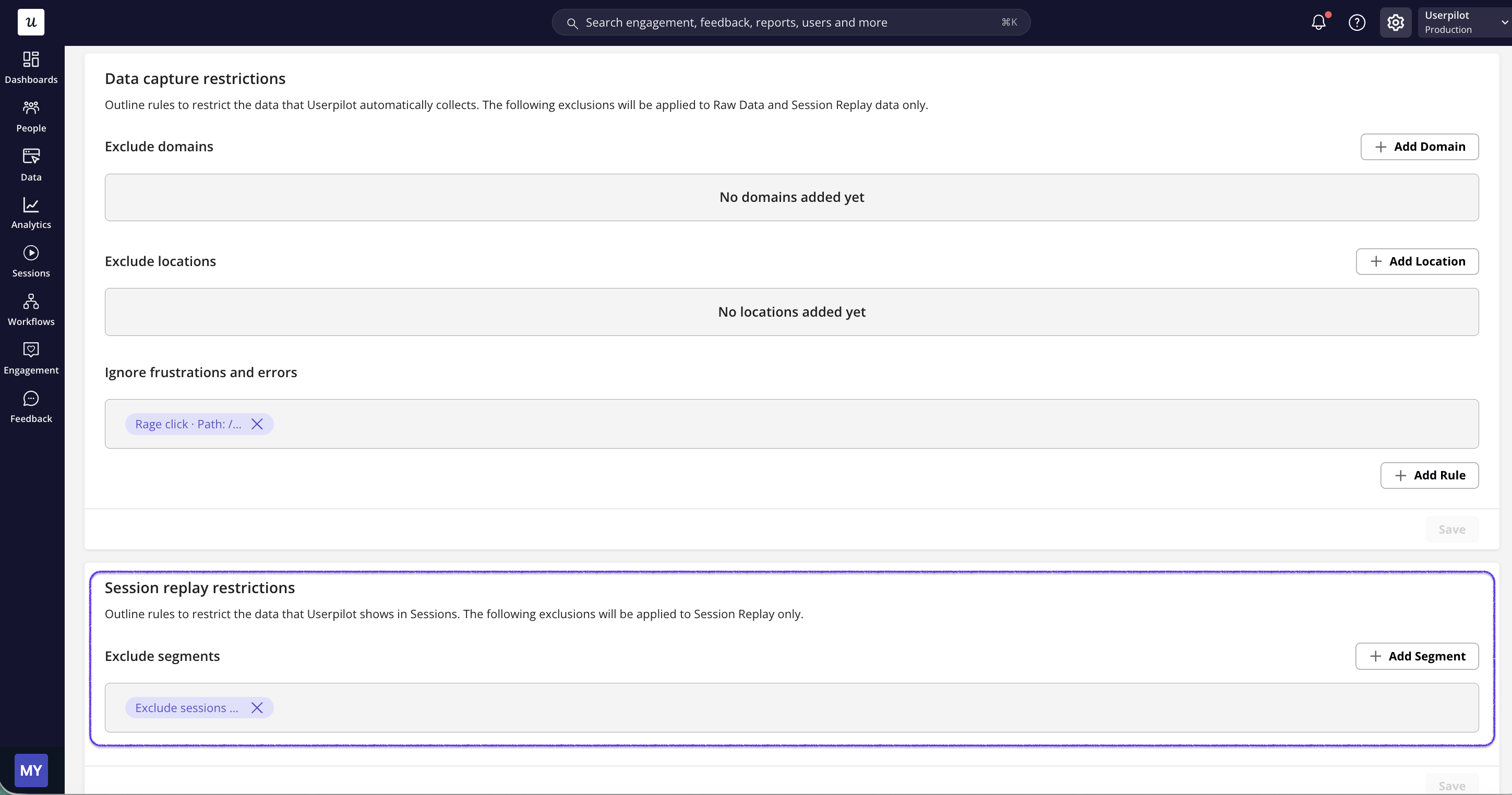
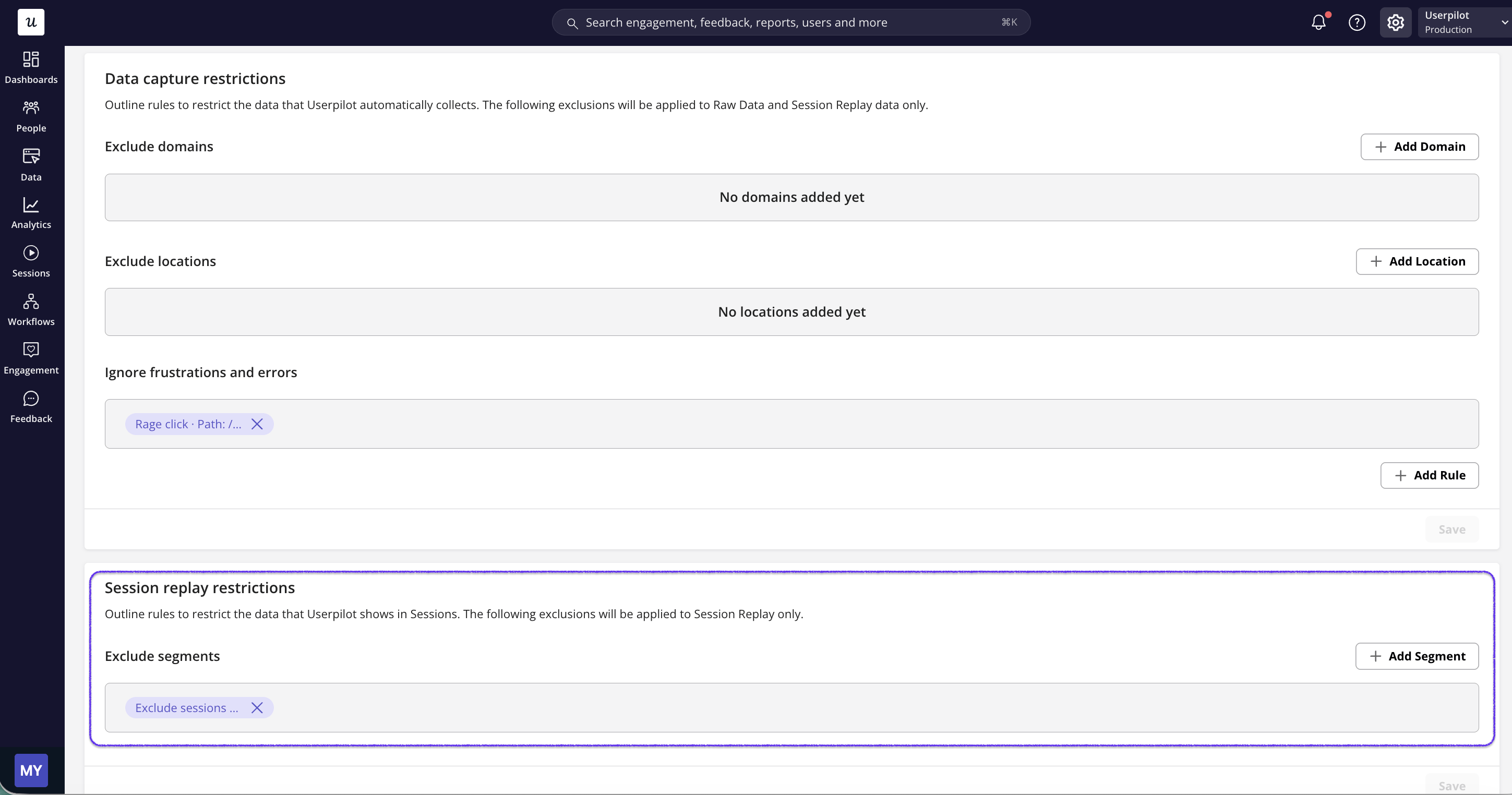
 ### 3. Data capture restrictions
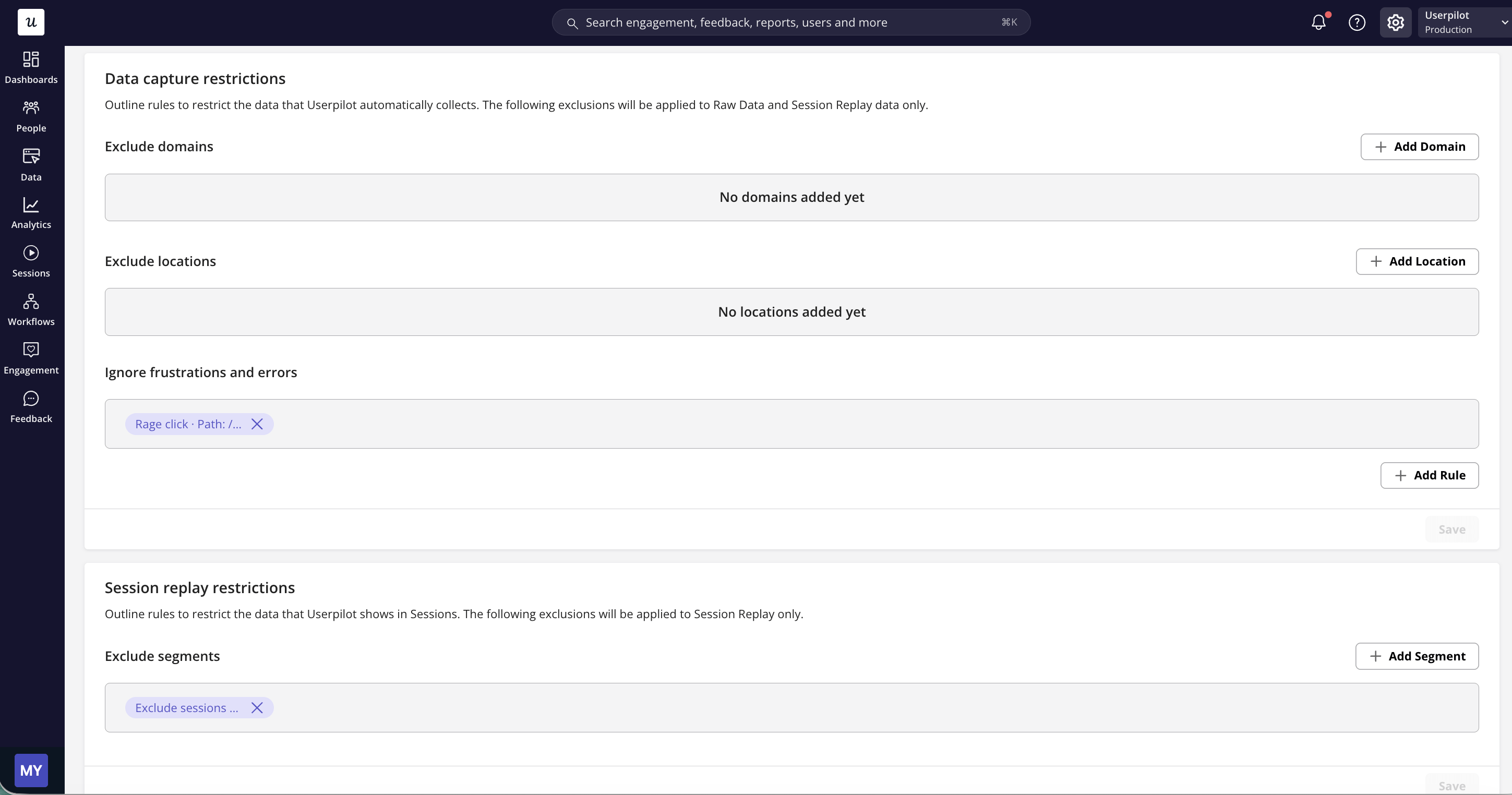
Data capture restrictions allow you to limit where auto-captured events and session data are collected.
* **Restrict by domain** - Exclude specific domains or subdomains from being recorded. This is useful for omitting sensitive areas such as authentication flows, billing pages, or internal tools.
* **Restrict by user location** - Control data capture based on a user’s physical location (for example, country or region). This helps you align data collection with regional privacy requirements or internal policies.
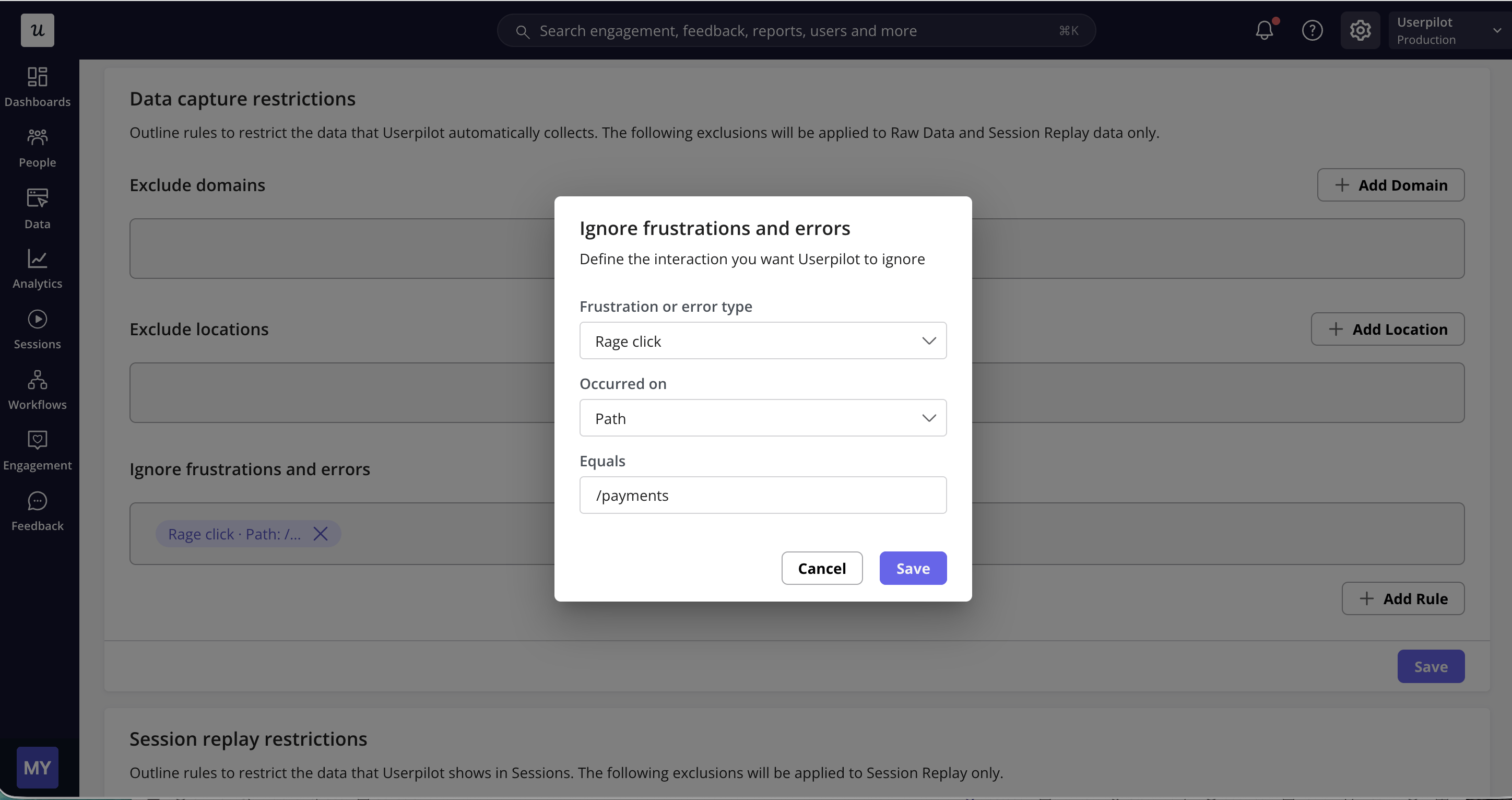
* **Ignore Frustrations and errors** - Set rules to exclude specific interactions from frustration and error detection. Pick a frustration or error type (e.g. rage click), scope it to where it occurred (e.g. Path equals /checkout/payment), and Userpilot will stop flagging that interaction in sessions.
### 3. Data capture restrictions
Data capture restrictions allow you to limit where auto-captured events and session data are collected.
* **Restrict by domain** - Exclude specific domains or subdomains from being recorded. This is useful for omitting sensitive areas such as authentication flows, billing pages, or internal tools.
* **Restrict by user location** - Control data capture based on a user’s physical location (for example, country or region). This helps you align data collection with regional privacy requirements or internal policies.
* **Ignore Frustrations and errors** - Set rules to exclude specific interactions from frustration and error detection. Pick a frustration or error type (e.g. rage click), scope it to where it occurred (e.g. Path equals /checkout/payment), and Userpilot will stop flagging that interaction in sessions.
 ### 4. Session replay restrictions
Session replay restrictions let you control *whose* sessions are recorded and stored.
* **Segment-based recording** — Limit session replays to specific user or company segments (for example, paid users, users on a certain plan, or users in a specific region).
### 4. Session replay restrictions
Session replay restrictions let you control *whose* sessions are recorded and stored.
* **Segment-based recording** — Limit session replays to specific user or company segments (for example, paid users, users on a certain plan, or users in a specific region).
 ## See also
* [Data Retention](/configure/data-retention/data-retention) — control how long Userpilot stores your analytics events and session replays.
### FAQs
No, Userpilot would not capture the text of masked elements. So the text associated with the masked elements would not be saved in our database.
[For any questions or concerns please reach out to **support@userpilot.com**](mailto:support@userpilot.com)
## See also
* [Data Retention](/configure/data-retention/data-retention) — control how long Userpilot stores your analytics events and session replays.
### FAQs
No, Userpilot would not capture the text of masked elements. So the text associated with the masked elements would not be saved in our database.
[For any questions or concerns please reach out to **support@userpilot.com**](mailto:support@userpilot.com)