> ## Documentation Index
> Fetch the complete documentation index at: https://docs.userpilot.com/llms.txt
> Use this file to discover all available pages before exploring further.
# Getting Started with Checklists
> Checklists are increasingly becoming a vital tool for guiding new users toward successful activation. They serve as a structured roadmap, ensuring that users.
## Overview
Checklists are increasingly becoming a vital tool for guiding new users toward successful activation. They serve as a structured roadmap, ensuring that users stay on track and complete the key tasks necessary to derive value from your product.
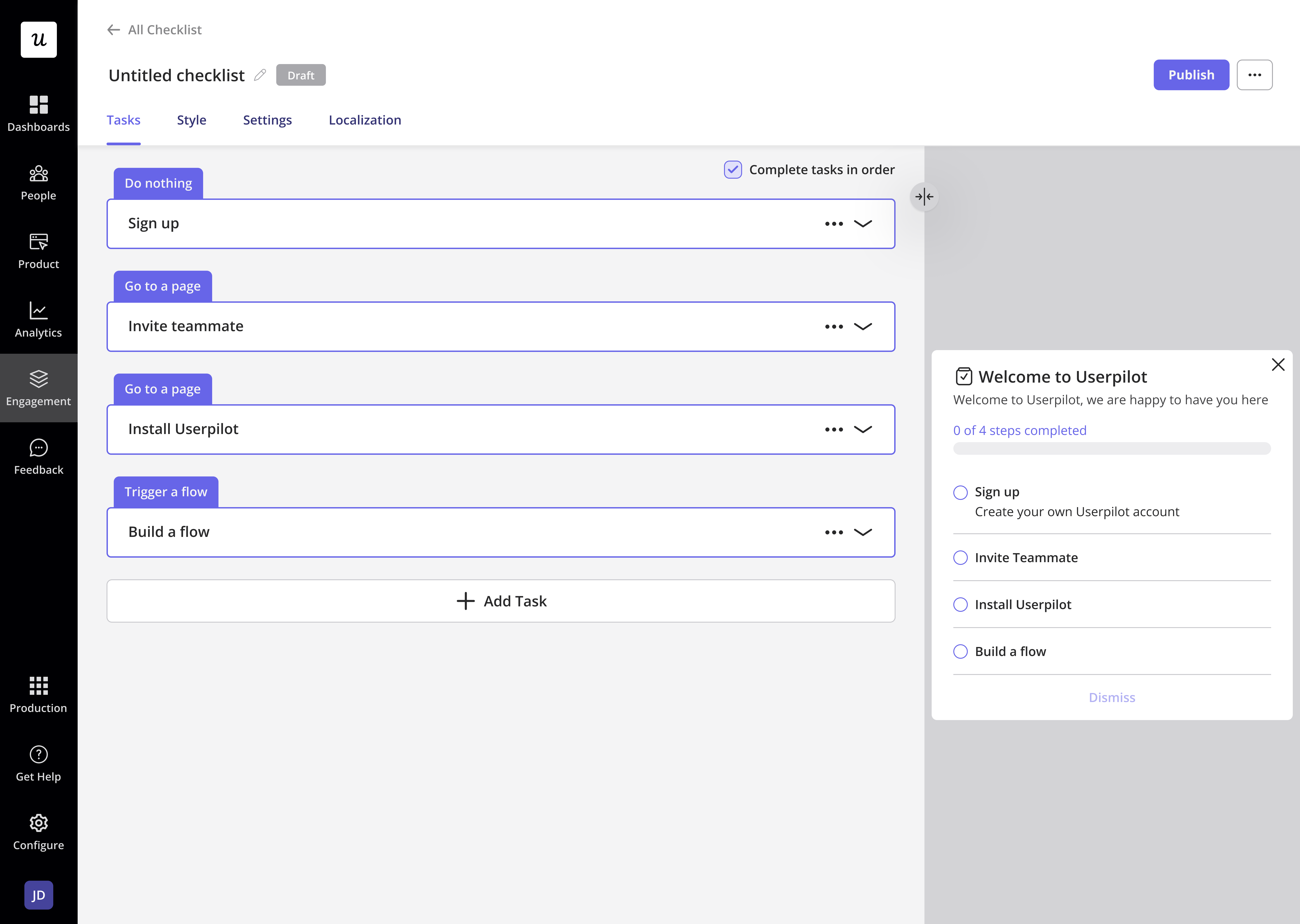 By implementing checklists, you can help users navigate their journey more effectively, reduce churn, and improve product adoption. These lists can include actions like exploring features, completing a setup, or performing specific tasks within the app.
## Why Use Checklists?
* **Improved user engagement:** Checklists encourage users to interact more with your product by providing clear, actionable steps.
* **Faster time to value:** By guiding users through the essential steps, checklists help them achieve their goals quicker.
* **Enhanced onboarding experience:** They simplify the onboarding process, making it less overwhelming for new users.
* **Increased retention:** A well-implemented checklist ensures users remain engaged and reduces the likelihood of churn.
## Customizing Checklists in Userpilot
With Userpilot, you have full control over how your checklists look and function. You can design a checklist that aligns perfectly with your product’s goals and brand identity. Here’s what you can customize:
By implementing checklists, you can help users navigate their journey more effectively, reduce churn, and improve product adoption. These lists can include actions like exploring features, completing a setup, or performing specific tasks within the app.
## Why Use Checklists?
* **Improved user engagement:** Checklists encourage users to interact more with your product by providing clear, actionable steps.
* **Faster time to value:** By guiding users through the essential steps, checklists help them achieve their goals quicker.
* **Enhanced onboarding experience:** They simplify the onboarding process, making it less overwhelming for new users.
* **Increased retention:** A well-implemented checklist ensures users remain engaged and reduces the likelihood of churn.
## Customizing Checklists in Userpilot
With Userpilot, you have full control over how your checklists look and function. You can design a checklist that aligns perfectly with your product’s goals and brand identity. Here’s what you can customize:
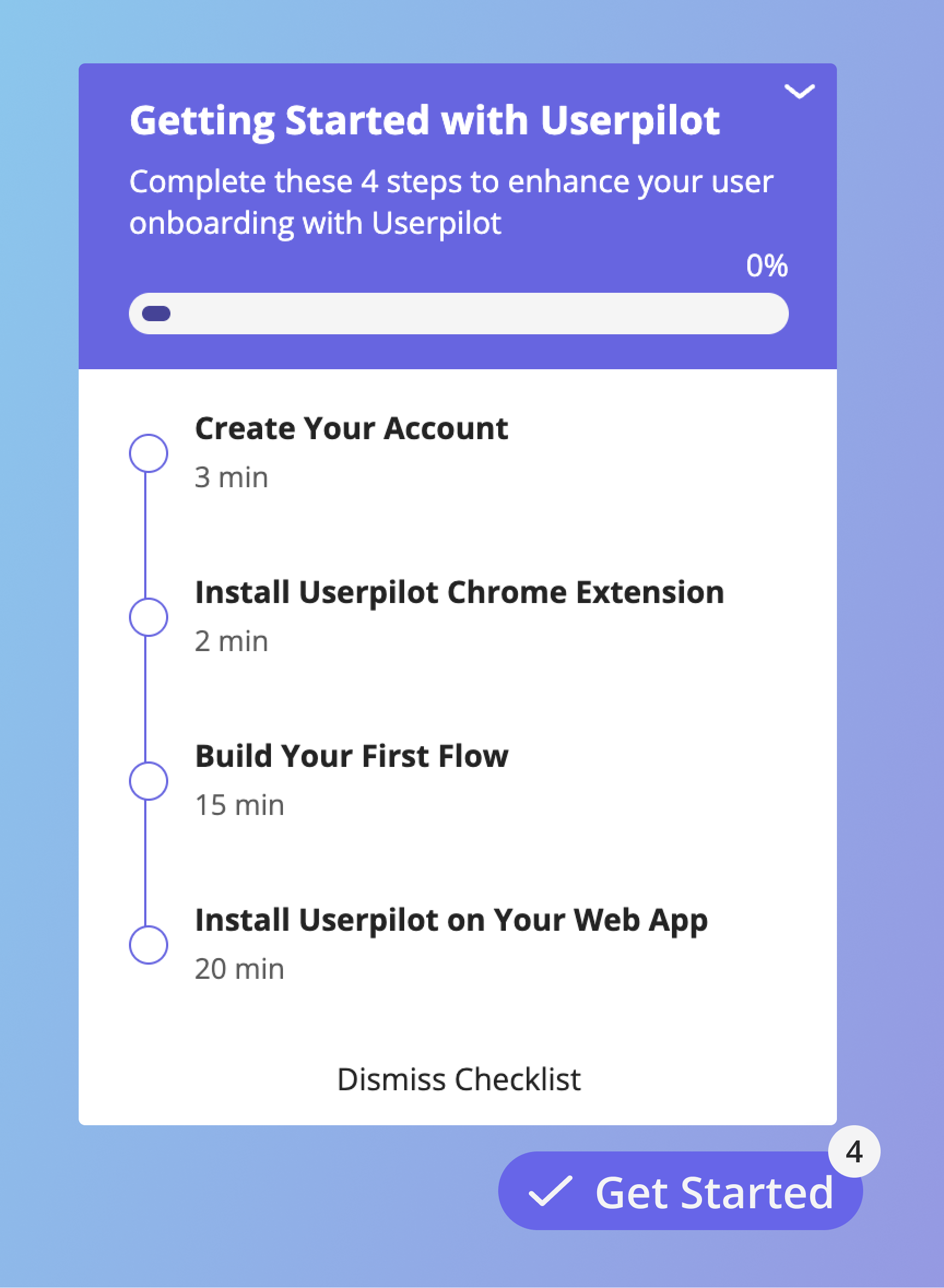 1. **Checklist layout:** Decide how the checklist appears to users, whether as a pop-up, widget, or embedded within your UI.
2. **Task types:** Add diverse tasks.
3. **Conditions for completion:** Define what qualifies as task completion, ensuring users follow the intended path.
4. **Audience targeting:** Tailor checklists to specific user segments for a personalized experience.
## Tips for Effective Checklists
* **Keep it simple:** Avoid overwhelming users by including too many tasks. Focus on the most critical steps for activation.
* **Use clear language:** Ensure tasks are easy to understand with concise instructions.
* **Iterate and improve:** Continuously refine your checklists based on user feedback and performance data.
## Explore More
Checklists are just one of the many tools Userpilot offers to enhance user onboarding and engagement. Dive deeper into creating checklists by checking our [document](./create-checklist) or watching our [Checklist Tutorial Video](https://pages.userpilot.com/topics/checklists/).
Start leveraging the power of checklists today and see how they can transform your user onboarding process!
1. **Checklist layout:** Decide how the checklist appears to users, whether as a pop-up, widget, or embedded within your UI.
2. **Task types:** Add diverse tasks.
3. **Conditions for completion:** Define what qualifies as task completion, ensuring users follow the intended path.
4. **Audience targeting:** Tailor checklists to specific user segments for a personalized experience.
## Tips for Effective Checklists
* **Keep it simple:** Avoid overwhelming users by including too many tasks. Focus on the most critical steps for activation.
* **Use clear language:** Ensure tasks are easy to understand with concise instructions.
* **Iterate and improve:** Continuously refine your checklists based on user feedback and performance data.
## Explore More
Checklists are just one of the many tools Userpilot offers to enhance user onboarding and engagement. Dive deeper into creating checklists by checking our [document](./create-checklist) or watching our [Checklist Tutorial Video](https://pages.userpilot.com/topics/checklists/).
Start leveraging the power of checklists today and see how they can transform your user onboarding process!