> ## Documentation Index
> Fetch the complete documentation index at: https://docs.userpilot.com/llms.txt
> Use this file to discover all available pages before exploring further.
# Testing and Publishing Checklists
> Previewing the Checklist during the building process is a great way to ensure it will look and behave as expected for your end-users.
## Preview Mode
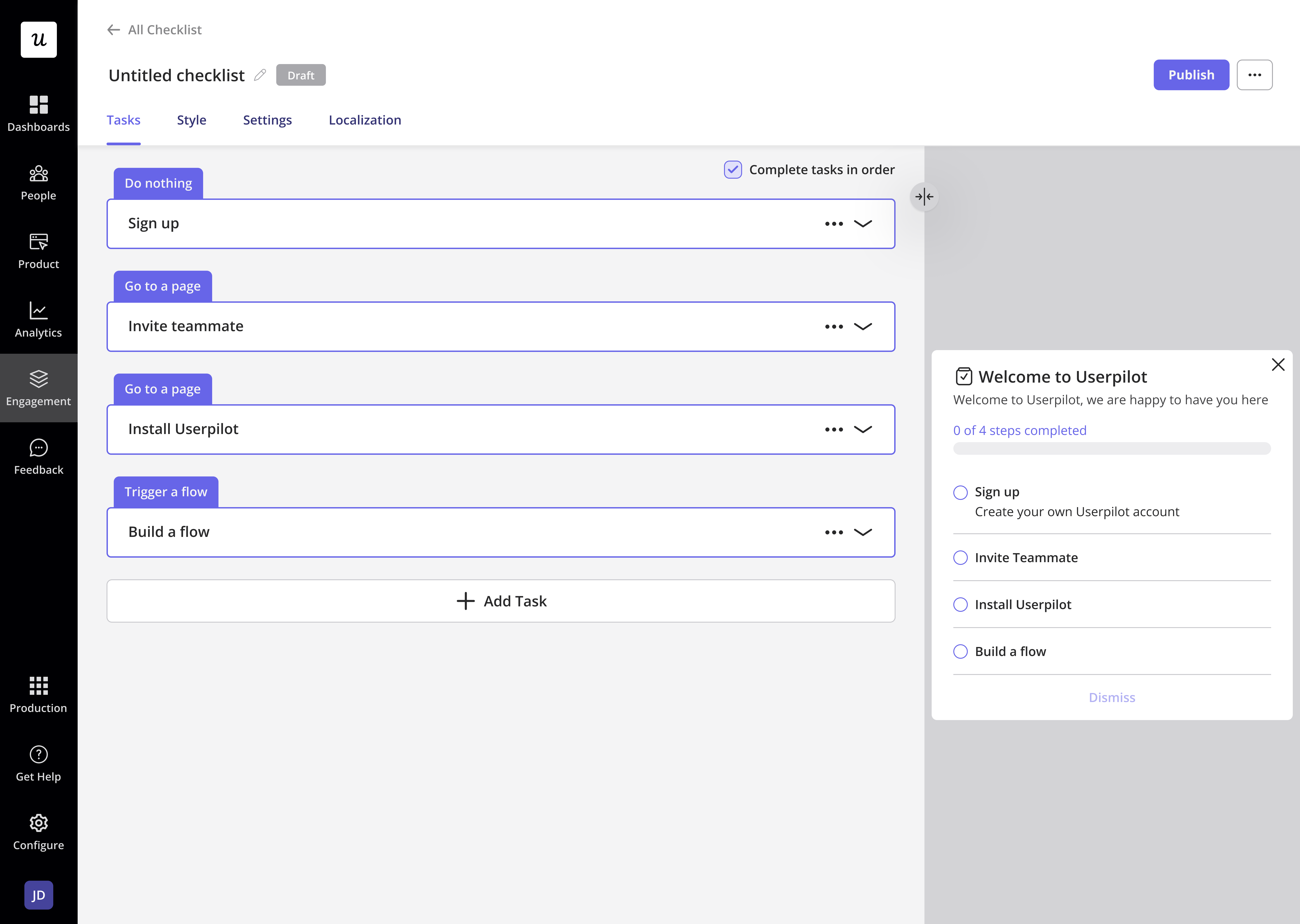
**Previewing** the **Checklist** during the building process is a great way to ensure it will **look** and **behave** as expected for your **end-users**.
The **preview** appears on the **right side** of the page while you’re building each part of the **Checklist**. You’ll be able to see **any changes** you make and **interact** with it to observe its **behavior**.
 ## **Test Mode**
After building your Checklist and previewing it to make sure it looks good, you can test it live before publishing it for your end users. You can check many things in the test mode:
* How the Checklist looks and behaves from your end-user perspective
* Check that the Checklist appears on the right page(s)
* Make sure that the Checklist obeys the specified Audience targeting
* Check the positioning of the Checklist on your web app
* Review and check the modules' interaction behavior
* Get feedback from your teammates
### Options
1. Publishing the Checklist only to yourself and your colleagues
Setting the **Audience** to **Only Me** limits the **Checklist** to display only for you and colleagues who have the **Userpilot Chrome extension** installed. You can then **navigate** to the target page to **test** how the **Checklist** will appear and function.
## **Test Mode**
After building your Checklist and previewing it to make sure it looks good, you can test it live before publishing it for your end users. You can check many things in the test mode:
* How the Checklist looks and behaves from your end-user perspective
* Check that the Checklist appears on the right page(s)
* Make sure that the Checklist obeys the specified Audience targeting
* Check the positioning of the Checklist on your web app
* Review and check the modules' interaction behavior
* Get feedback from your teammates
### Options
1. Publishing the Checklist only to yourself and your colleagues
Setting the **Audience** to **Only Me** limits the **Checklist** to display only for you and colleagues who have the **Userpilot Chrome extension** installed. You can then **navigate** to the target page to **test** how the **Checklist** will appear and function.
 2. Publishing the Checklist on a testing or staging environment
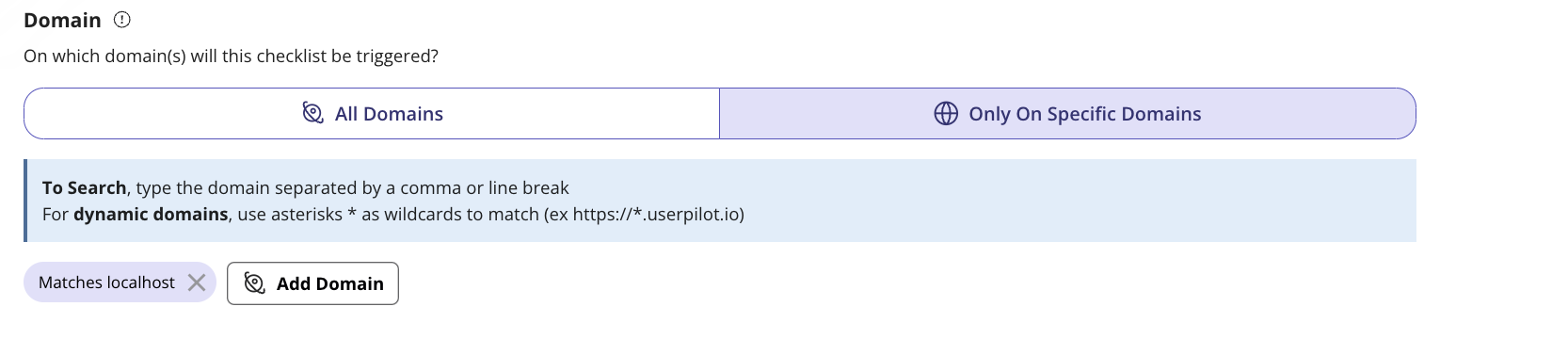
Before **publishing** the **Checklist** on your **staging environment**, go to the **Domain Settings** under the **Configure** tab. Choose **"Domains I choose"** and enter your **testing** or **staging environment**. Now, you can **safely publish** the **Checklist** to your **testing environment**.
2. Publishing the Checklist on a testing or staging environment
Before **publishing** the **Checklist** on your **staging environment**, go to the **Domain Settings** under the **Configure** tab. Choose **"Domains I choose"** and enter your **testing** or **staging environment**. Now, you can **safely publish** the **Checklist** to your **testing environment**.
 3. Publishing the Checklist only to specific users
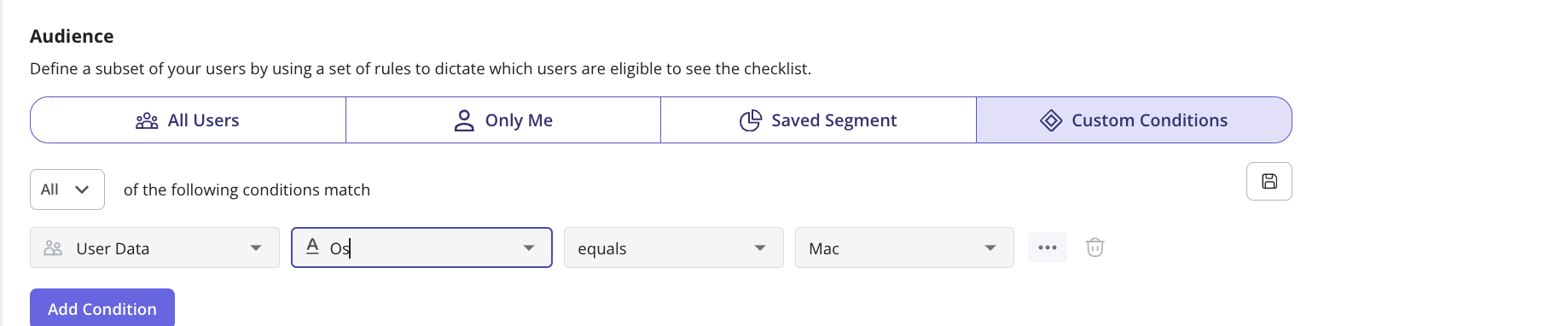
You can **limit** which users see the **Checklist** based on the **user properties** of your **internal testers**. This is done in the **Audience** section, where you can **target** specific users by their **Unique User IDs**, **emails**, or even their **names**.
3. Publishing the Checklist only to specific users
You can **limit** which users see the **Checklist** based on the **user properties** of your **internal testers**. This is done in the **Audience** section, where you can **target** specific users by their **Unique User IDs**, **emails**, or even their **names**.
 ***
## Publishing the Checklist
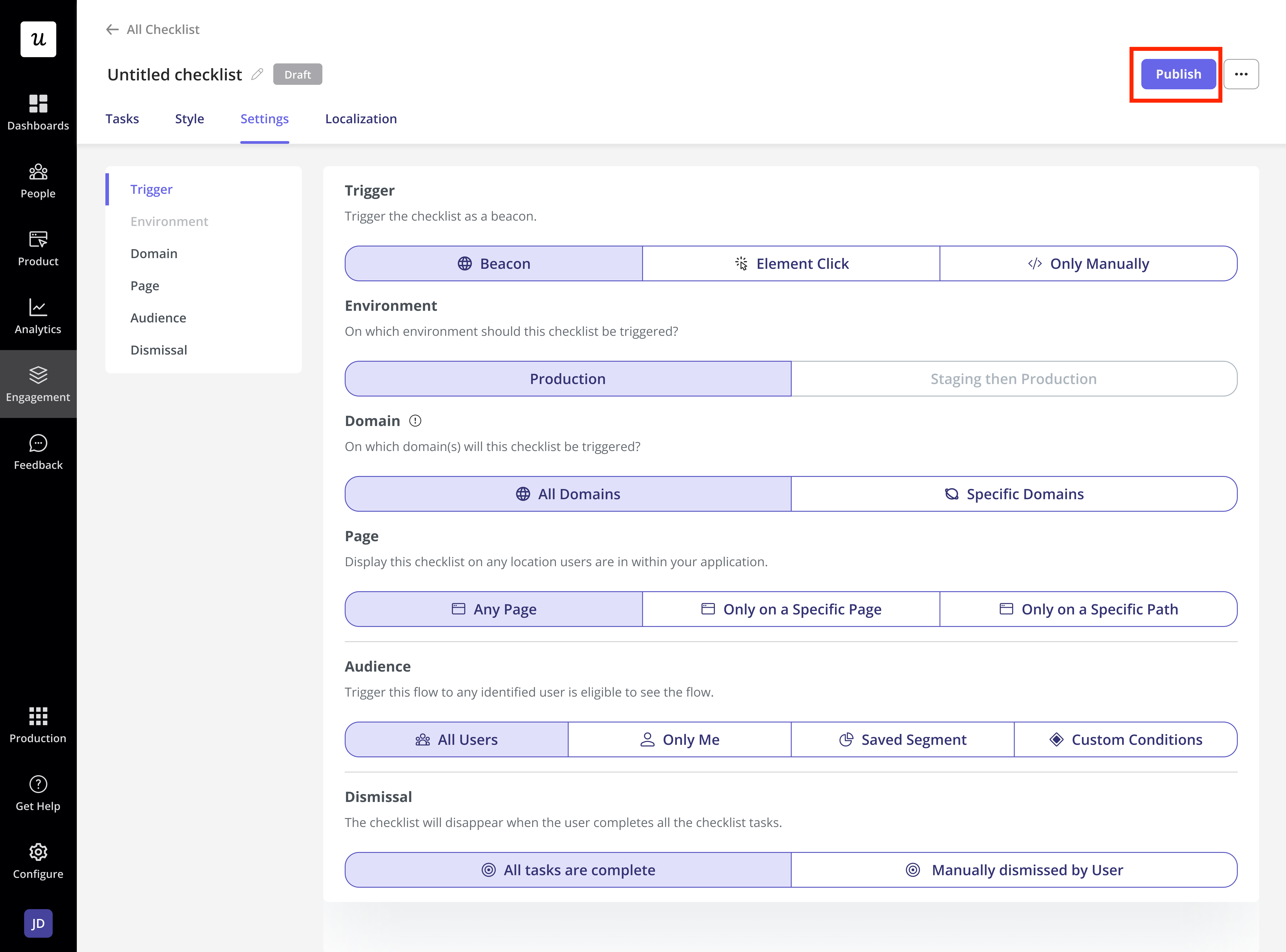
Once you **test** the **Checklist** and ensure everything **looks good**, update the **Checklist targeting settings** to include your **desired end-users**. You can then **promote** the **Checklist** and **publish** it live by clicking the **"Publish"** button.
***
## Publishing the Checklist
Once you **test** the **Checklist** and ensure everything **looks good**, update the **Checklist targeting settings** to include your **desired end-users**. You can then **promote** the **Checklist** and **publish** it live by clicking the **"Publish"** button.