> ## Documentation Index
> Fetch the complete documentation index at: https://docs.userpilot.com/llms.txt
> Use this file to discover all available pages before exploring further.
# Add email addresses
> Specify the email addresses you wish to use for communicating with your users outside of your application.
## Overview
Specify the email addresses you wish to use for communicating with your users outside of your application. This enables you to maintain user engagement through emails sent from your organization’s verified domain(s).
The email addresses added on this page can be used as both the send **“From”** and **“Assign replies to”** addresses when composing email content.
## **Get started**
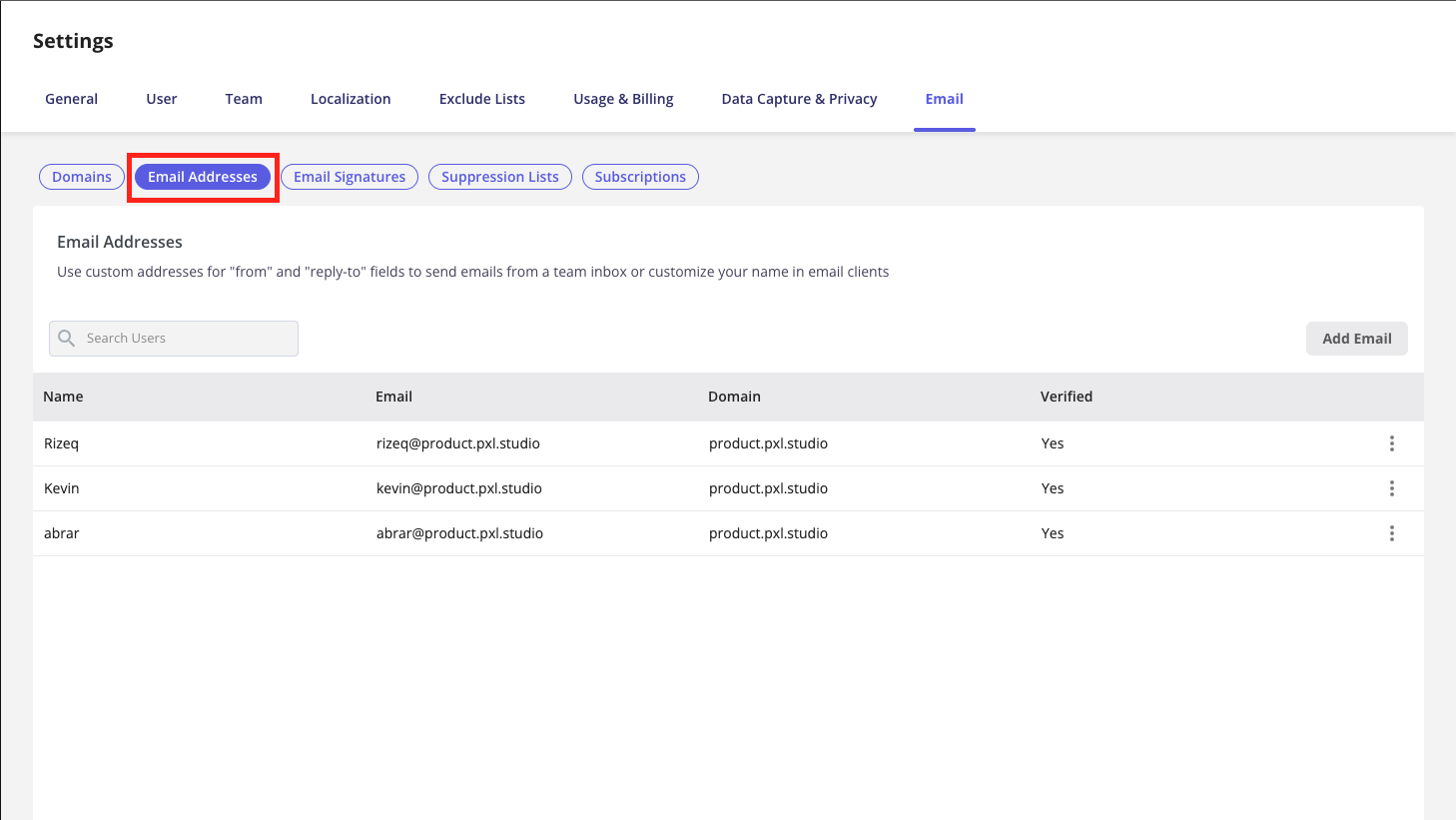
Go to [Configure > Settings > Email ](https://run.userpilot.io/settings/email-settings/email-addresses)> where you'll find your **Send email addresses**.
 ## **Add an email address**
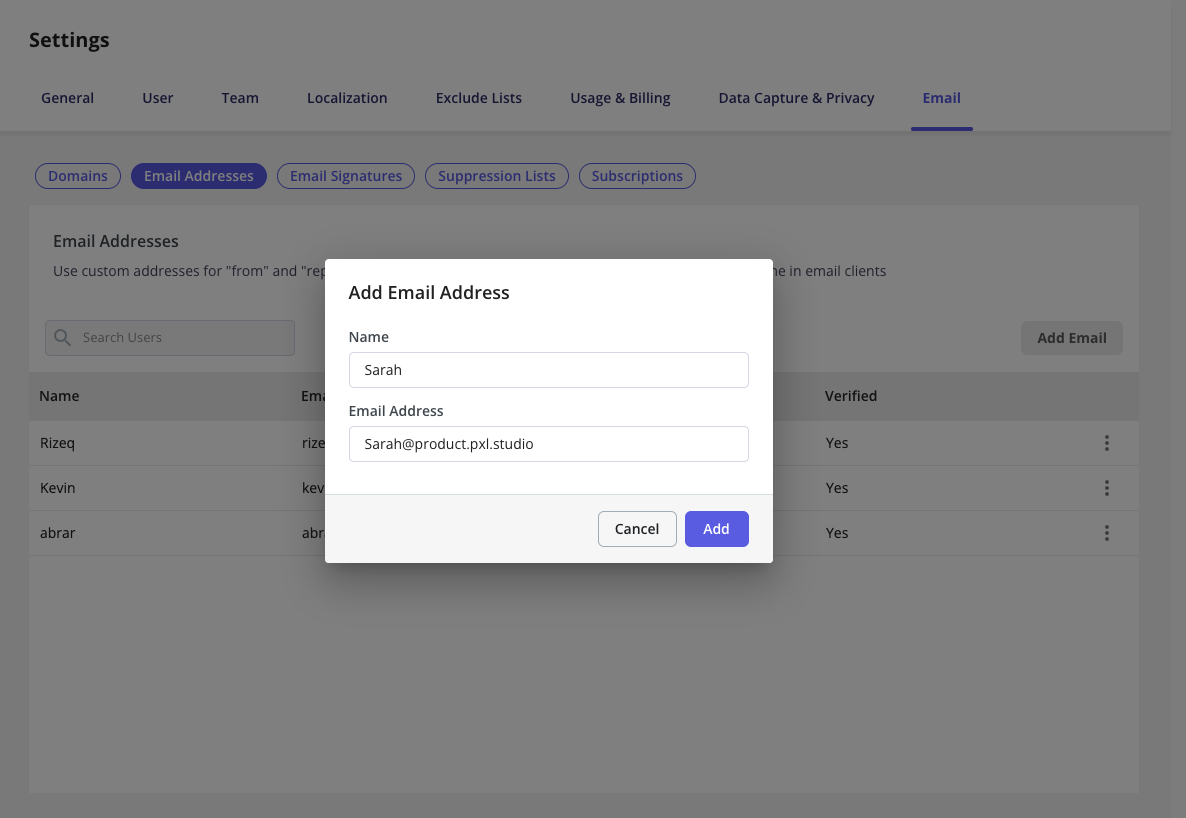
Start by selecting **Add Email Address**. You’ll then be prompted to enter the support email address your customers use to contact you (for example, [**support@yourcompany.com**](mailto:support@yourcompany.com)). The **Name** field is simply for organizing and labeling your email addresses within your account.
## **Add an email address**
Start by selecting **Add Email Address**. You’ll then be prompted to enter the support email address your customers use to contact you (for example, [**support@yourcompany.com**](mailto:support@yourcompany.com)). The **Name** field is simply for organizing and labeling your email addresses within your account.
 * You must provide a work email address. Personal email domains such as @[gmail.com](http://gmail.com) or @[outlook.com](http://outlook.com) are not supported.
* The added email address must belong to an **authenticated domain** before you can start using it.
* You must provide a work email address. Personal email domains such as @[gmail.com](http://gmail.com) or @[outlook.com](http://outlook.com) are not supported.
* The added email address must belong to an **authenticated domain** before you can start using it.