> ## Documentation Index
> Fetch the complete documentation index at: https://docs.userpilot.com/llms.txt
> Use this file to discover all available pages before exploring further.
# Targeting an Embed
> Targeting Embeds lets you control where and to whom your content appears, whether it's a Card or a Banner, so it reaches the right audience at the right time.
## Overview
Targeting Embeds gives you full control over where and when your content is shown. With flexible targeting options, you can display **Cards and Banners** based on environments, domains, pages, user segments, and more.
This helps ensure your content feels relevant and timely, without overwhelming users.
## Use Cases
* **Environment Testing:** Display Embeds only in **Staging** to safely test before going live
* **Domain-Specific Targeting:** Show Embeds on specific subdomains for campaigns or promotions
* **Page-Level Targeting:** Trigger Embeds on selected pages, like your homepage or product areas
* **Audience Segmentation:** Target specific user groups, such as new users or those who completed certain actions
* **Frequency Control:** Control how often an Embed appears to avoid repetition and fatigue
## Settings breakdown
### Environment targeting
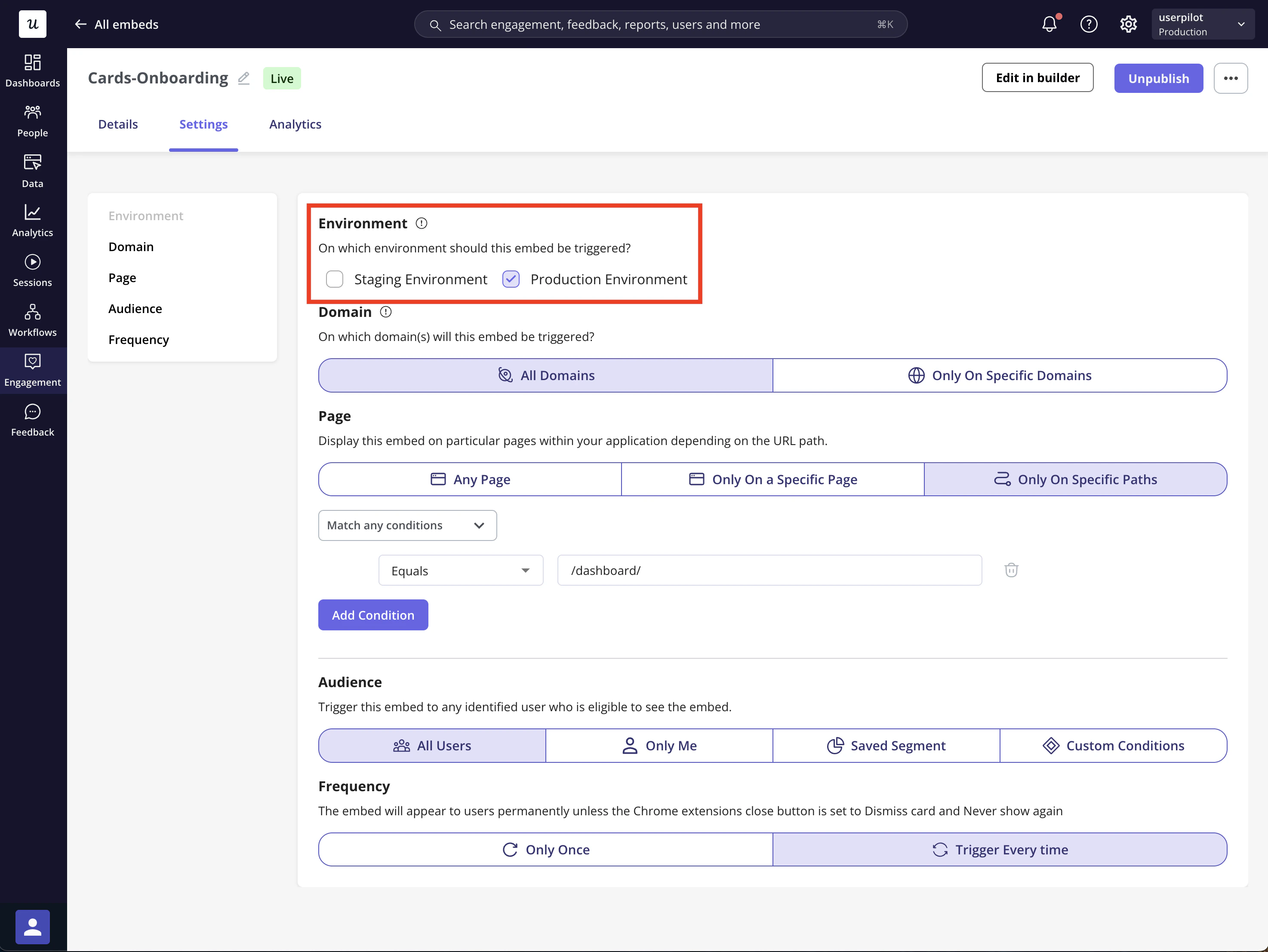
Choose between **Staging** or **Production** environments to control where your Embed appears. This is useful for testing changes before showing them to live users.
 ### Domain Targeting
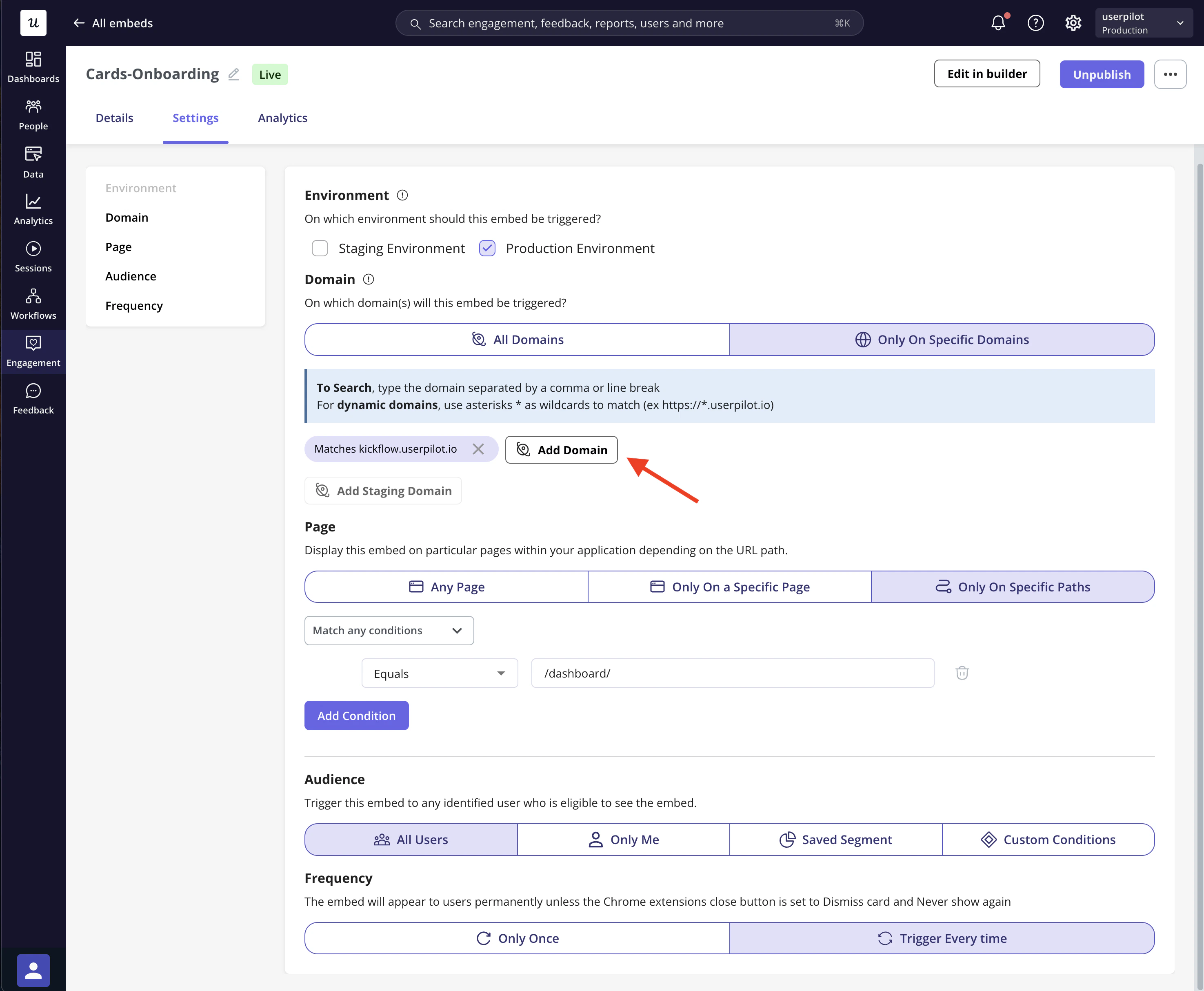
Control where your **Embed (Card or Banner)** appears based on the domain or subdomain.
* **All domains (default):** The Embed appears across all domains where Userpilot is installed.
* **Specific domain:** Show the Embed only on selected domains or subdomains, useful for testing or targeting specific markets.
### Domain Targeting
Control where your **Embed (Card or Banner)** appears based on the domain or subdomain.
* **All domains (default):** The Embed appears across all domains where Userpilot is installed.
* **Specific domain:** Show the Embed only on selected domains or subdomains, useful for testing or targeting specific markets.
 #### Page Targeting
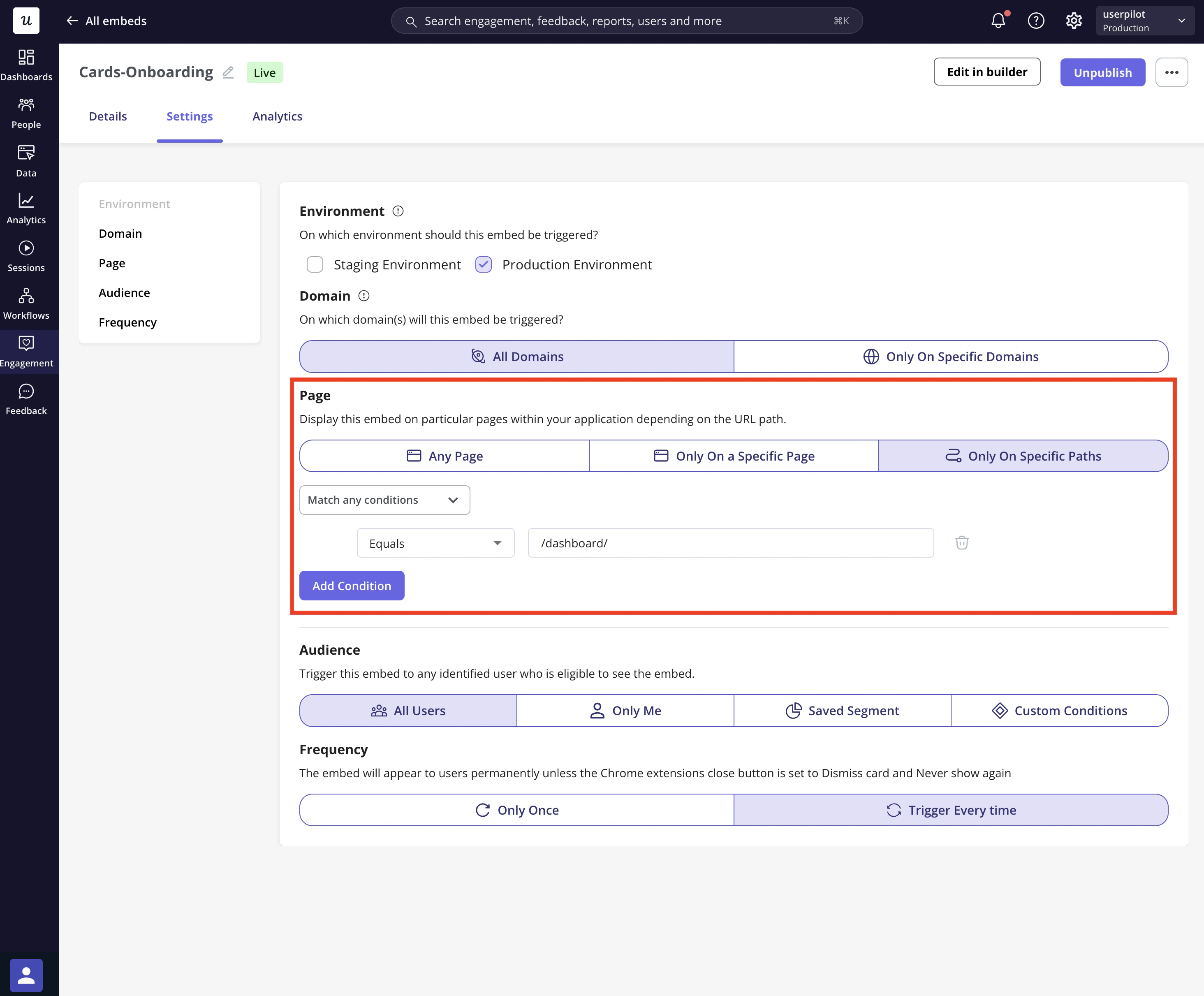
Control the appearance of your Embed on different pages within your application:
* **Any page (default):** The Embed shows across all pages with the Userpilot snippet.
* **Only on a Specific Page:** Target a pre-defined page.
* **Only on Specific Paths:** Show the Embed only on specific URLs or paths. You can specify multiple URL conditions for precise targeting.
#### Page Targeting
Control the appearance of your Embed on different pages within your application:
* **Any page (default):** The Embed shows across all pages with the Userpilot snippet.
* **Only on a Specific Page:** Target a pre-defined page.
* **Only on Specific Paths:** Show the Embed only on specific URLs or paths. You can specify multiple URL conditions for precise targeting.
 ### Audience Targeting
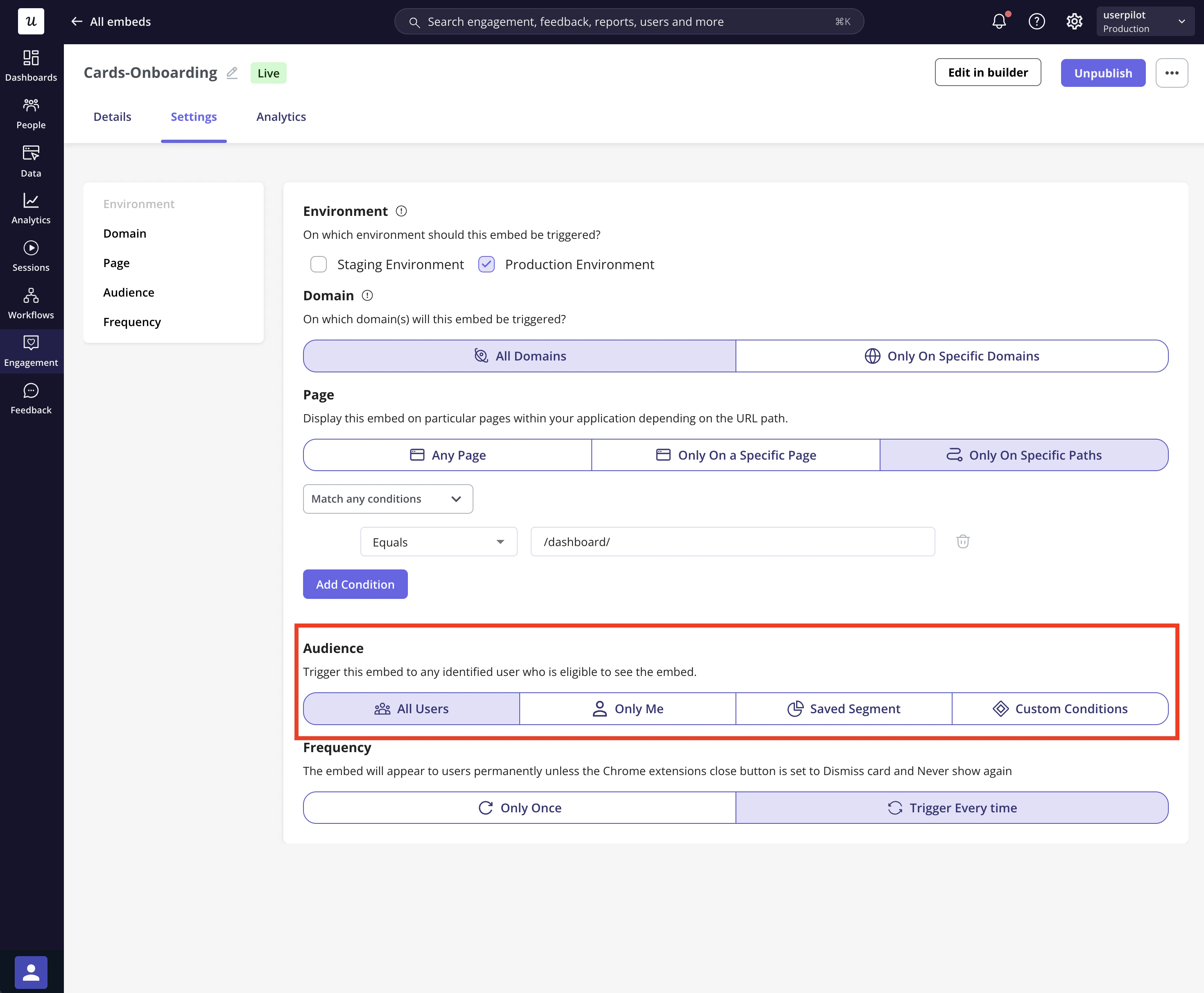
You can define the audience who will see the Embed, narrowing it down based on specific criteria:
* **All Users (default):** Show the Embed to everyone who visits the targeted page(s).
* **Only Me:** Display the Embed only for you and teammates who have the Userpilot Chrome extension installed.
* **Specific Segment:** Target a pre-defined user segment.
* **Users that match specific conditions:** Use filters such as User Properties, Segments, Form Responses, or Tracked Events to reach specific user groups.
### Audience Targeting
You can define the audience who will see the Embed, narrowing it down based on specific criteria:
* **All Users (default):** Show the Embed to everyone who visits the targeted page(s).
* **Only Me:** Display the Embed only for you and teammates who have the Userpilot Chrome extension installed.
* **Specific Segment:** Target a pre-defined user segment.
* **Users that match specific conditions:** Use filters such as User Properties, Segments, Form Responses, or Tracked Events to reach specific user groups.
 #### Frequency
Control how often your Embed is shown:
* **Once:** The Embed will appear only once and be dismissed after user interaction.
* **Every time:** The Embed will trigger every time the user visits the targeted page.
#### Frequency
Control how often your Embed is shown:
* **Once:** The Embed will appear only once and be dismissed after user interaction.
* **Every time:** The Embed will trigger every time the user visits the targeted page.
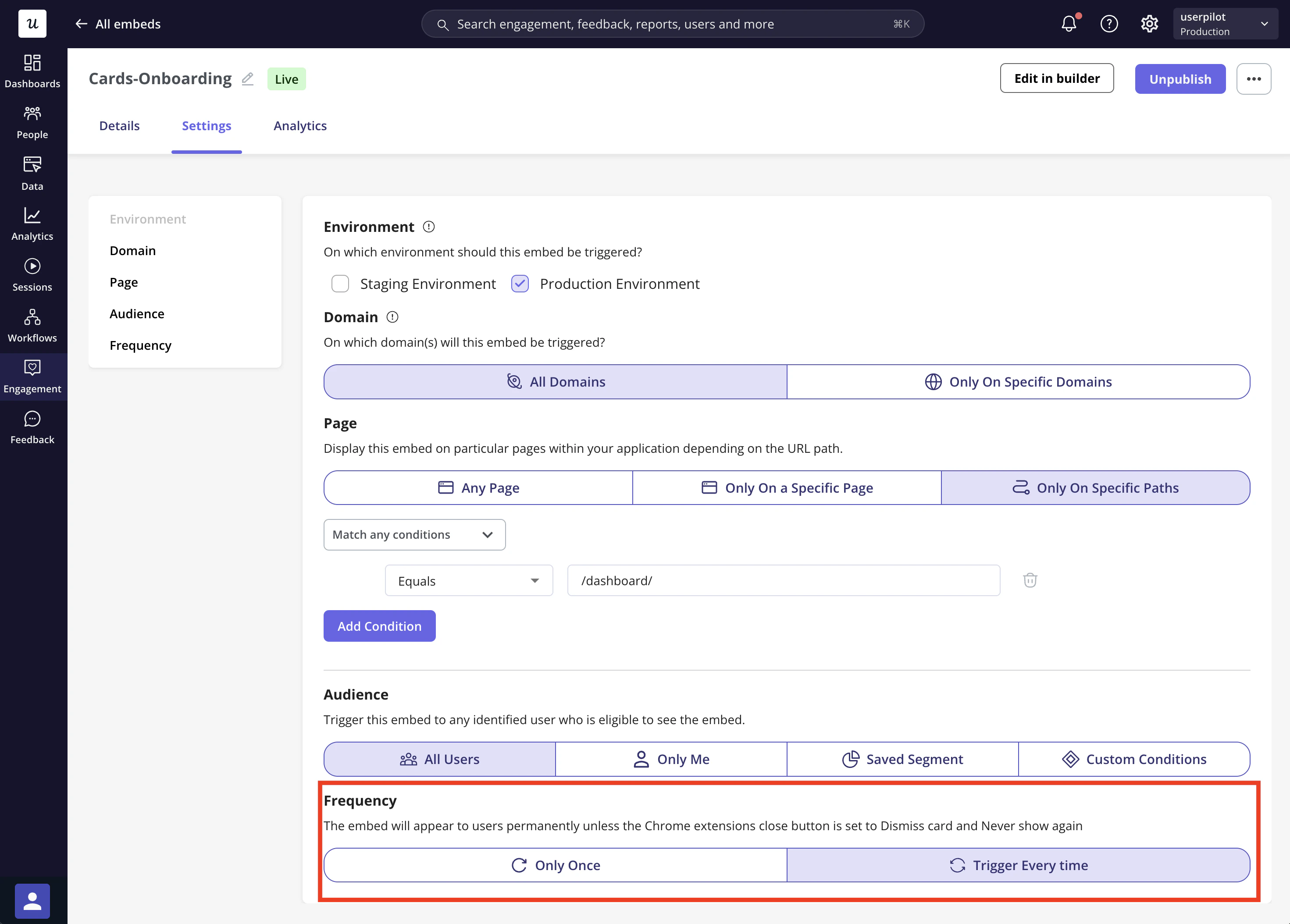 These settings apply to the **entire Embed**, which can include up to **4 Cards**. However, **frequency is handled per Card**, based on each Card’s dismiss action. For example:
1. **Dismiss**: the card can reappear (depending on the selected frequency, e.g., “Every time”)
2. **Dismiss and never show again**: the card will not trigger again
### FAQs
Absolutely! You can combine multiple targeting options, such as selecting specific domains, pages, and user segments, to ensure the Banner is displayed to the right audience under the right conditions.
If you set the frequency to "Every time," the Banner will appear each time the user visits the page. However, if the user dismisses it, the trigger behavior will depend on the close button setting. If it's set to "Never show again," the Banner will stop triggering.
[**For any questions or concerns please reach out to support@userpilot.com**](mailto:support@userpilot.com)
These settings apply to the **entire Embed**, which can include up to **4 Cards**. However, **frequency is handled per Card**, based on each Card’s dismiss action. For example:
1. **Dismiss**: the card can reappear (depending on the selected frequency, e.g., “Every time”)
2. **Dismiss and never show again**: the card will not trigger again
### FAQs
Absolutely! You can combine multiple targeting options, such as selecting specific domains, pages, and user segments, to ensure the Banner is displayed to the right audience under the right conditions.
If you set the frequency to "Every time," the Banner will appear each time the user visits the page. However, if the user dismisses it, the trigger behavior will depend on the close button setting. If it's set to "Never show again," the Banner will stop triggering.
[**For any questions or concerns please reach out to support@userpilot.com**](mailto:support@userpilot.com)