> ## Documentation Index
> Fetch the complete documentation index at: https://docs.userpilot.com/llms.txt
> Use this file to discover all available pages before exploring further.
# Progressive Groups
> Use Progressive Groups to create flexible in-app flows that let users navigate steps freely, skip sections, and continue at their own pace.
## Overview
**Userpilot Progressive Groups** let you structure **in-app experiences** to give users more **control** over their **navigation**. Instead of a **linear flow** with a strict sequence, **progressive groups** allow users to **move back and forth** between steps, **skip sections**, or **dismiss** parts of the flow while continuing with the rest. This feature enhances **flexibility** for **onboarding**, **feature adoption**, and **guided walkthroughs**.
## Use Cases
* **Flexible onboarding**: Allow users to navigate back and forth through tutorial steps.
* **Multi-step guidance**: Break down complex processes into step-by-step groups that users can navigate freely.
* **Progress tracking**: Use progress indicators (bars or balls) to guide users through a structured yet flexible flow.
* **Dismiss and continue**: Enable users to skip a group but still complete the remaining steps of the flow.
## Adding a Progressive Group
In order for steps to be grouped, they must have the same UI pattern (e.g., all modals or all tooltips).
1. **Navigate to flows**: In the Userpilot dashboard, go to the flow editor.
2. **Create a new step**: Add a step to your flow.
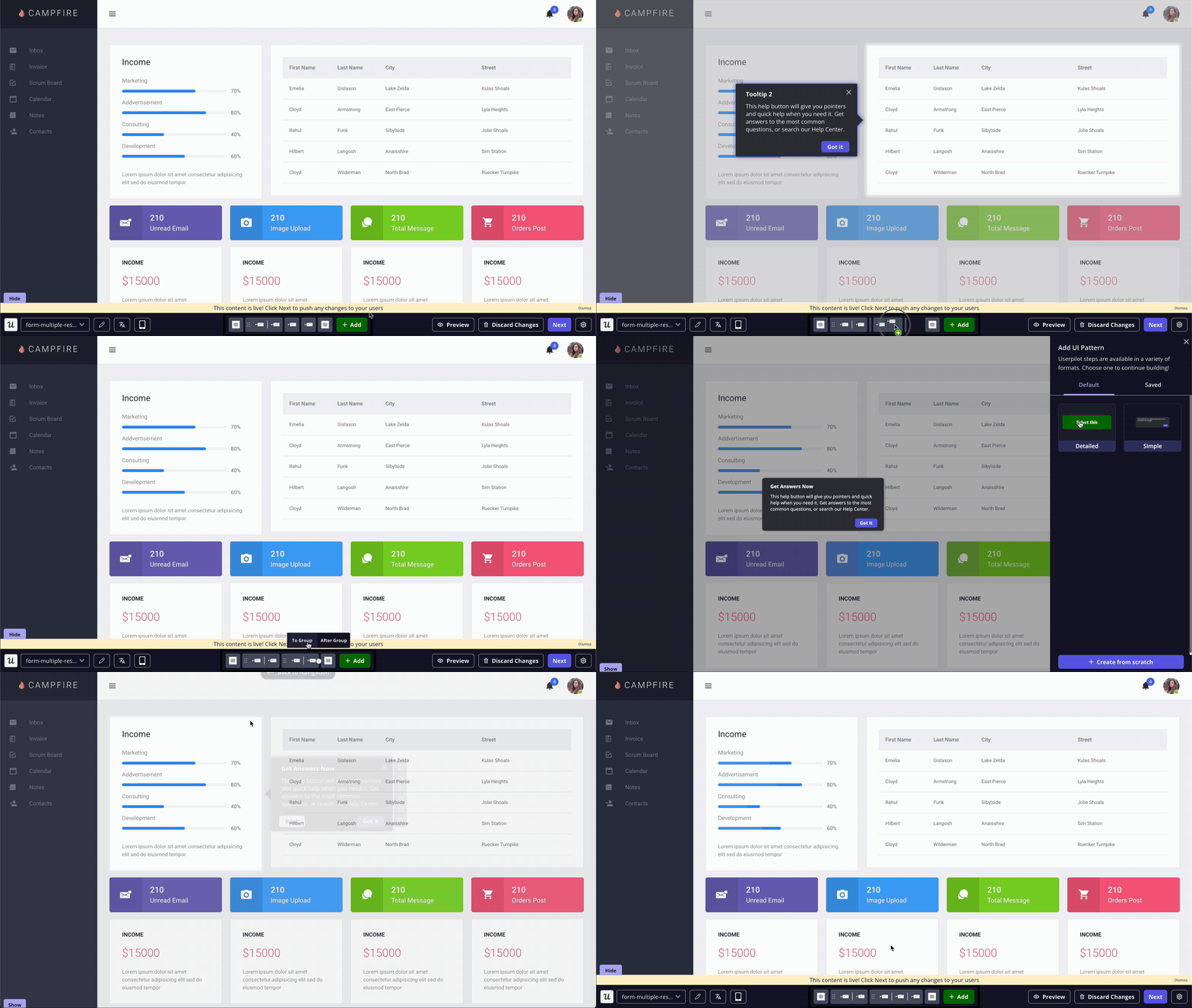
3. **Group steps together**: You can create a group by either: 1. Dragging and dropping a step next to the desired step to form a group. 2. Clicking the plus sign next to a step and selecting "To Group" to add it to an existing group.
 4. **Choose navigation type**:
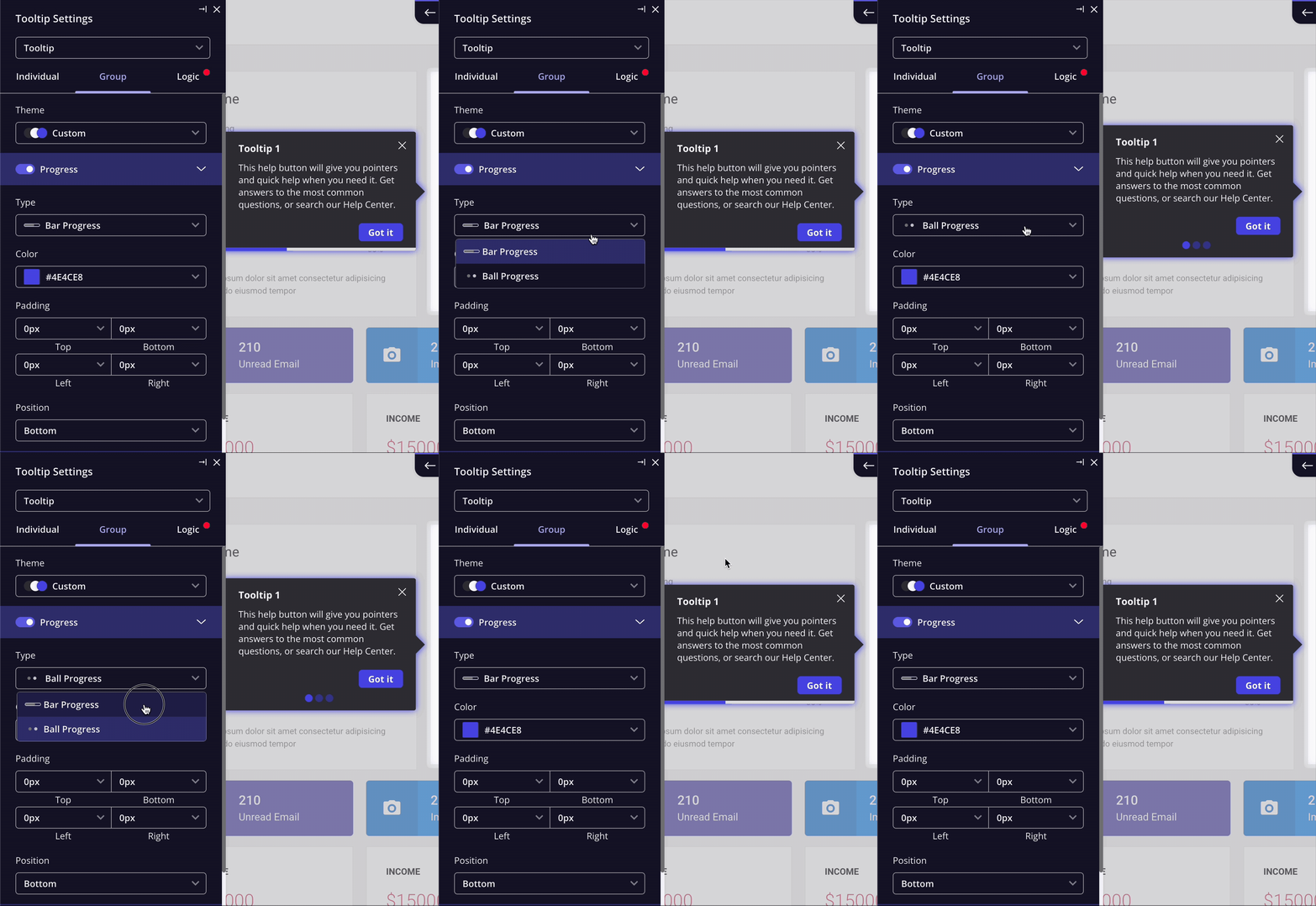
* **Progress bar**: Adds "Next" and "Previous" buttons for easier navigation.
* **Balls progress**: Allows users to manually proceed with a custom button.
4. **Choose navigation type**:
* **Progress bar**: Adds "Next" and "Previous" buttons for easier navigation.
* **Balls progress**: Allows users to manually proceed with a custom button.
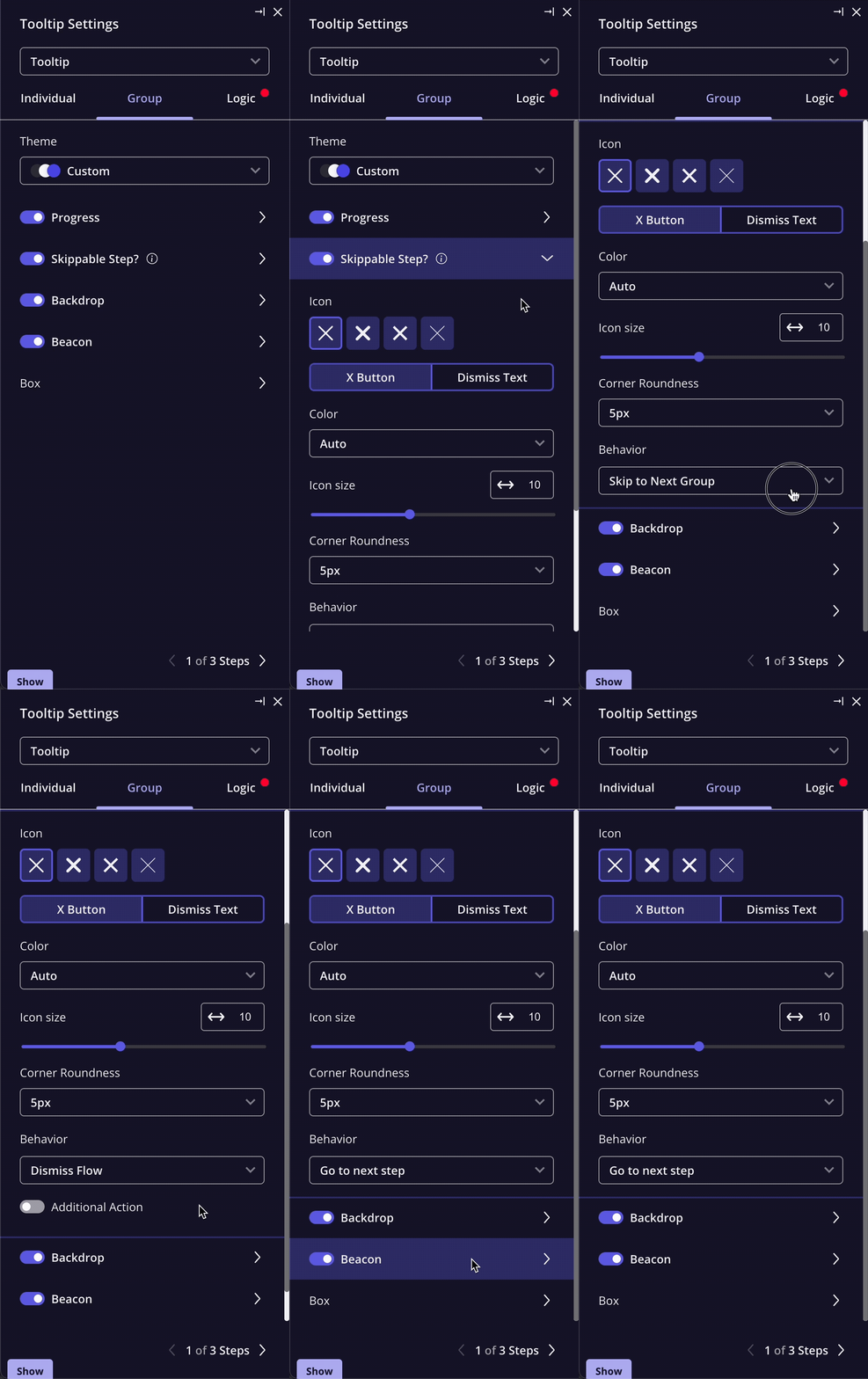
 5. **Customize Dismissal Options**: Configure whether users can exit a group and continue the rest of the flow.
 ### Editing Group Settings
* **Step consistency**: All steps within a group share the same UI pattern (e.g., modals, tooltips, slideouts).
* **Progress indicators**: Enable or disable navigation elements like progress bars.
* **Customization**: Apply group-wide styling, positioning, and behavior settings.
### Editing Group Settings
* **Step consistency**: All steps within a group share the same UI pattern (e.g., modals, tooltips, slideouts).
* **Progress indicators**: Enable or disable navigation elements like progress bars.
* **Customization**: Apply group-wide styling, positioning, and behavior settings.
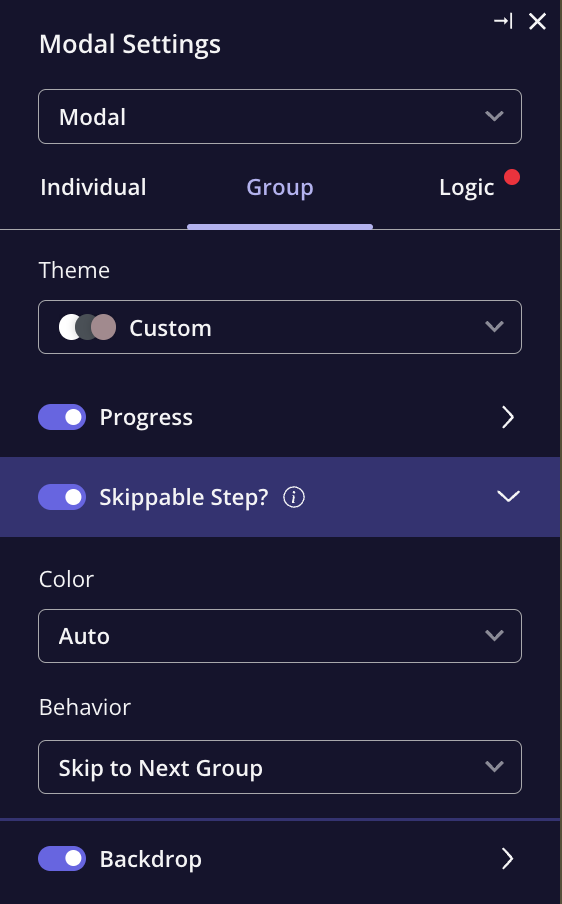 Any changes applied to a step within a group (such as enabling or disabling features) will automatically apply to all other steps in the same group.
## FAQs
Yes! You can configure the **“X” button** or a custom dismiss action to let users skip a group while continuing the flow.
Yes, Userpilot analytics allows you to track engagement and completion rates for each progressive group.
Drag the step out of the group or use the step options menu to detach it.
[**For any questions or concerns please reach out to support@userpilot.com**](mailto:support@userpilot.com)
Any changes applied to a step within a group (such as enabling or disabling features) will automatically apply to all other steps in the same group.
## FAQs
Yes! You can configure the **“X” button** or a custom dismiss action to let users skip a group while continuing the flow.
Yes, Userpilot analytics allows you to track engagement and completion rates for each progressive group.
Drag the step out of the group or use the step options menu to detach it.
[**For any questions or concerns please reach out to support@userpilot.com**](mailto:support@userpilot.com)