> ## Documentation Index
> Fetch the complete documentation index at: https://docs.userpilot.com/llms.txt
> Use this file to discover all available pages before exploring further.
# Setup a Theme
> Set up and customize themes in Userpilot to control colors, fonts, and styles, ensuring your in-app experiences stay consistent and on-brand.
## Overview
Userpilot allows you to customize your theme to match your brand’s identity effortlessly. You can control colors, fonts, button styles, and other design elements to ensure a consistent user experience. With flexible styling options, you can maintain brand consistency across all in-app experiences without needing constant design updates.
## Themes
Whether you want a uniform look across all UI patterns or unique styling for specific components, the theme settings provide full control over the appearance of your flows. This level of customization ensures that every user interaction feels intuitive, professional, and on-brand.
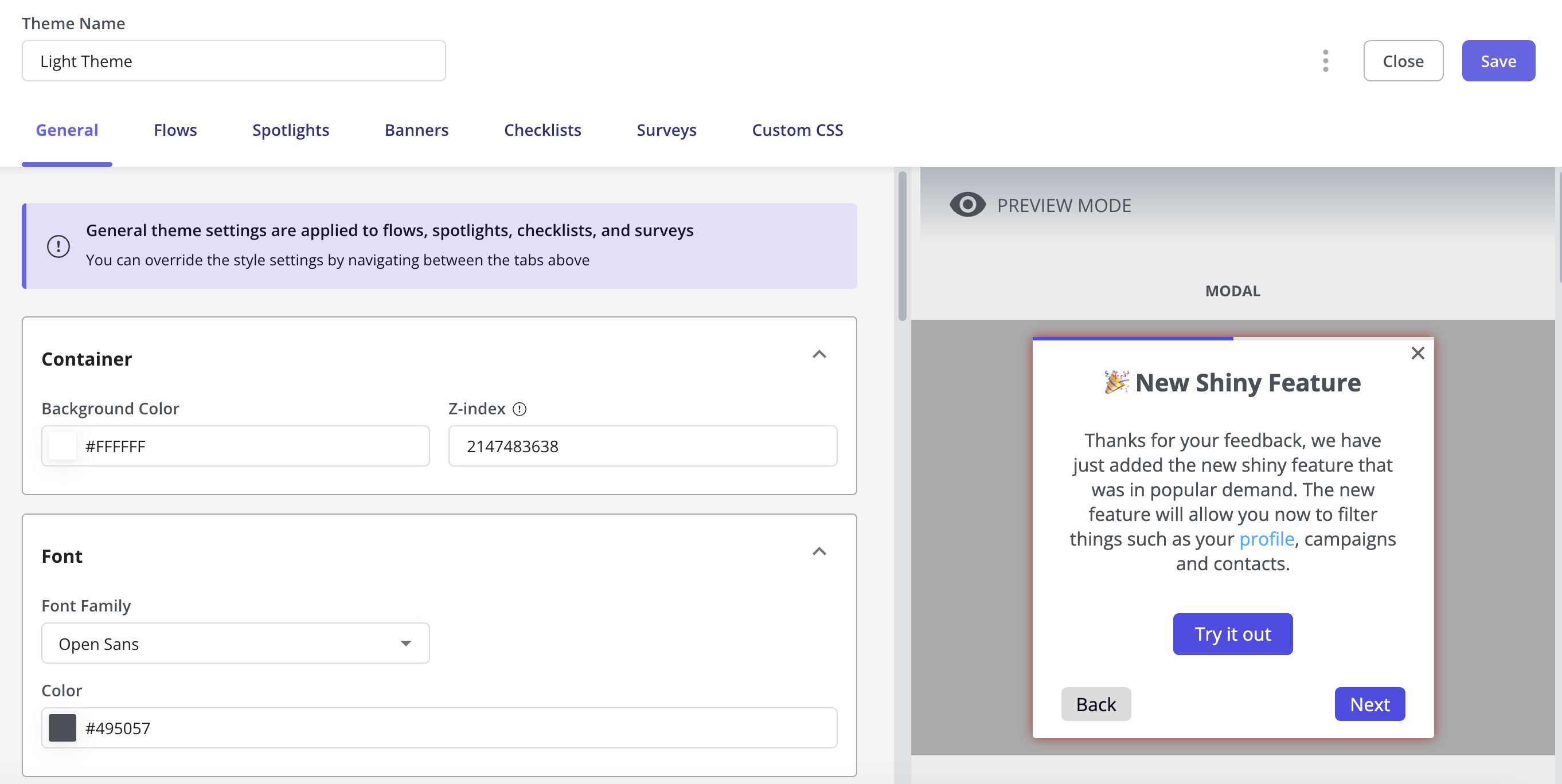
You can either apply general theme settings that will take effect on all types of UI patterns or simply go to each UI pattern and customize the look and feel for it.
 ## **Customizing Your Font**
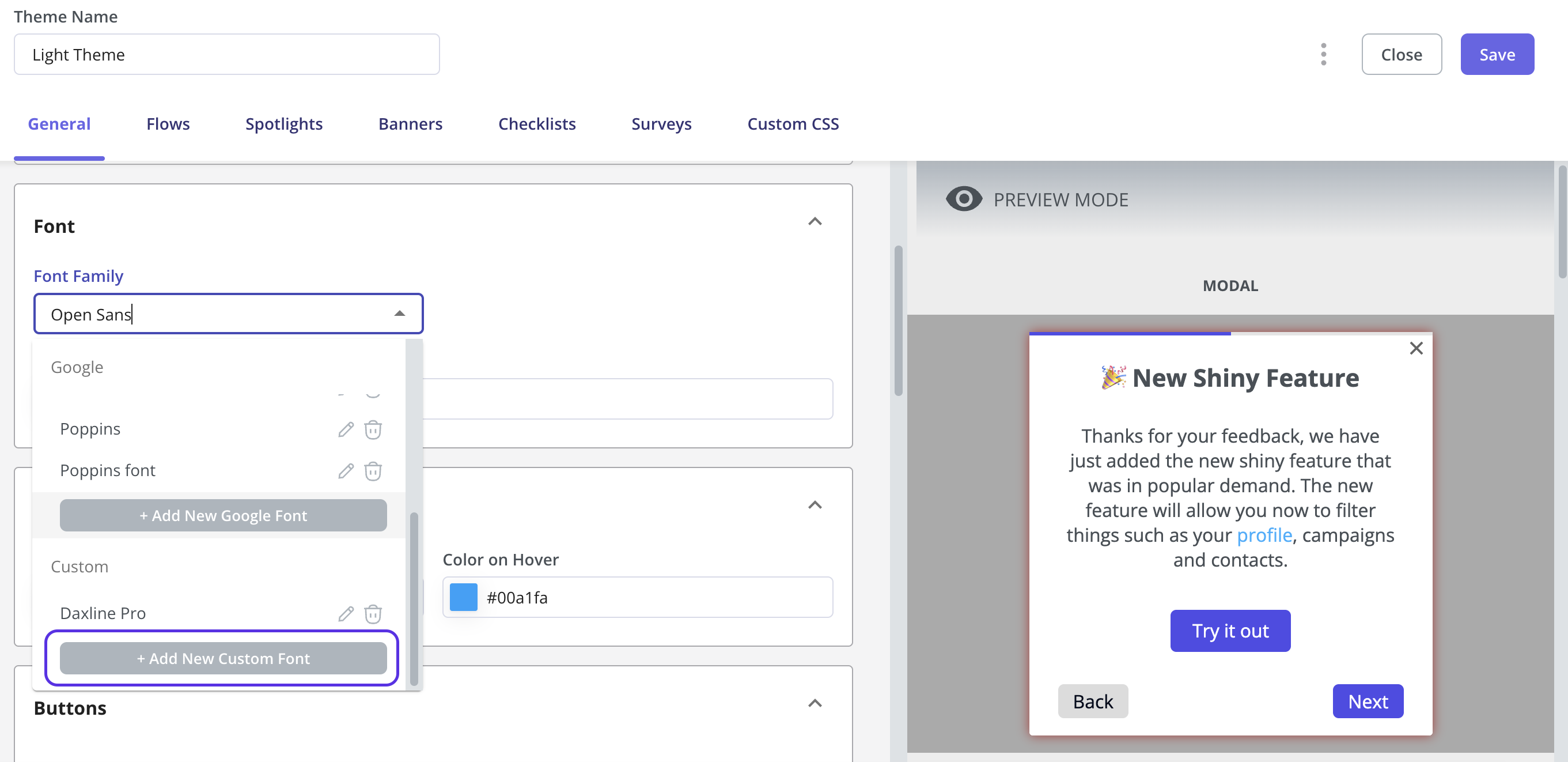
To customize the font of your content, navigate to Configure > Themes > Edit, then scroll down to the Font section. Click on the drop-down menu, select Custom, and choose Add New Custom Font to apply your preferred Font.
## **Customizing Your Font**
To customize the font of your content, navigate to Configure > Themes > Edit, then scroll down to the Font section. Click on the drop-down menu, select Custom, and choose Add New Custom Font to apply your preferred Font.
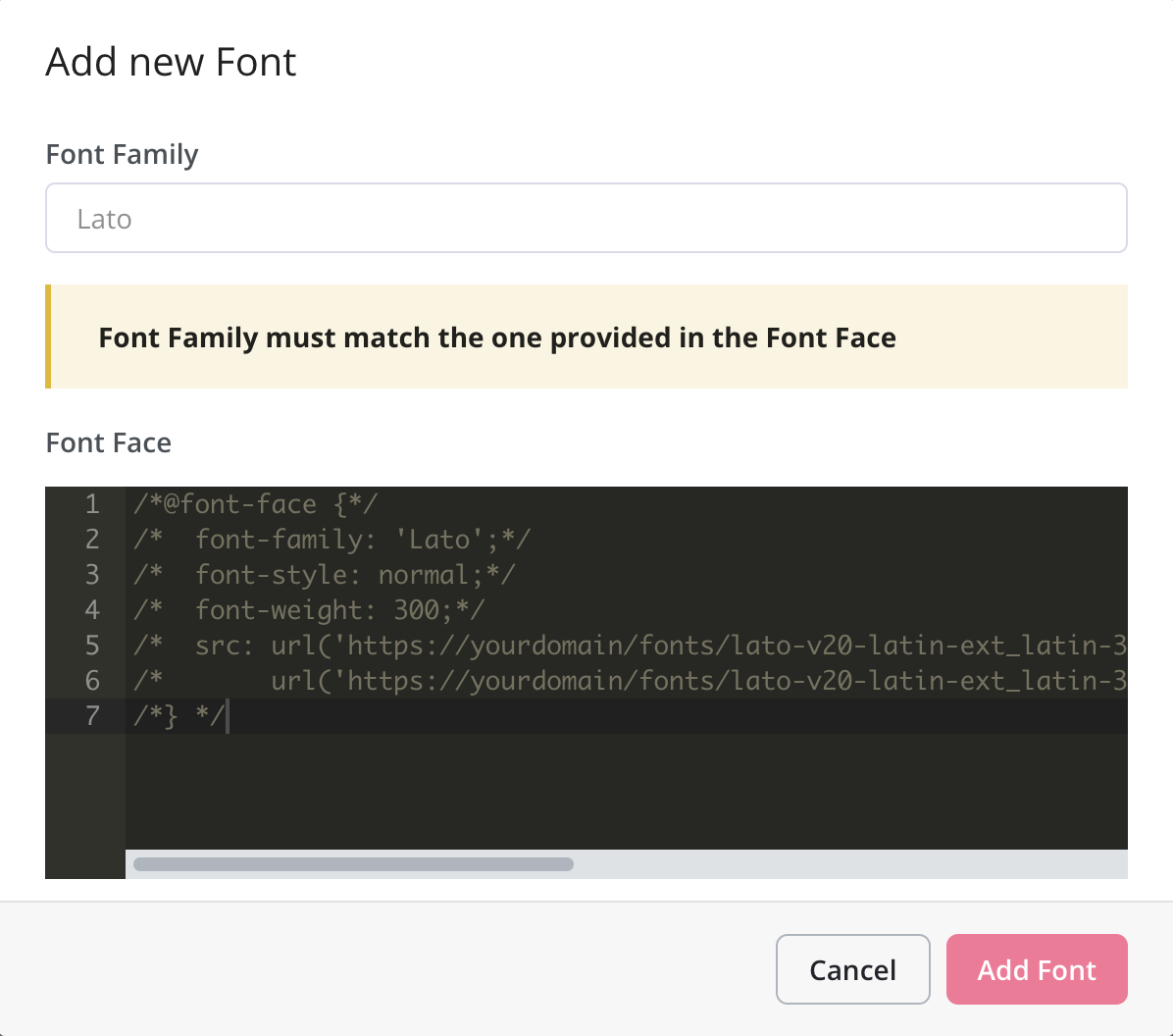
 A pop-up will show so you can name the Font Family. The Custom CSS will be set for you in 'Comment' Mode until you remove the slashes (/) to make them effective.
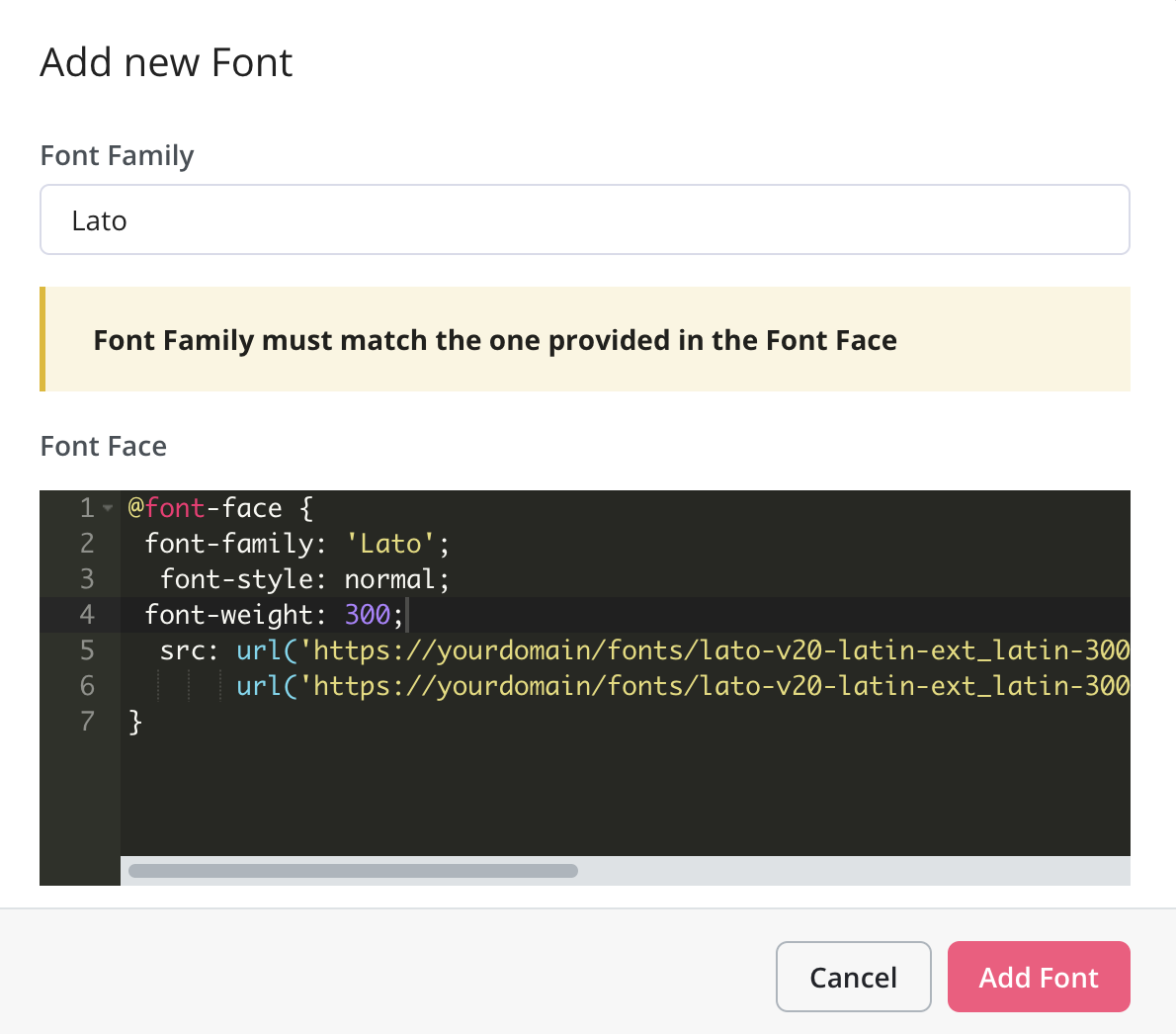
 Once the Slashes (/) are removed, you can click on the Add Font Button.
 You will be able to see a preview of the changes that you have made to the font on the right side tab.
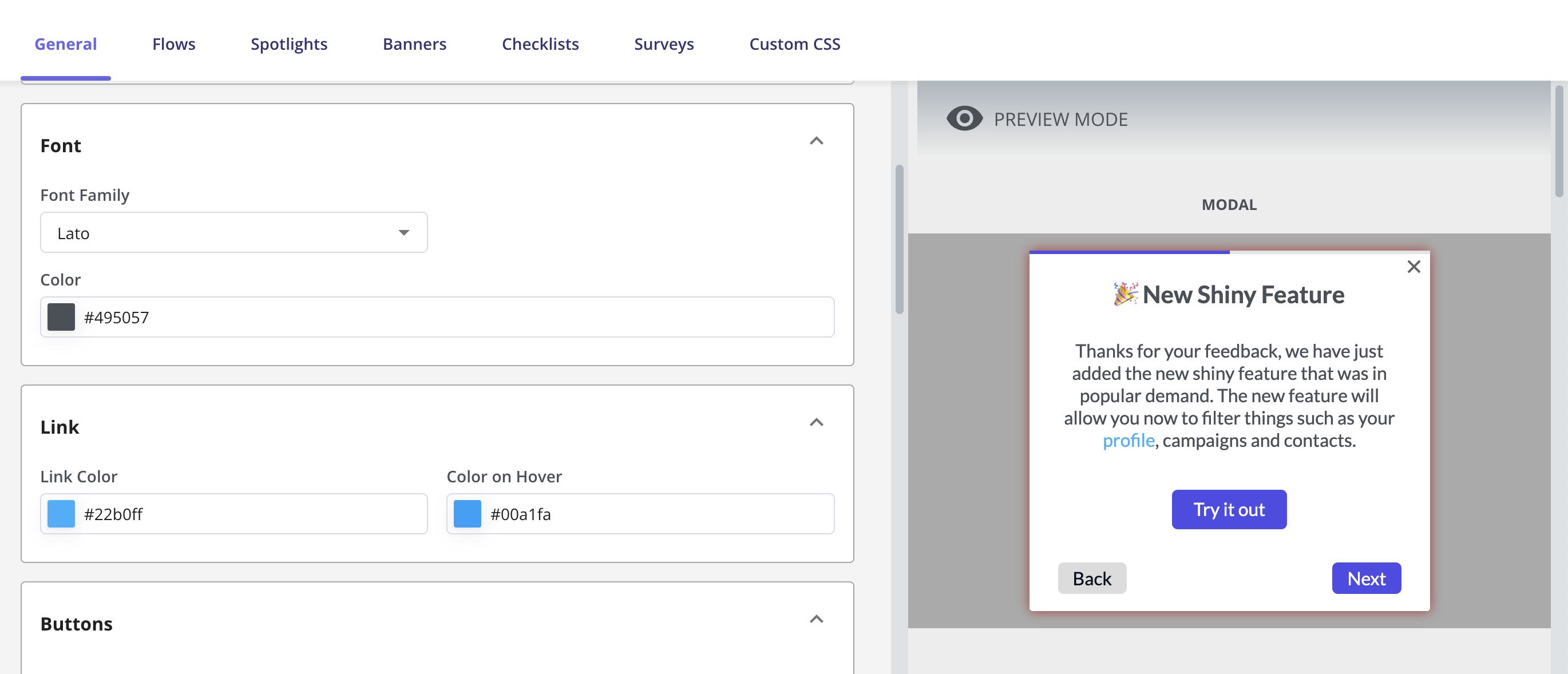 And lastly, don't forget to click on Save to keep the changes.
### FAQs
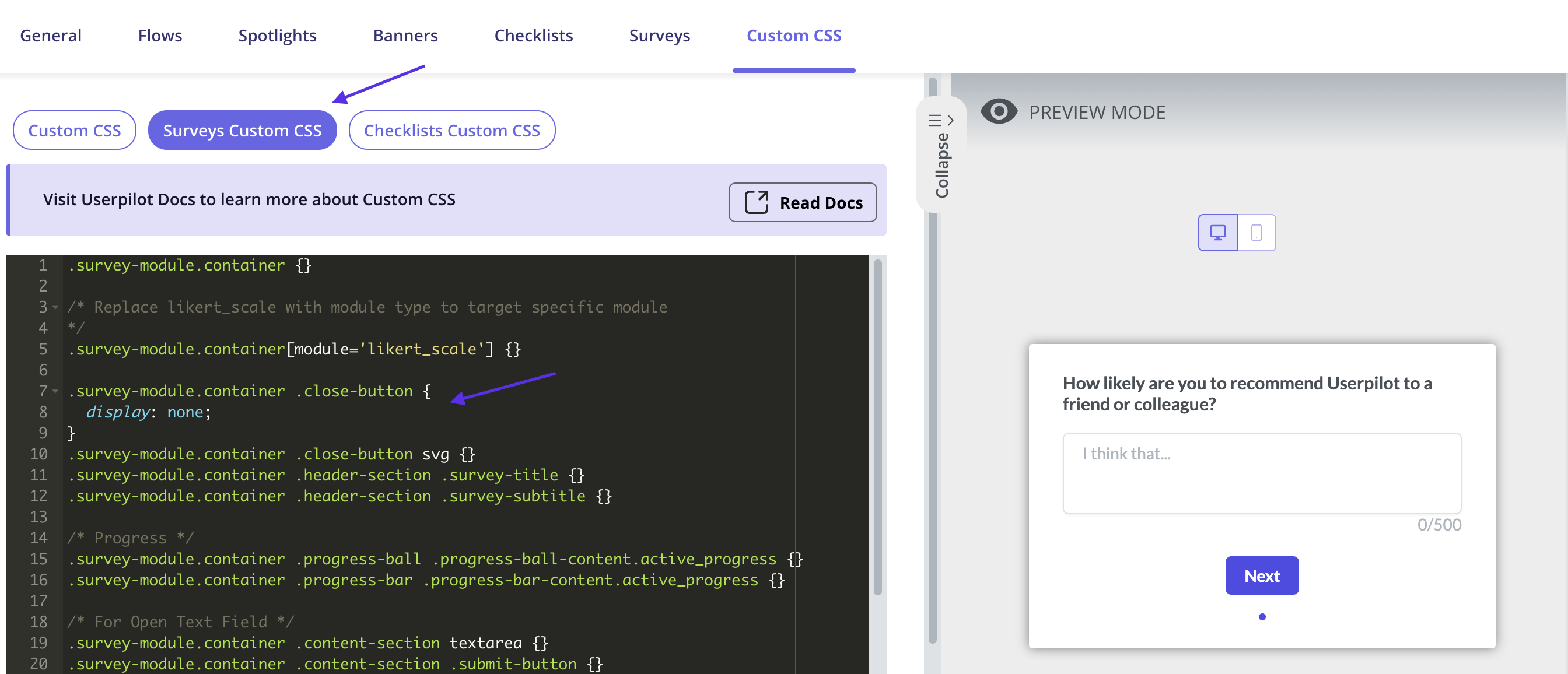
Yes, you can remove the Survey close/dismiss button using the Survey Custom CSS as shown below:
And lastly, don't forget to click on Save to keep the changes.
### FAQs
Yes, you can remove the Survey close/dismiss button using the Survey Custom CSS as shown below:
 No, the changes you make to the flow from the builder wouldn't affect/change the main theme associated with it.
[**For any questions or concerns please reach out to support@userpilot.com**](mailto:support@userpilot.com)
No, the changes you make to the flow from the builder wouldn't affect/change the main theme associated with it.
[**For any questions or concerns please reach out to support@userpilot.com**](mailto:support@userpilot.com)