> ## Documentation Index
> Fetch the complete documentation index at: https://docs.userpilot.com/llms.txt
> Use this file to discover all available pages before exploring further.
# Heap Integration
> Integrating Heap with Userpilot helps you deeply analyze Userpilot experiences' performance, health, and impact on your users.
### Common use cases
Heap provides you with a thorough understanding of your clients' journeys within your web app so you can swiftly increase conversion, customer satisfaction, and retention.
### Heap as a data source
Currently, Userpilot delivers data to Heap but not the other way around. However, it is within our roadmap to make this a two-way integration.
### Heap as a data destination
You can send Userpilot events to Heap if you choose Heap as a data destination. These events can be used in a variety of use cases and for decision-making depending on the information delivered.
### Integration requirements
* A Heap account and a Userpilot account, both fully installed on every page of your application. (Please refer to [this guide](https://developers.heap.io/docs/web) for more information on how to install Heap).
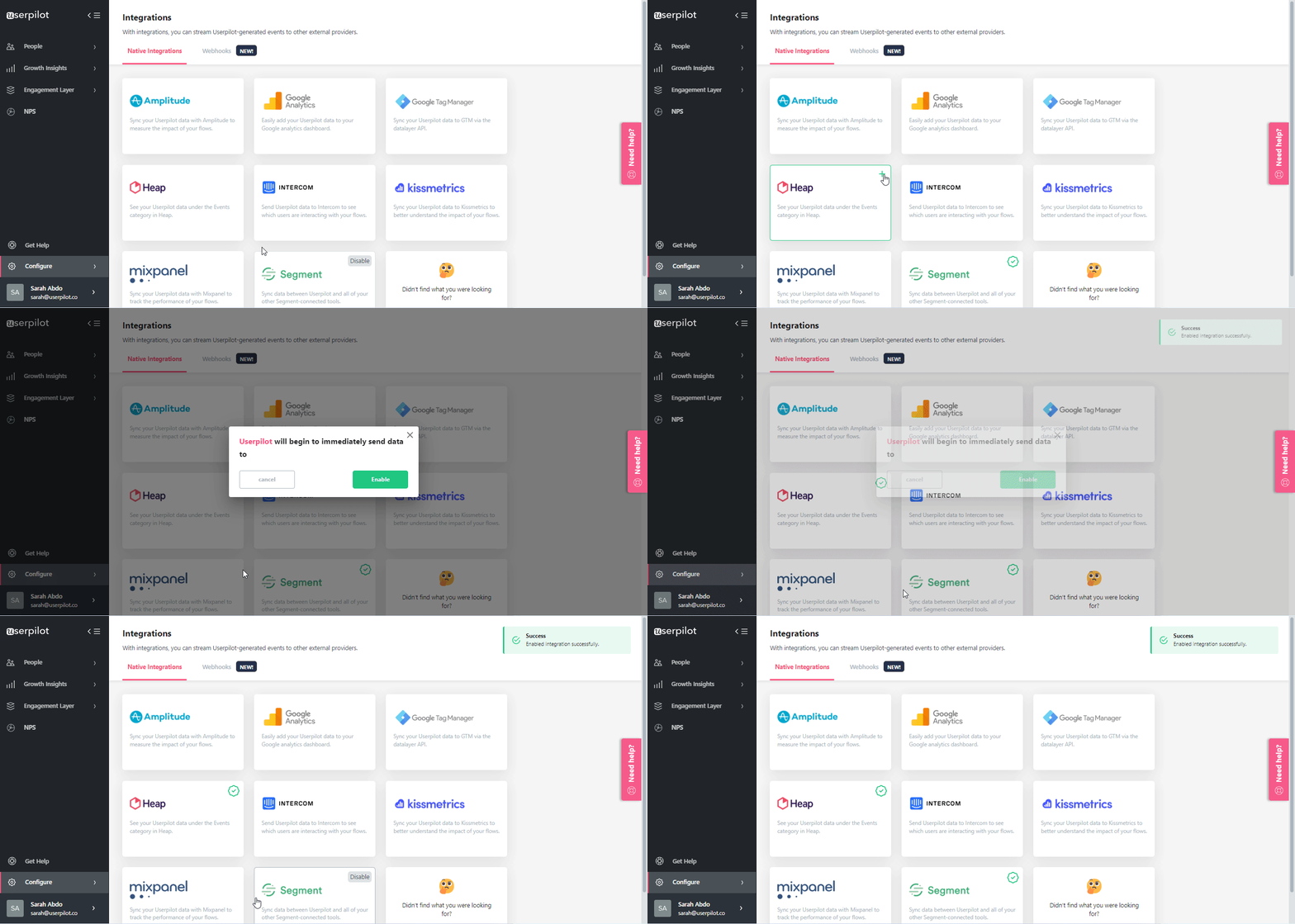
* Heap integration can be enabled with a single click. Simply visit the integrations page and hit the Heap integration box.
 ### How this integration works
Following the integration of Heap and Userpilot, events from Userpilot will be immediately synced with your Heap account.
### What data do we send?
Events data is sent by Userpilot to Heap. Events are interactions between Userpilot content and the end user, such as:
* Experiences
* Userpilot Experience (started)
* Userpilot Experience (step)
* Userpilot Experience (dismissed)
* Userpilot Experience (completed)
* Checklists
* Userpilot Checklist (started)
* Userpilot Checklist (task completed)
* Userpilot Checklist (completed)
* Userpilot Checklist (dismissed)
* NPS events
* Userpilot NPS (ask later)
* Userpilot NPS (score)
* Userpilot NPS (feedback)
* Form Submissions.
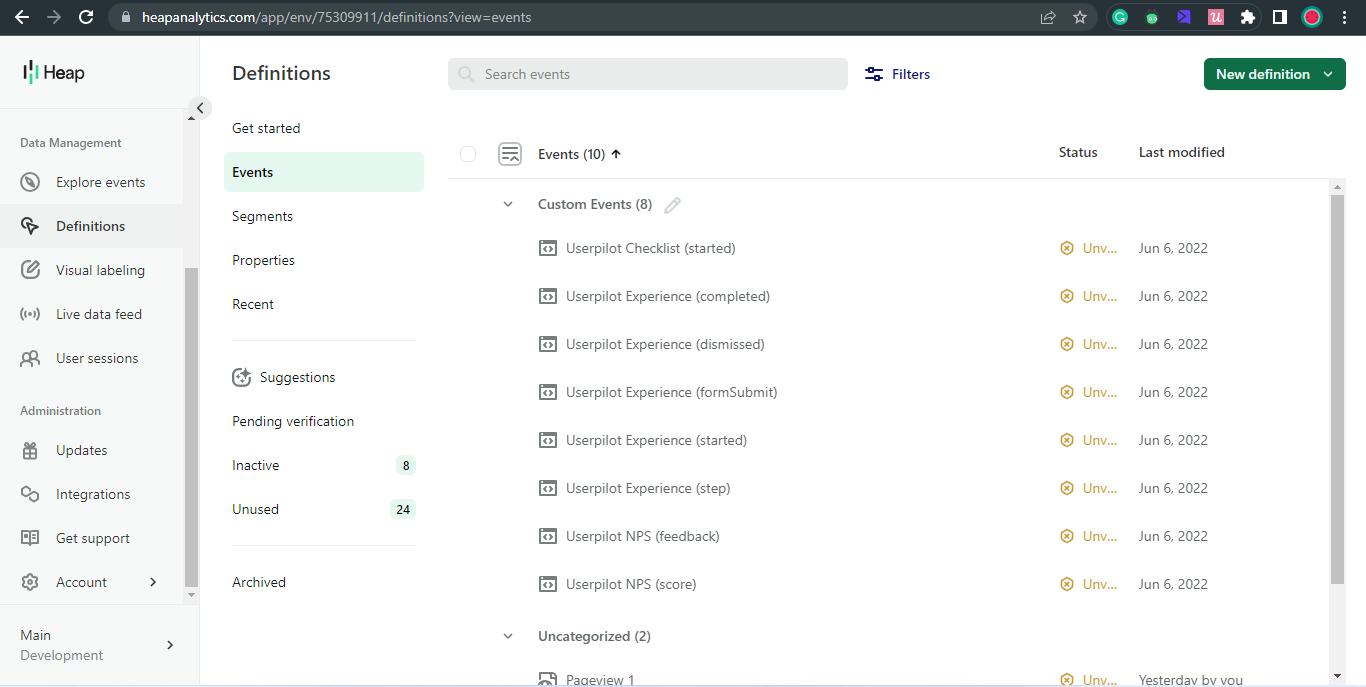
These events will be shown on your Heap Definitions dashboard in the Events section.
### How this integration works
Following the integration of Heap and Userpilot, events from Userpilot will be immediately synced with your Heap account.
### What data do we send?
Events data is sent by Userpilot to Heap. Events are interactions between Userpilot content and the end user, such as:
* Experiences
* Userpilot Experience (started)
* Userpilot Experience (step)
* Userpilot Experience (dismissed)
* Userpilot Experience (completed)
* Checklists
* Userpilot Checklist (started)
* Userpilot Checklist (task completed)
* Userpilot Checklist (completed)
* Userpilot Checklist (dismissed)
* NPS events
* Userpilot NPS (ask later)
* Userpilot NPS (score)
* Userpilot NPS (feedback)
* Form Submissions.
These events will be shown on your Heap Definitions dashboard in the Events section.
 ***
[**For any questions or concerns please reach out to support@userpilot.com**](mailto:support@userpilot.com)
***
[**For any questions or concerns please reach out to support@userpilot.com**](mailto:support@userpilot.com)