> ## Documentation Index
> Fetch the complete documentation index at: https://docs.userpilot.com/llms.txt
> Use this file to discover all available pages before exploring further.
# Intercom Integration
> The Userpilot-Intercom integration allows you to send Userpilot event data directly to Intercom. This one-way integration helps you enhance customer support,.
### **Overview**
The **Userpilot-Intercom integration** allows you to send Userpilot event data directly to Intercom. This one-way integration helps you enhance customer support, automate messages, and personalize engagement based on user interactions with Userpilot flows, checklists, and banners.
With this integration, you can:\
✔ Sync **Userpilot events** (e.g., flow starts, completions, button clicks) to Intercom.\
✔ Use Userpilot data to trigger **Intercom messages, emails, or chatbot responses**.\
✔ Improve customer support by **viewing Userpilot activity** in Intercom conversations.
### **Use Cases**
* Trigger targeted **in-app messages, emails, or chatbot flows** based on Userpilot events.
* Example: Send an automated follow-up when a user completes an onboarding flow.
* View **Userpilot events** inside Intercom’s user profiles.
* Help support agents understand **which guides or tooltips a user has seen** before assisting them.
* Create **Intercom segments** using Userpilot events (e.g., users who completed onboarding).
* Target engaged users with **proactive messages or surveys**.
### **How the Integration Works**
**One-way data flow (Userpilot → Intercom)**
* Userpilot sends user event data (e.g., flow starts, completions, button clicks) to Intercom.
* Events are stored under the **user's profile** in Intercom and can be used in **Workflows, Messages, or Segments**.
### **Setting Up the Integration**
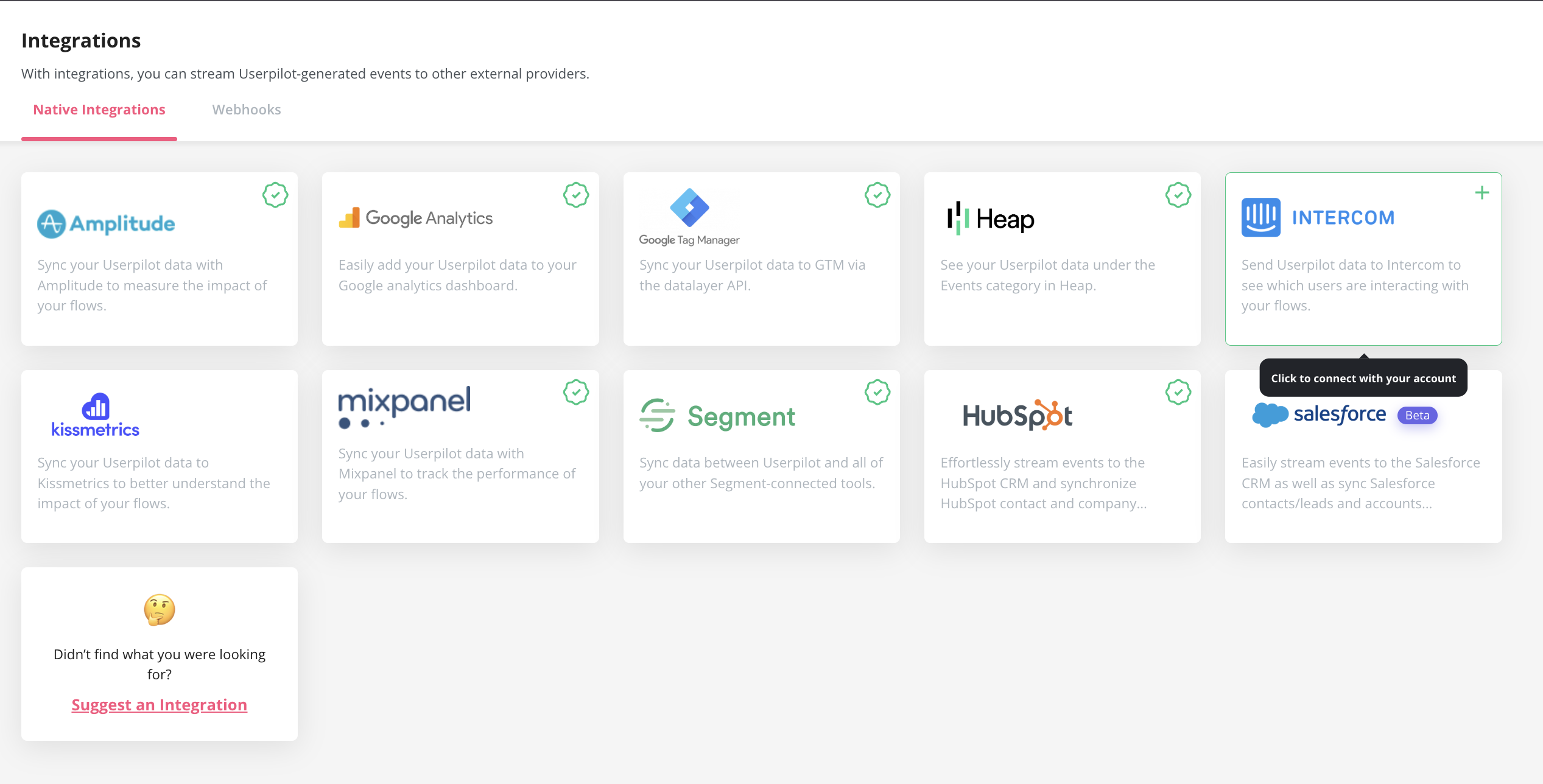
The Intercom integration can be enabled with a single click.
1. Go to **Configure** → [**Integrations**](https://run.userpilot.io/integrations/native-integration).
2. Find **Intercom** and click on the box to Enable the Integration.
 * Open **Intercom Dashboard**.
* Go to **Contacts** and select a user.
* Scroll to the **Recent Events** section to see incoming Userpilot events.
### **Userpilot Events Sent to Intercom**
| **Event Name** | **Description** |
| :------------- | :----------------------------- |
| Flows | `Seen` `Completed` `Dismissed` |
| Checklists | `Seen` `Completed` `Dismissed` |
| Surveys | `Seen` `Submitted` `Dismissed` |
| NPS | `Ask Later` `Feedback` |
| Forms | `Submitted` |
### **Using Userpilot Events in Intercom**
**Trigger Automated Messages**
1. Go to **Intercom → Workflows**.
2. Set a trigger for a **Userpilot event** (e.g., `flow_completed`).
3. Create an **automated message or email** based on that event.
**Create Segments Based on Userpilot Events**
1. Navigate to **Contacts** → **Filters**.
2. Select **Userpilot Event** (e.g., `checklist_completed`).
3. Save as a **custom segment** for targeted engagement.
### **Troubleshooting**
**No events appearing in Intercom?** Ensure that **Userpilot is properly connected** in the integrations panel.
**Events not triggering messages?** Double-check **Intercom workflows** and event filters.
**Delays in data sync?** Wait a few minutes, as event updates might take some time.
### FAQs
Yes, an Intercom account and a Userpilot account, both fully installed across your web application.
For any questions or concerns please reach out to [support@userpilot.co](mailto:support@userpilot.com)
* Open **Intercom Dashboard**.
* Go to **Contacts** and select a user.
* Scroll to the **Recent Events** section to see incoming Userpilot events.
### **Userpilot Events Sent to Intercom**
| **Event Name** | **Description** |
| :------------- | :----------------------------- |
| Flows | `Seen` `Completed` `Dismissed` |
| Checklists | `Seen` `Completed` `Dismissed` |
| Surveys | `Seen` `Submitted` `Dismissed` |
| NPS | `Ask Later` `Feedback` |
| Forms | `Submitted` |
### **Using Userpilot Events in Intercom**
**Trigger Automated Messages**
1. Go to **Intercom → Workflows**.
2. Set a trigger for a **Userpilot event** (e.g., `flow_completed`).
3. Create an **automated message or email** based on that event.
**Create Segments Based on Userpilot Events**
1. Navigate to **Contacts** → **Filters**.
2. Select **Userpilot Event** (e.g., `checklist_completed`).
3. Save as a **custom segment** for targeted engagement.
### **Troubleshooting**
**No events appearing in Intercom?** Ensure that **Userpilot is properly connected** in the integrations panel.
**Events not triggering messages?** Double-check **Intercom workflows** and event filters.
**Delays in data sync?** Wait a few minutes, as event updates might take some time.
### FAQs
Yes, an Intercom account and a Userpilot account, both fully installed across your web application.
For any questions or concerns please reach out to [support@userpilot.co](mailto:support@userpilot.com)