> ## Documentation Index
> Fetch the complete documentation index at: https://docs.userpilot.com/llms.txt
> Use this file to discover all available pages before exploring further.
# Microsoft Teams Integration
> Connect Microsoft Teams to Userpilot to get signals in your channels, and survey responses, system notifications, and digests as direct messages.
## Overview
Coming soon
Userpilot's Microsoft Teams integration helps your team stay informed about
product activity without leaving Teams. Receive system notifications and
digests, share insights from signals, and act on feedback faster.
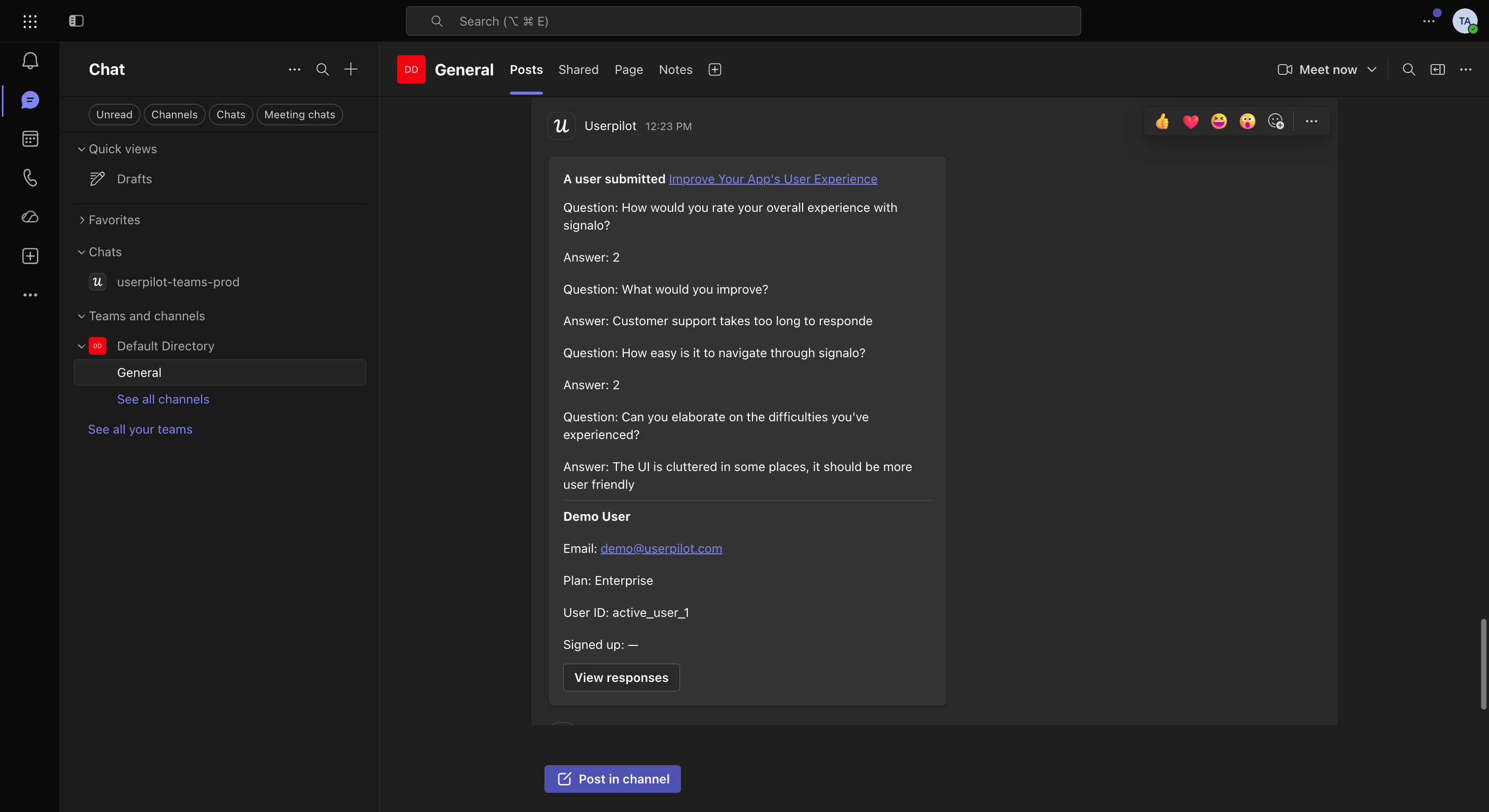 ### Use cases
Here's what you can do with the Microsoft Teams integration:
#### 1. Stay informed
Get notifications in Teams channels or as direct messages when:
* Users complete flows, checklists, or surveys.
* NPS responses or feedback are submitted.
* Users engage with in-app experiences or visit key pages.
#### 2. Collaborate effortlessly
Keep everyone aligned by:
* Receiving notifications when teammates share reports, dashboards, sessions, or
publish new content.
* Allowing Product, Success, Support, and Marketing teams to act on insights
immediately.
#### 3. Monitor product health
* Get notified when issues occur in your in-app content, such as broken flows or
delivery errors.
* Troubleshoot and optimize faster with visibility in Teams.
## How to integrate Userpilot with Microsoft Teams
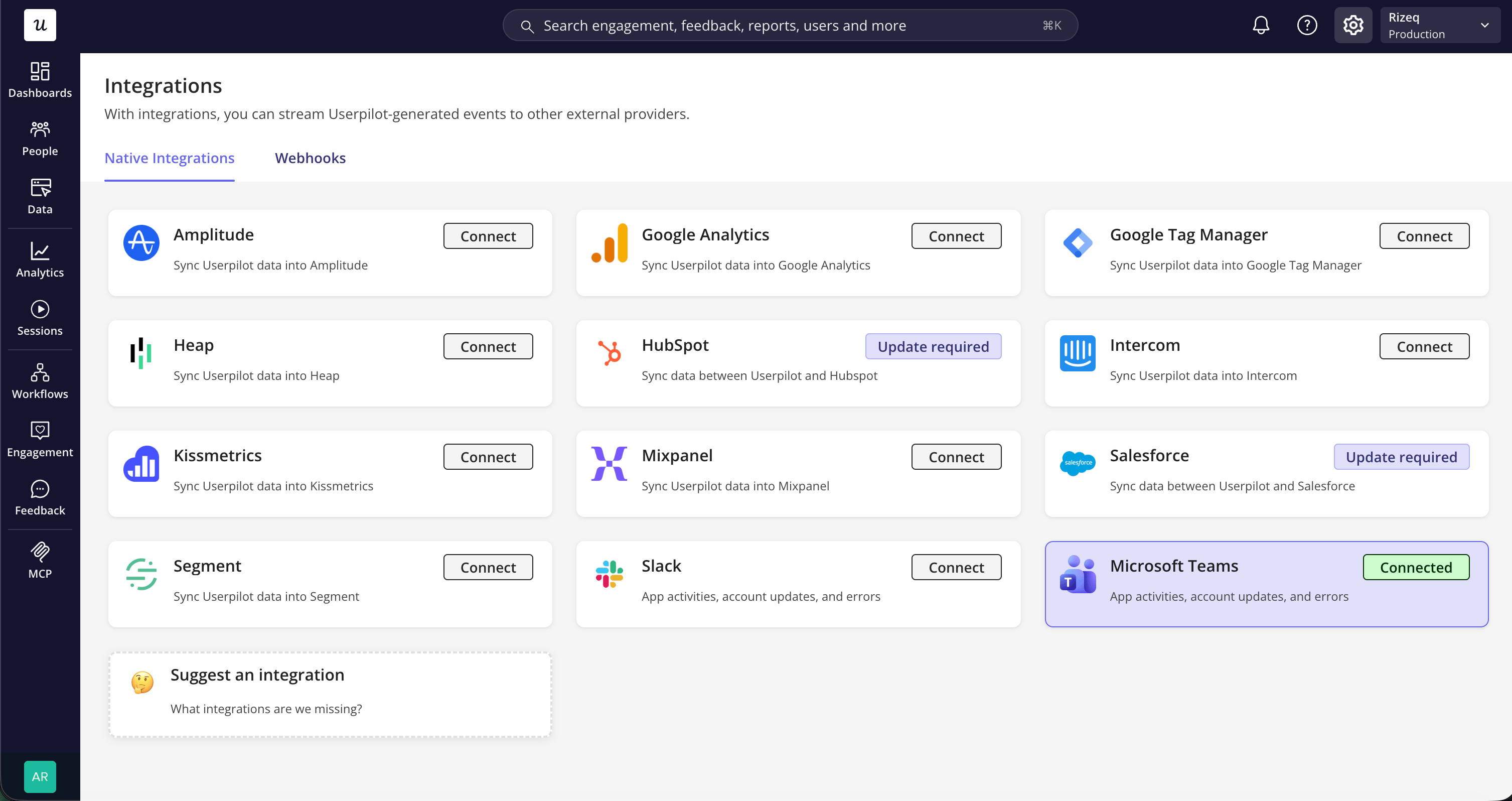
1. **Enable Microsoft Teams integration**
* Go to [**Settings → Integrations → Microsoft Teams**](https://run.userpilot.io/integrations/native-integration)
in your Userpilot workspace.
* Select **Connect**.
### Use cases
Here's what you can do with the Microsoft Teams integration:
#### 1. Stay informed
Get notifications in Teams channels or as direct messages when:
* Users complete flows, checklists, or surveys.
* NPS responses or feedback are submitted.
* Users engage with in-app experiences or visit key pages.
#### 2. Collaborate effortlessly
Keep everyone aligned by:
* Receiving notifications when teammates share reports, dashboards, sessions, or
publish new content.
* Allowing Product, Success, Support, and Marketing teams to act on insights
immediately.
#### 3. Monitor product health
* Get notified when issues occur in your in-app content, such as broken flows or
delivery errors.
* Troubleshoot and optimize faster with visibility in Teams.
## How to integrate Userpilot with Microsoft Teams
1. **Enable Microsoft Teams integration**
* Go to [**Settings → Integrations → Microsoft Teams**](https://run.userpilot.io/integrations/native-integration)
in your Userpilot workspace.
* Select **Connect**.
 2. **Authorize Userpilot in Microsoft Teams**
* Sign in with your Microsoft account and approve the connection.
* Add the Userpilot app to every team where you want to receive signals.
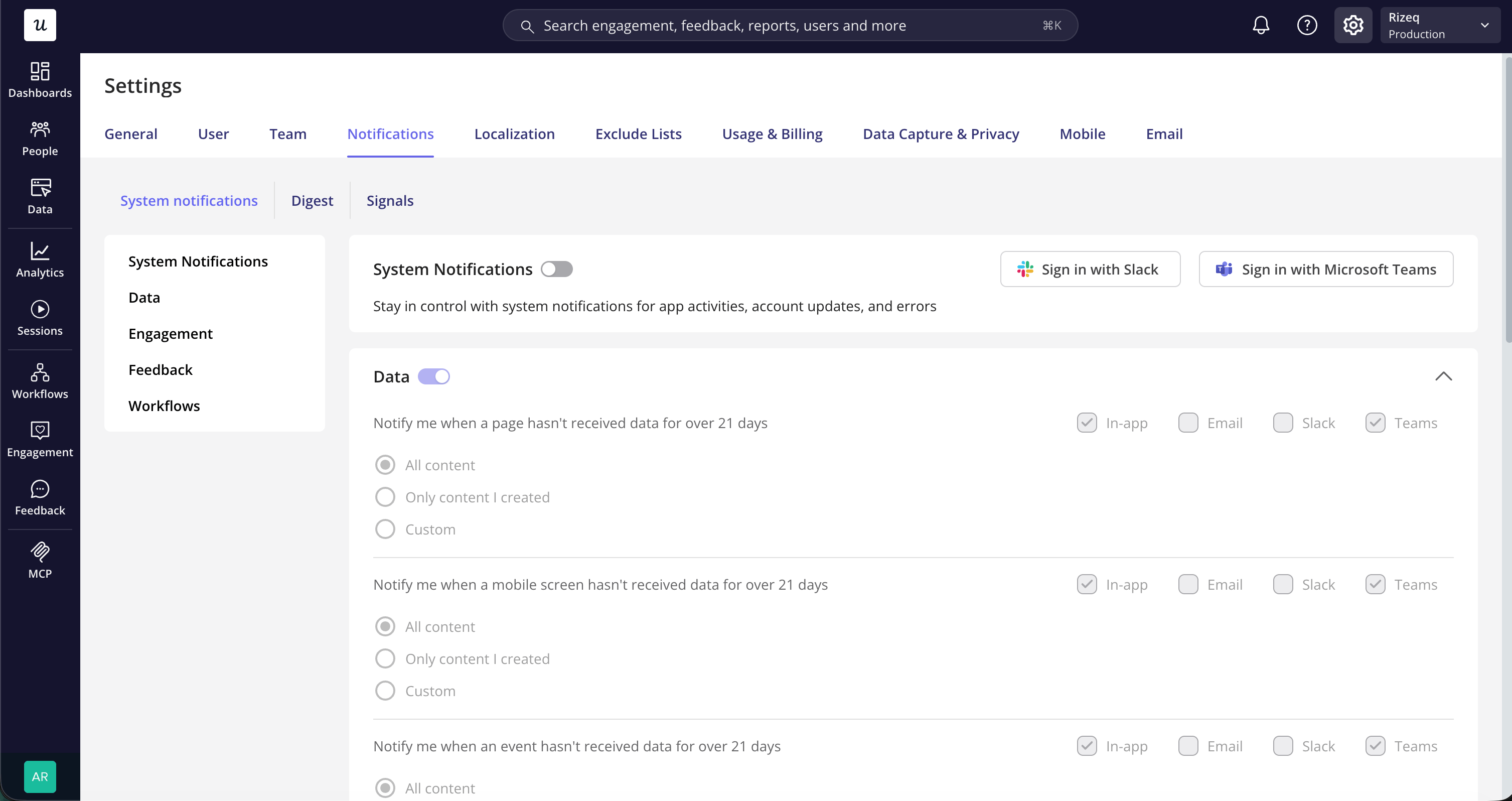
3. **Start sending notifications**
* After connecting, link your Teams account within Userpilot.
* Go to [**Settings → Notifications**](https://run.userpilot.io/settings/notifications).
* Select **Sign in with Microsoft Teams** and complete the Microsoft sign-in.
* You can start receiving [**system notifications**](https://run.userpilot.io/settings/notifications)
and [**Digest updates**](https://run.userpilot.io/settings/notifications/digest)
in Teams.
2. **Authorize Userpilot in Microsoft Teams**
* Sign in with your Microsoft account and approve the connection.
* Add the Userpilot app to every team where you want to receive signals.
3. **Start sending notifications**
* After connecting, link your Teams account within Userpilot.
* Go to [**Settings → Notifications**](https://run.userpilot.io/settings/notifications).
* Select **Sign in with Microsoft Teams** and complete the Microsoft sign-in.
* You can start receiving [**system notifications**](https://run.userpilot.io/settings/notifications)
and [**Digest updates**](https://run.userpilot.io/settings/notifications/digest)
in Teams.
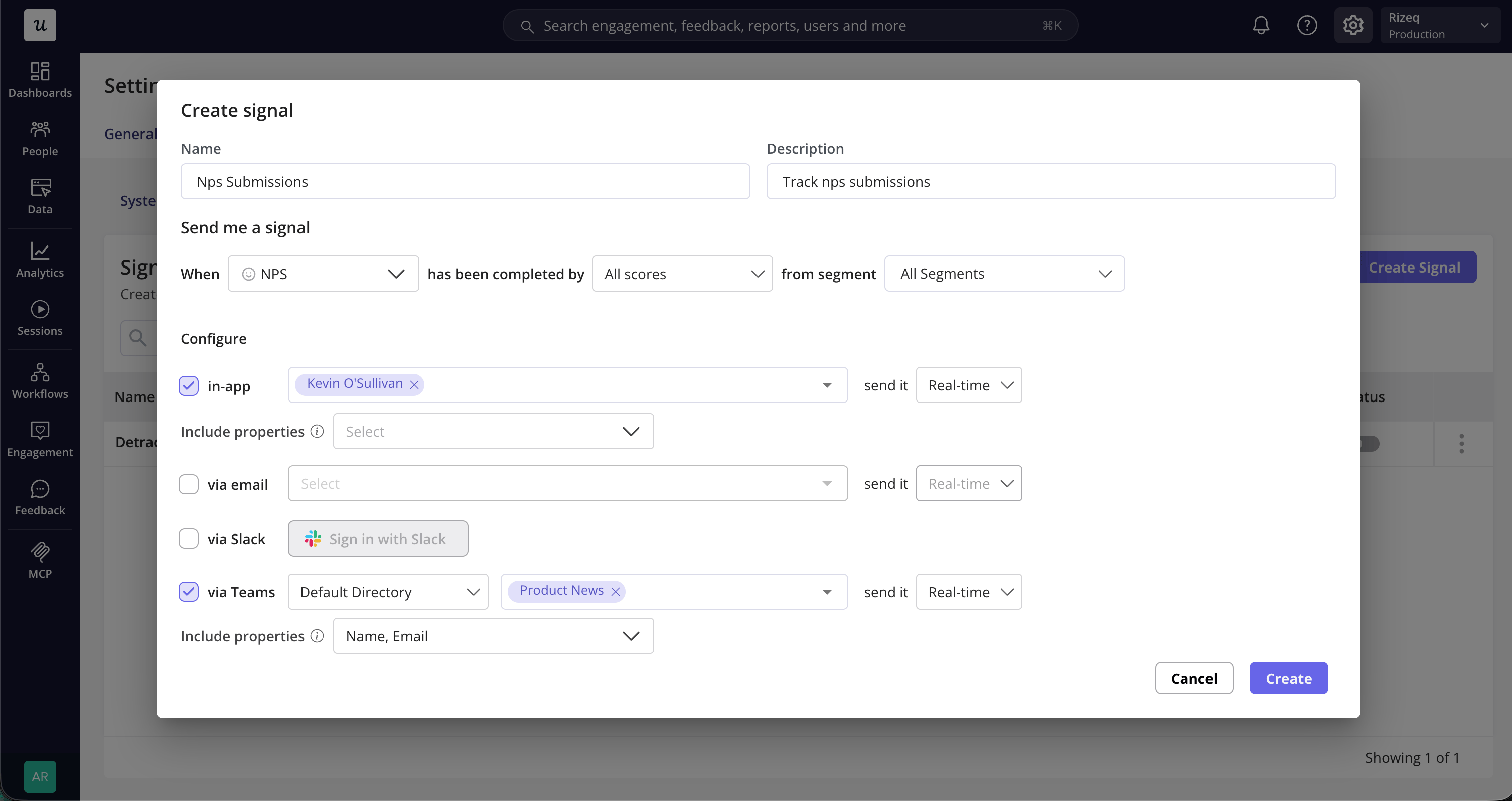
 4. **Configure [Signal](https://run.userpilot.io/settings/notifications/signals) notifications**
* Create or edit a signal and select **via Teams**.
* Choose the team, channels, schedule, and user properties to include.
* Add the Userpilot app to the selected team so it can post to its channels.
4. **Configure [Signal](https://run.userpilot.io/settings/notifications/signals) notifications**
* Create or edit a signal and select **via Teams**.
* Choose the team, channels, schedule, and user properties to include.
* Add the Userpilot app to the selected team so it can post to its channels.
 [For any questions or concerns please reach out to **support@userpilot.com**](mailto:support@userpilot.com)