> ## Documentation Index
> Fetch the complete documentation index at: https://docs.userpilot.com/llms.txt
> Use this file to discover all available pages before exploring further.
# Custom Dashboards
> Build personalized analytics dashboards to track the metrics that matter most, with templates for trial conversion, feature engagement, and upgrades.
This feature is available for Growth & Enterprise plans only.
Custom Dashboards let you build personalized views of your product analytics, so you can track the metrics that matter most to your team. By consolidating all relevant information in one place. custom dashboards ensure that you have easy access to the data you value most.
 ### Get started
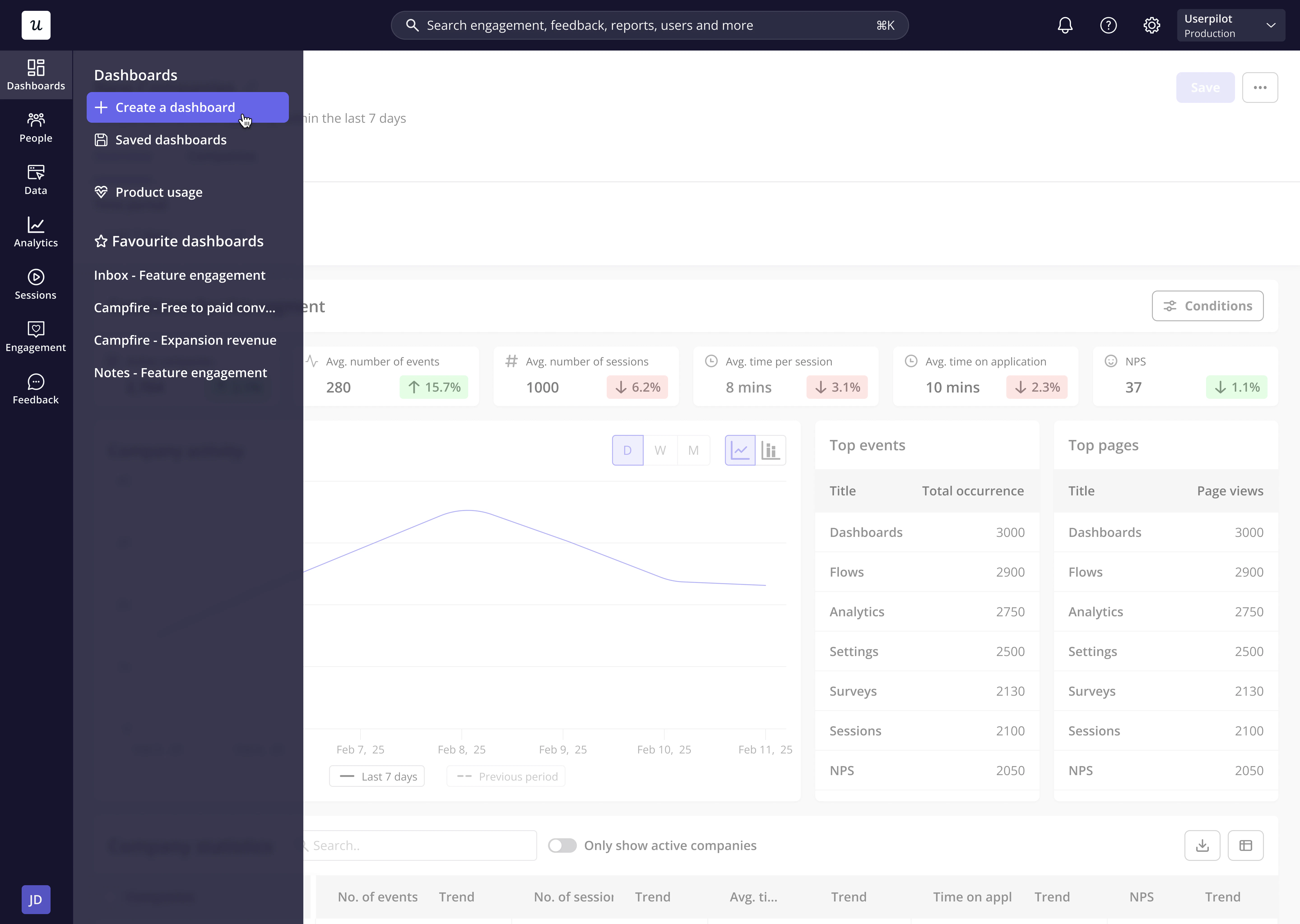
To create a custom dashboard, simply click "**+ Create a dashboard**" from the nav-bar.
### Get started
To create a custom dashboard, simply click "**+ Create a dashboard**" from the nav-bar.
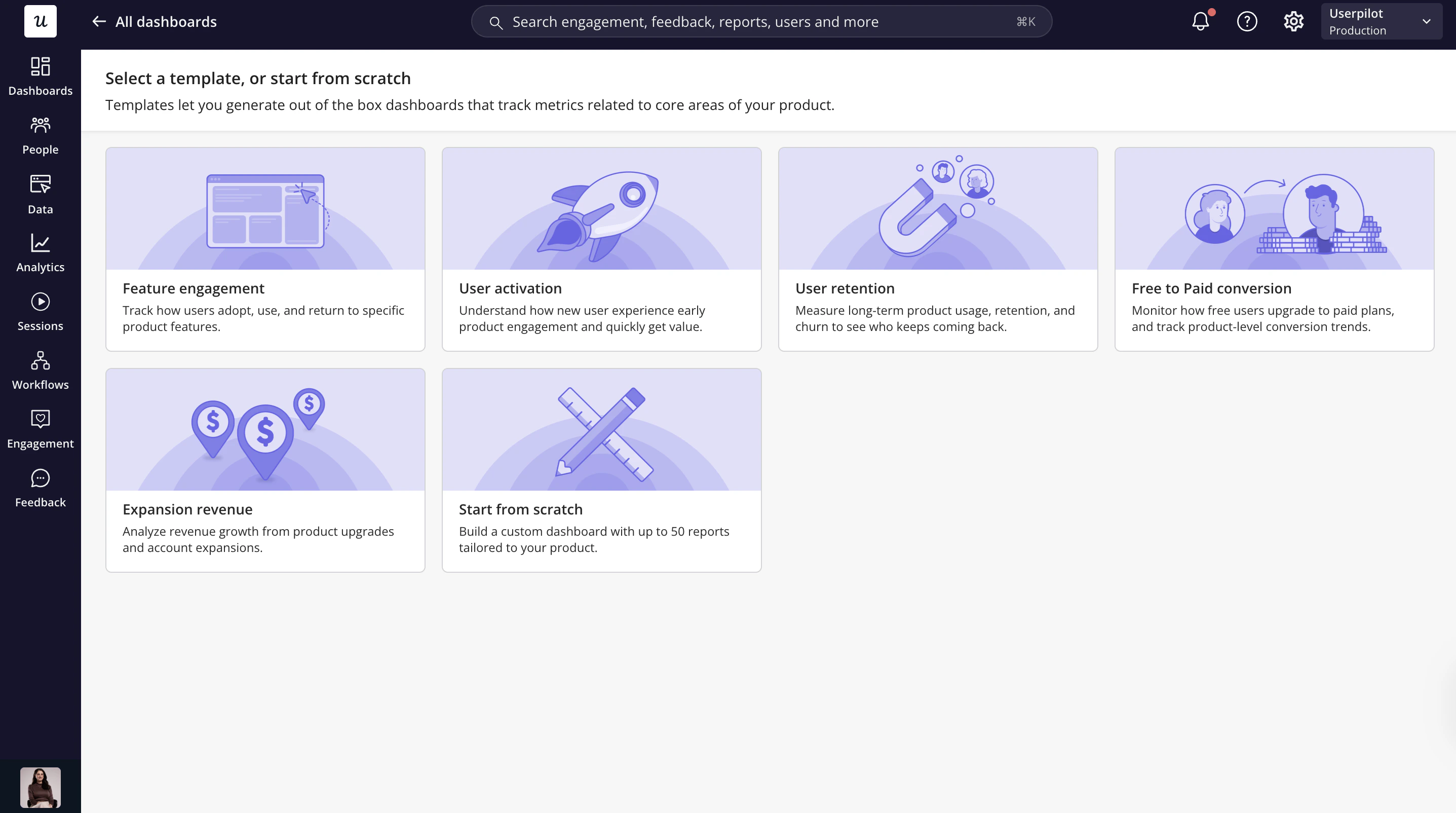
 You’ll then have the option to start your dashboard from scratch or get kick-started with one of our five templates:
1. **Feature Engagement:** Measure usage trends, adoption rate and retention metrics for a given feature.
2. User Activation: Understand how new user experience early product engagement and quickly get value.
3. User Retention: Measure long-term product usage, retention, and churn to see who keeps coming back.
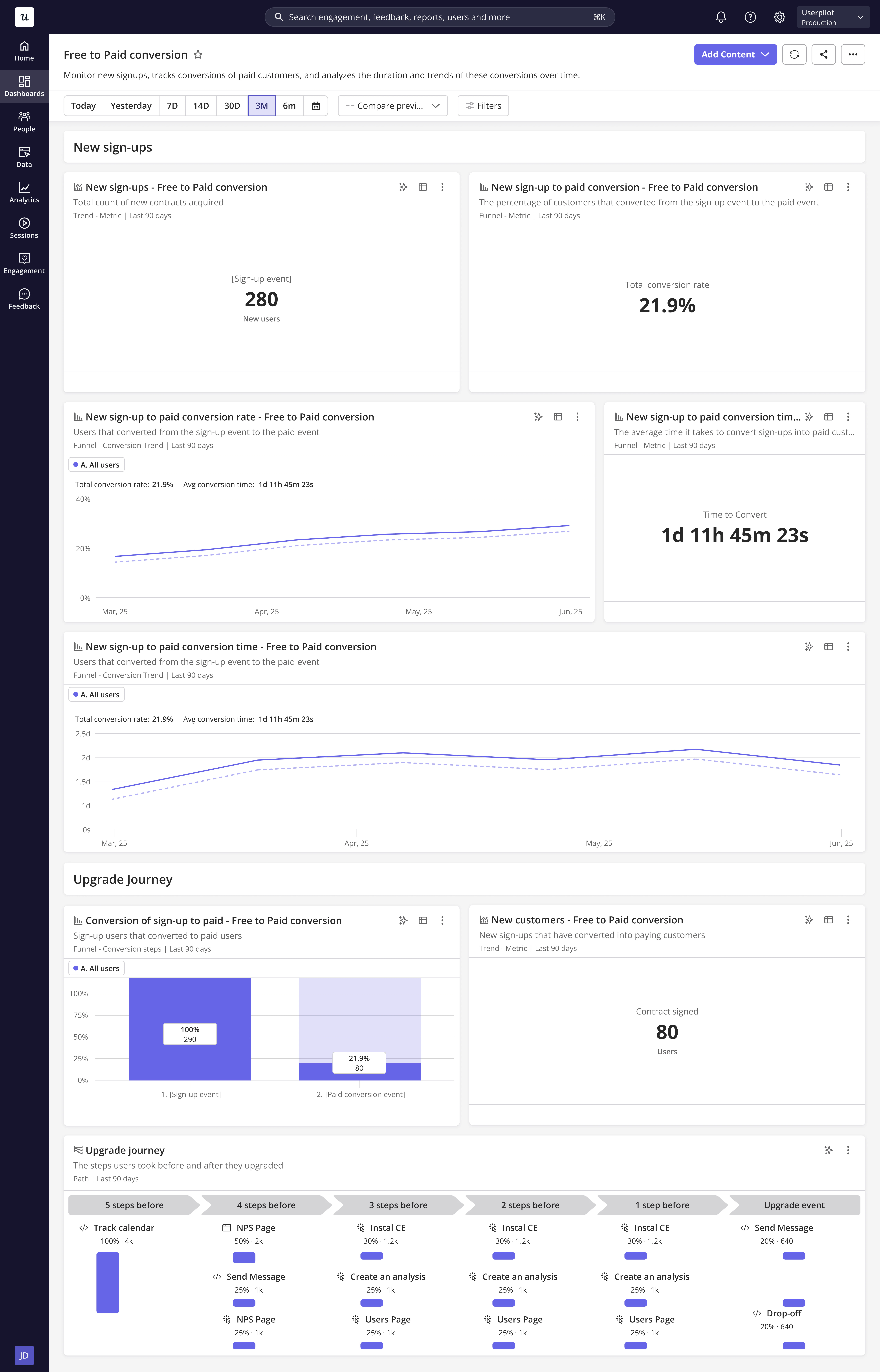
4. **Free to Paid Conversion:** Specify a sign-up event and a trial conversion event. Then, easily monitor new signups, conversions to paid customers, and the duration and trends of these conversions over time.
5. **Expansion revenue:** Specify an Upgrade event to track user upgrade patterns, monthly trends, and user behaviour before and after upgrades.
6. You can also create a dashboard from scratch.
You’ll then have the option to start your dashboard from scratch or get kick-started with one of our five templates:
1. **Feature Engagement:** Measure usage trends, adoption rate and retention metrics for a given feature.
2. User Activation: Understand how new user experience early product engagement and quickly get value.
3. User Retention: Measure long-term product usage, retention, and churn to see who keeps coming back.
4. **Free to Paid Conversion:** Specify a sign-up event and a trial conversion event. Then, easily monitor new signups, conversions to paid customers, and the duration and trends of these conversions over time.
5. **Expansion revenue:** Specify an Upgrade event to track user upgrade patterns, monthly trends, and user behaviour before and after upgrades.
6. You can also create a dashboard from scratch.
 ### Add content
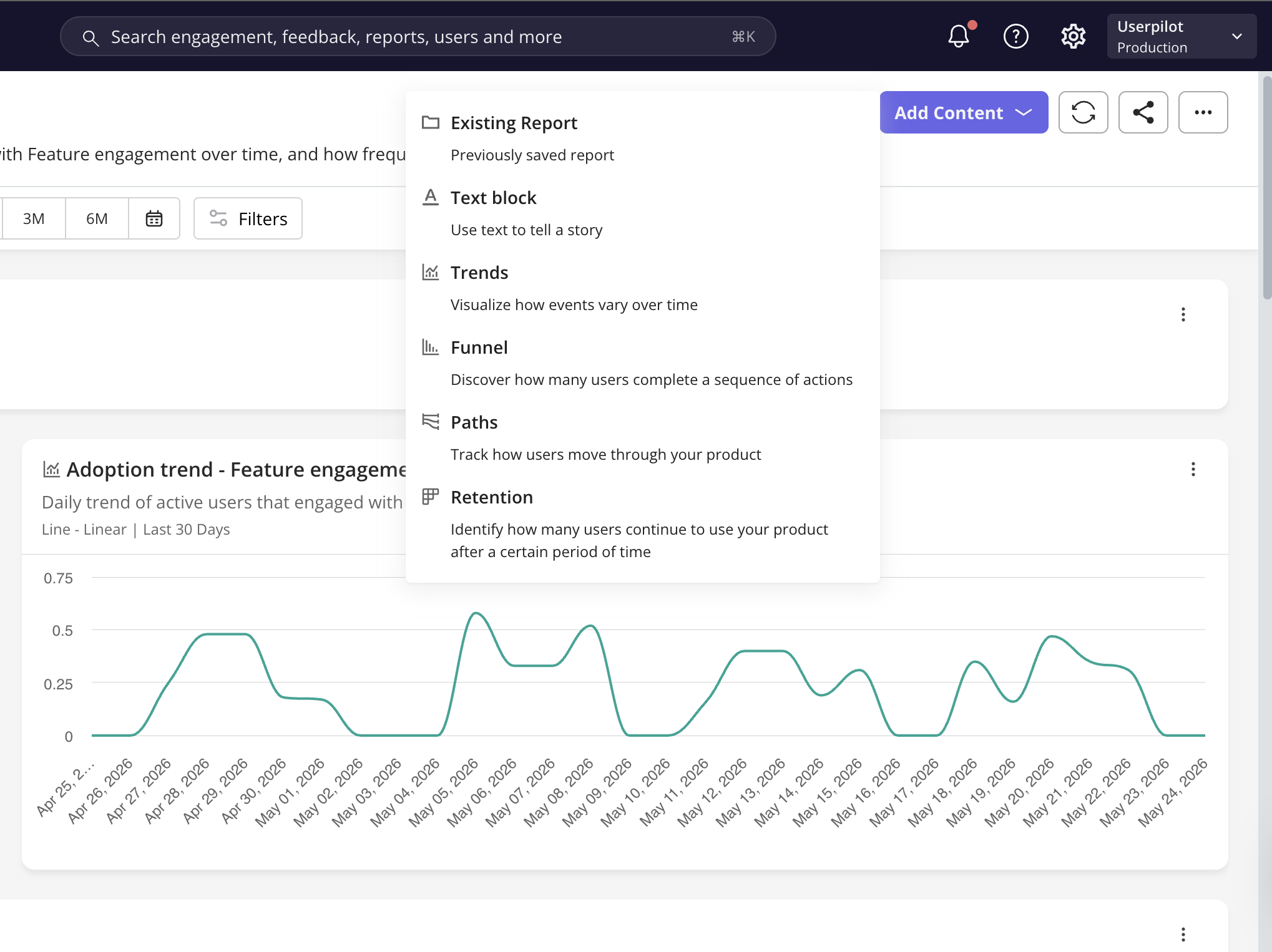
Grow out your custom dashboard by adding existing reports or creating a new one. You can also add text blocks to provide context or create a story with your data.
### Add content
Grow out your custom dashboard by adding existing reports or creating a new one. You can also add text blocks to provide context or create a story with your data.
 Once added, content can be rearranged to your liking by simply dragging and dropping the block to the desired location. You can also control the height and width of each block, as shown below.
 ### Favorite dashboards
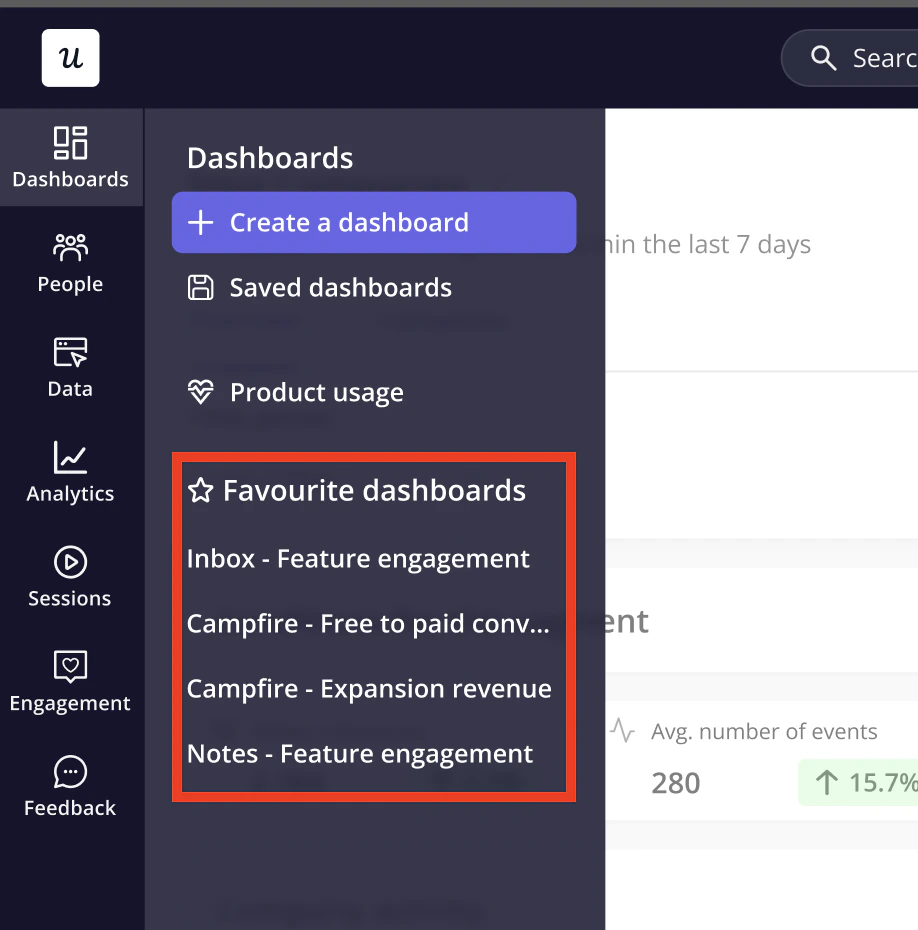
 You can favorite up to 5 dashboards for easy access from the navigation bar. Simply click on the star from either within the dashboard or from the Dashboards table - then open your favourites with one click in the sidebar.
 ### FAQs
You can easily share your Custom Dashboard with your team by granting access to specific team members within your Userpilot account or by downloading the tiles in PNG format. This ensures everyone is aligned on key product metrics and user behavior data.
### FAQs
You can easily share your Custom Dashboard with your team by granting access to specific team members within your Userpilot account or by downloading the tiles in PNG format. This ensures everyone is aligned on key product metrics and user behavior data.
 For any questions or concerns please reach out to [support@userpilot.com](mailto:support@userpilot.com)