

Overview
By consolidating events, you can track key actions more effectively, measure user engagement, and gain deeper insights into your app’s performance. This approach enhances your ability to monitor specific workflows and feature usage over time, ultimately improving data-driven decision-making.Use cases
- Seamlessly track the completion of important processes by consolidating multiple events into a single custom event, eliminating the need to check individual events to determine the completion rate.
- Use custom events to trigger content when any grouped event occurs, simplifying audience settings by removing the need for multiple conditions.
How to create Custom Events
You can create custom events in two ways:- Click on the Create Event button on the Events page, select “Create custom event”, and choose the events you wish to group from the dropdown list.

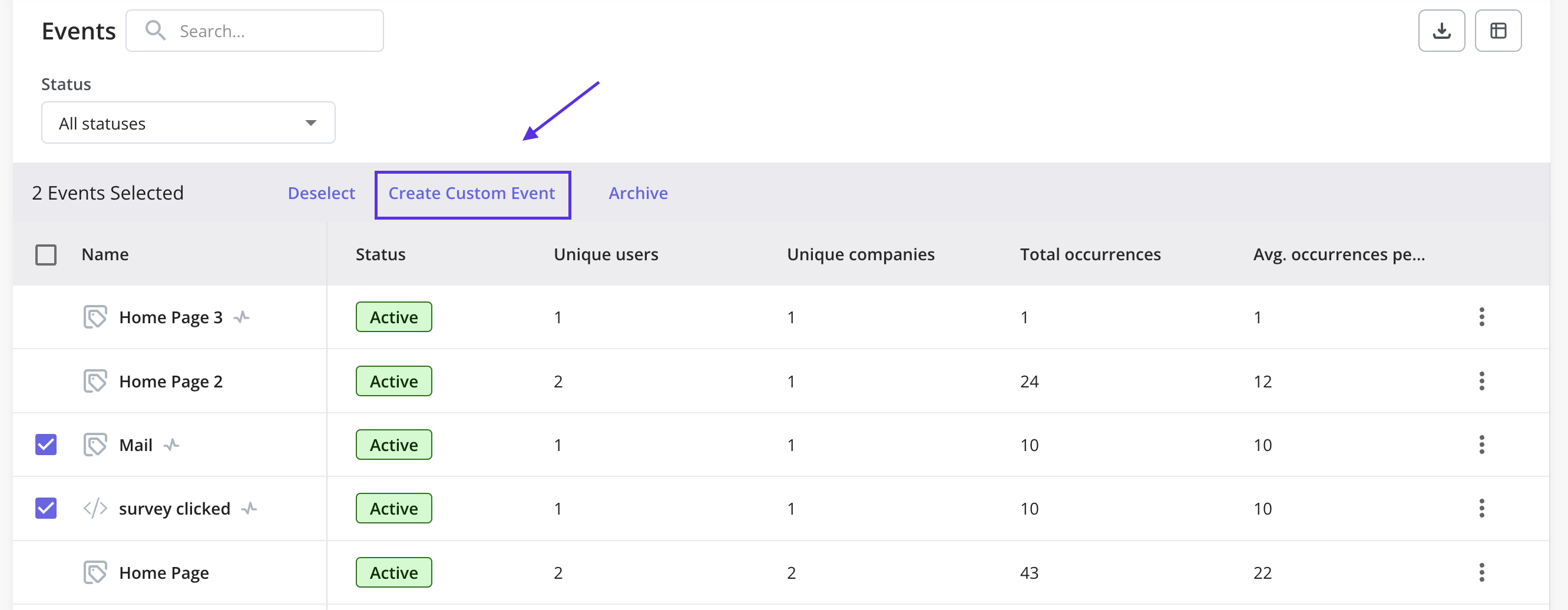
- Select the desired events from the overview page and then click the “Create Custom Event” button.
FAQs
Are custom events supported in integrations?
Are custom events supported in integrations?
No, custom events cannot be sent to a third-party platform via integrations.
Can I group multiple labeled events and create a custom event?
Can I group multiple labeled events and create a custom event?
Currently, the ability to use labeled events for creating custom events is not available. However, our dev team is actively working on providing the support for this ability in the future.