Activity logs are available with Enterprise plan. Kindly reach out to support@userpilot.com if you need any assistance.
Overview
Managing a workspace often requires more than assigning roles and permissions; you also need visibility into who is accessing your account and what actions are taking place inside it.Userpilot provides two dedicated logs to help you monitor workspace activity and maintain security: Access Logs and Activity Logs. Both logs are available under Settings → Team, each serving a different purpose depending on the level of insight you need.
Access Log
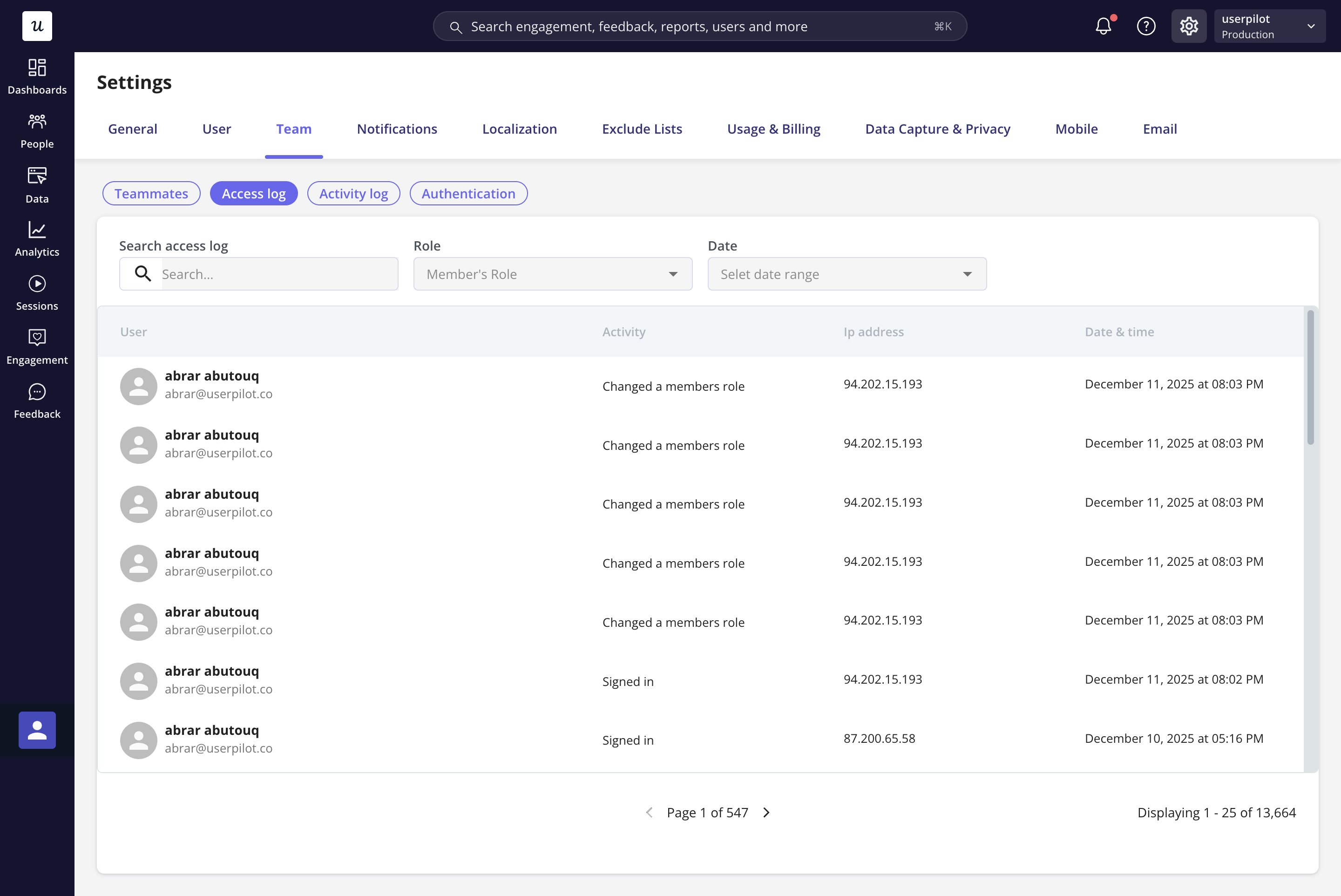
The Access Log focuses on workspace entry and permission changes. It answers the question:- Who accessed my workspace
- What admin-level changes did they make?
- Login activity - Shows which teammate logged into your Userpilot workspace.
- Role changes - Tracks who changed another teammate’s role and when.
- Provisioning activity - Records teammates being added, removed, or having their role changed, whether through SCIM directory sync, JIT provisioning, CSV import, or a manual invite. Each entry shows the role before and after, who or what triggered it, the application, and the reason.
- IP addresses - Helps you verify where the login originated from.
- Timestamps - Displays the exact date and time of each action.
- Monitoring unauthorized or unusual logins
- Keeping track of administrative changes
- Reviewing account access for audits or security checks
- Troubleshooting permission-related issues
Filtering the Access Log
To find a specific change quickly, filter the Access Log by:- Source - where the change came from: Web app, SCIM provisioning, SSO sign-in, or CSV import. (SCIM scheduled syncs and directory webhooks share the single SCIM provisioning source.)
- Activity - the type of change: Member provisioned, Member deprovisioned, Changed a member’s role, or Role sync skipped (set manually) - plus sign-in, 2FA, and SSO events (Signed in, Invited a member, Removed a member, Enabled/Disabled SSO, and so on).
Activity Log
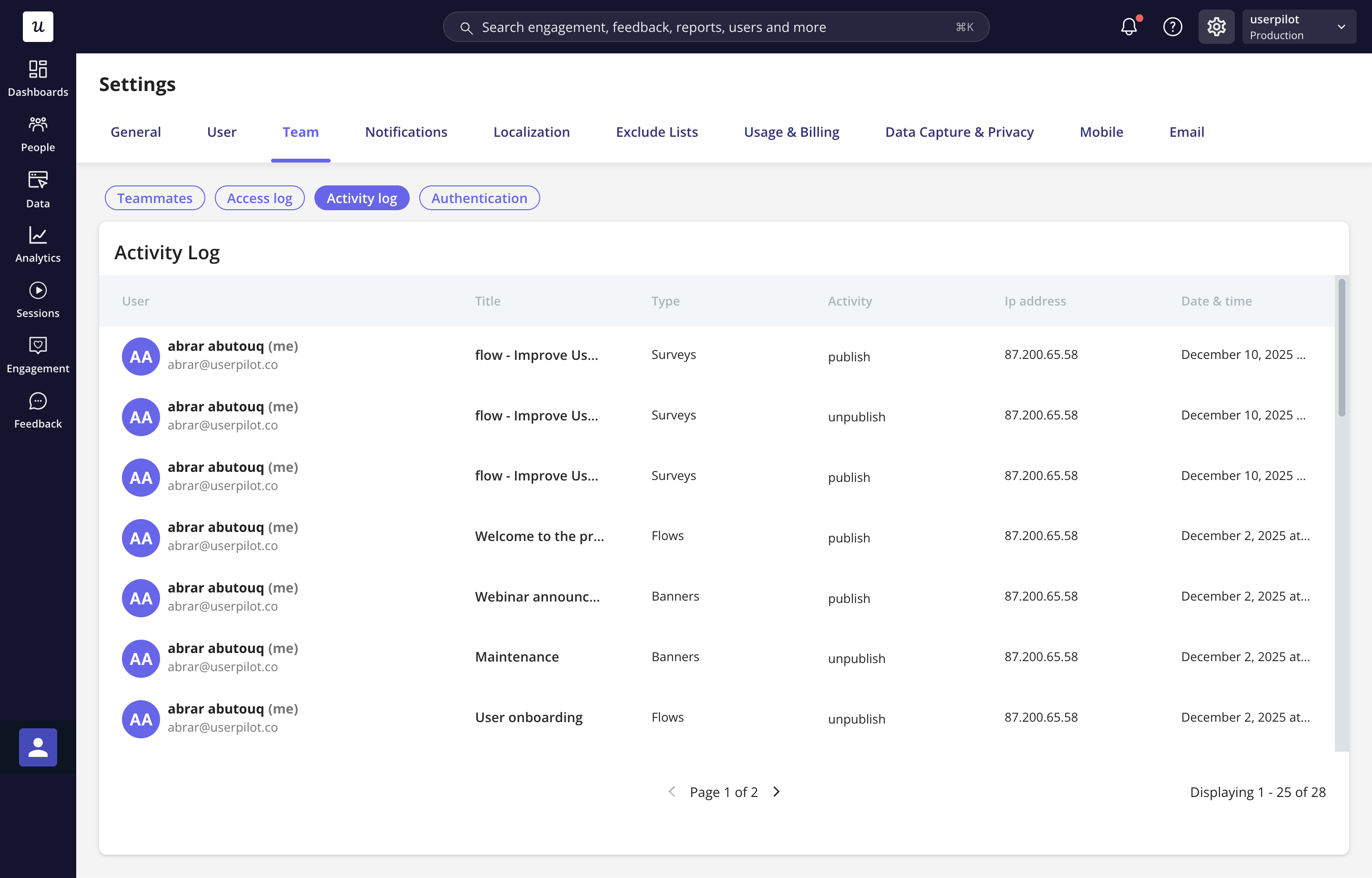
The Activity Log tracks in-product activity, specifically, actions performed inside the Userpilot workspace. It answers the question:- What changes were made to the content
- Who made them?
What you can see in the Activity Log
- Publish actions - Shows when a flow, checklist, or other content has been published.
- Unpublish actions - Shows when content has been taken down or disabled.
- Content titles and types - Easily identify which flow, checklist, survey, or element was updated.
- IP addresses and timestamps - For added traceability.
When this is useful
- Tracking content changes across your workspace
- Understanding who published or unpublished flows
- Reviewing collaboration activity within your team
- Maintaining compliance or internal documentation
- Troubleshooting unexpected content updates