

Overview
You can manage who has access to your Userpilot workspace by inviting your colleagues and assigning them roles with the right permissions. This gives you flexibility in defining each person’s responsibilities. Userpilot provides predefined roles such as Admin, Account Owner, Publisher, and Analyst, and you can also create custom roles to tailor permissions exactly to your team’s needs. You can also review access and activity logs to monitor who has logged in and what actions they have taken, ensuring everything remains secure and well-tracked. From the Authentication tab, you can also enable 2FA, SSO login, Just-in-Time provisioning, and SCIM directory sync for enhanced security and automated user management.Custom roles, access logs, activity logs, and advanced authentication options are only available on the Enterprise plan. If you’re on a lower plan, you’ll need to upgrade to access these features.
Teammates
The Team tab in Userpilot allows you to control who has access to your workspace, assign the right permissions, and keep track of activity. Whether you’re collaborating with product managers, designers, analysts, or engineers, this section helps you manage roles and maintain workspace security with ease.- Filters and role tags - At the top, you will find role-based filters that help you quickly sort teammates by their responsibilities or permission levels.
- Search - Use the search bar to find teammates instantly by typing their name or email.
- User List - This section shows all workspace members, and you can easily update their roles or manage their permissions directly from here.
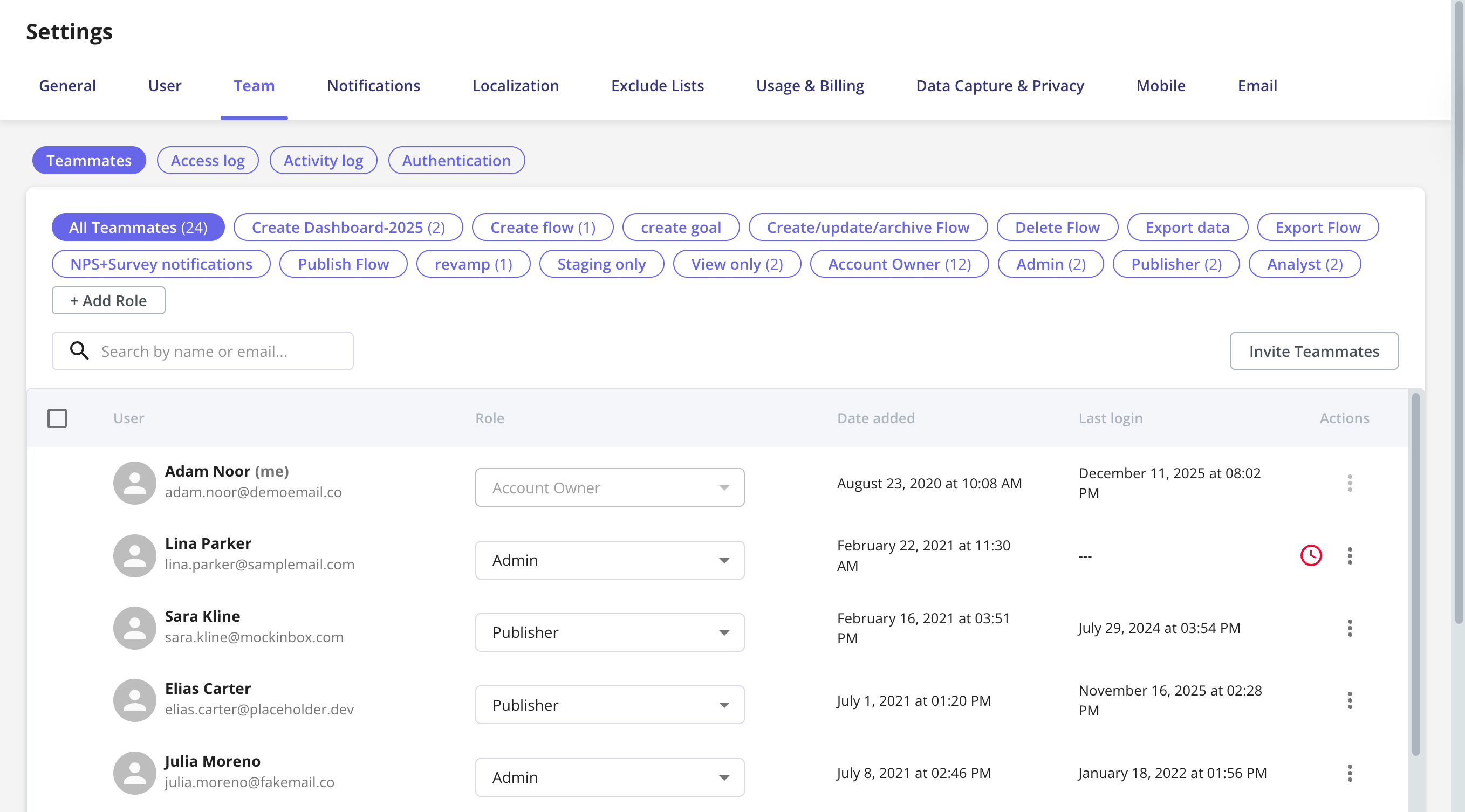
If a teammate hasn’t accepted their invitation yet, Userpilot will show a red clock icon beside their name. You can resend the invitation to keep your workspace setup on track.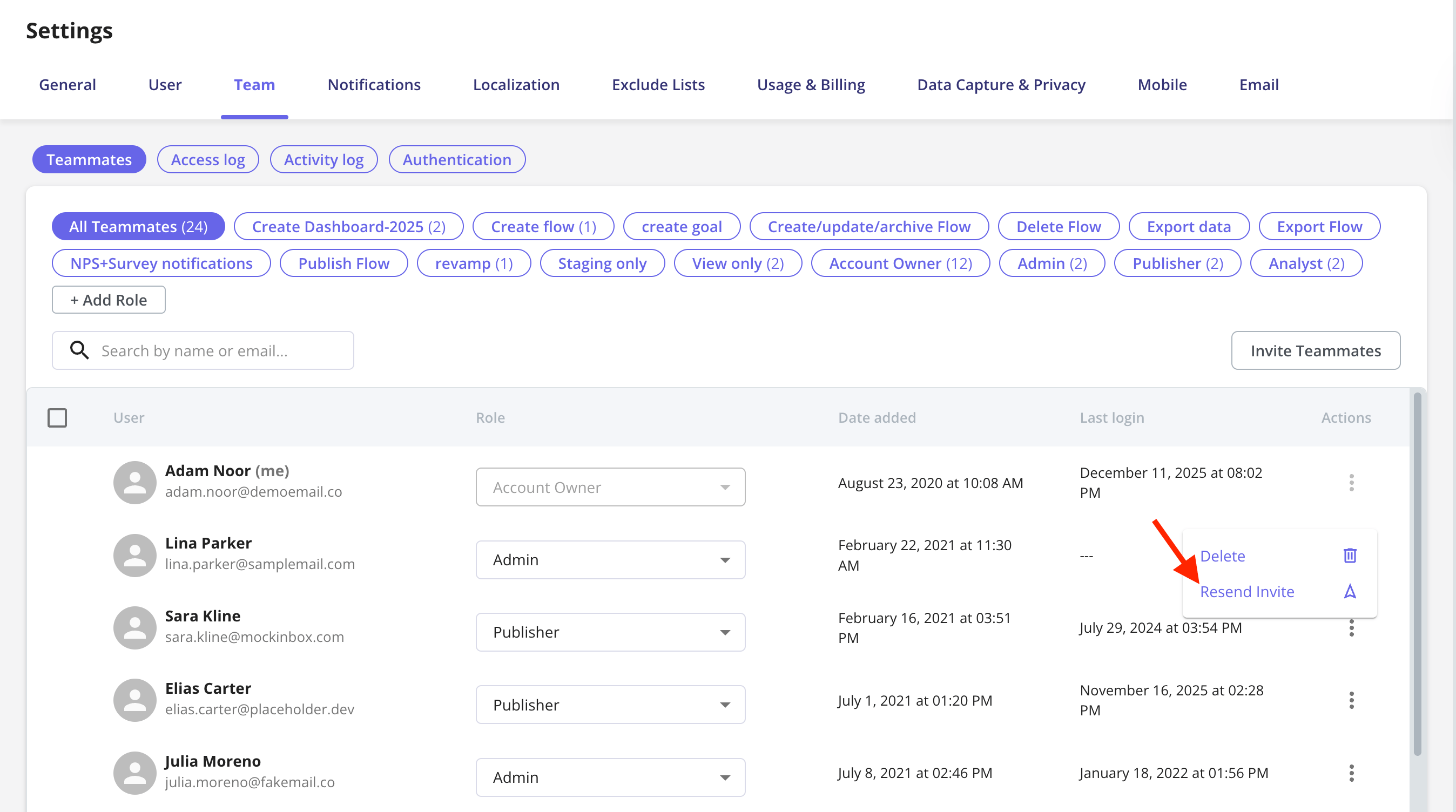
Adding teammates
There are three ways to add people to your workspace:- Invite individually - Click Invite Teammates, enter the email, and choose a role and application.
- Bulk import via CSV - Upload a CSV to invite many teammates at once, with a role per application.
- Automated provisioning - On the Enterprise plan, let your identity provider manage teammates with SCIM directory sync, or create them automatically on first SSO login with JIT provisioning.
Whenever SCIM directory sync is active - in every role-management mode, not only when the IdP owns roles - inviting and importing teammates directly in Userpilot is disabled, and membership comes from your IdP. It is also paused while a directory sync is in progress.
Roles
By default, Userpilot offers four predefined roles:If SCIM is connected, roles are assigned automatically based on your identity provider’s group mappings and can’t be changed from the Userpilot UI. To update a teammate’s role, make the change in your IdP instead.
Custom Roles
You can also create Custom Roles (Enterprise plan only) if you need more control.Just click + Add Role, then choose exactly which permissions to enable or restrict.
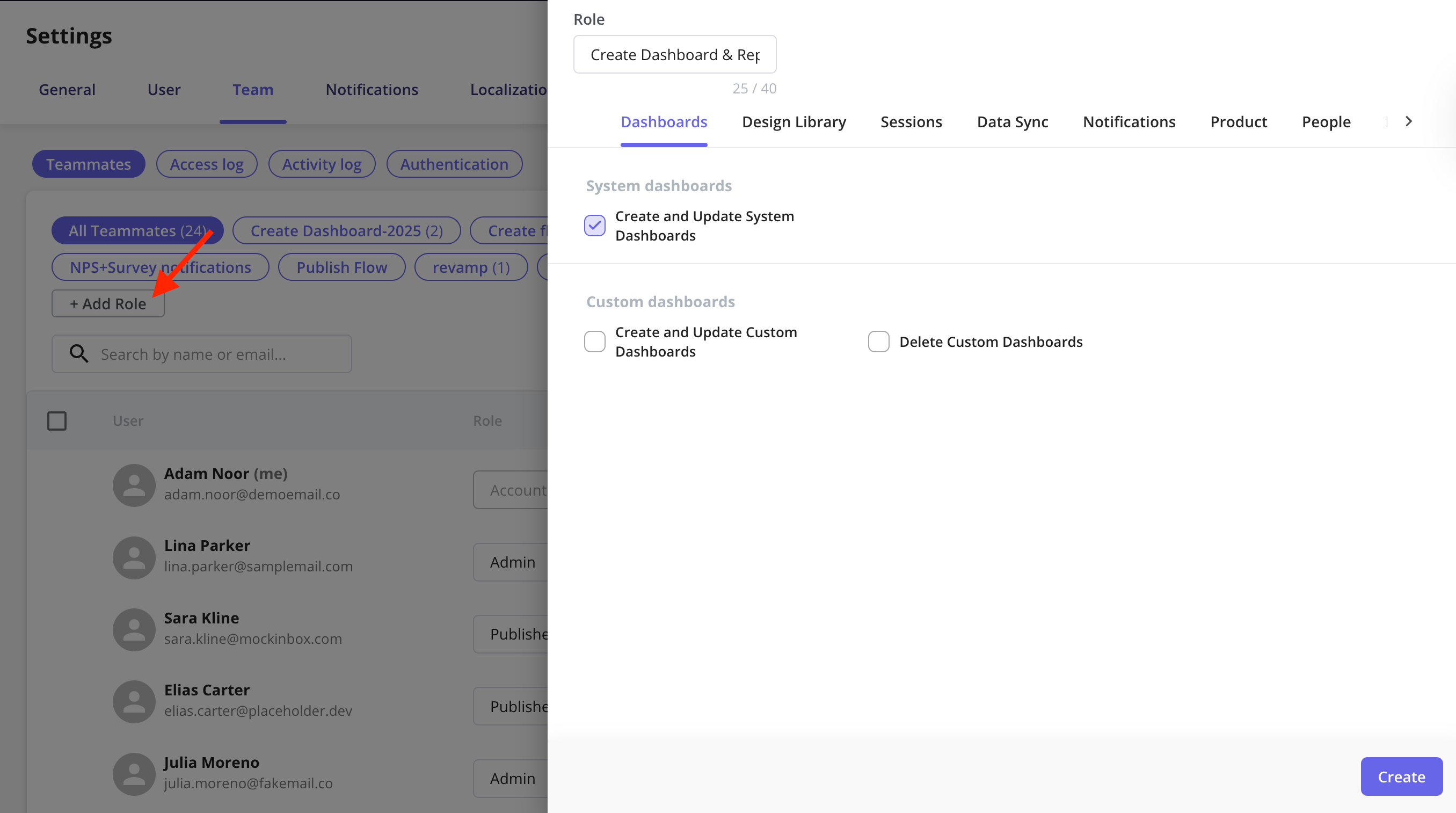
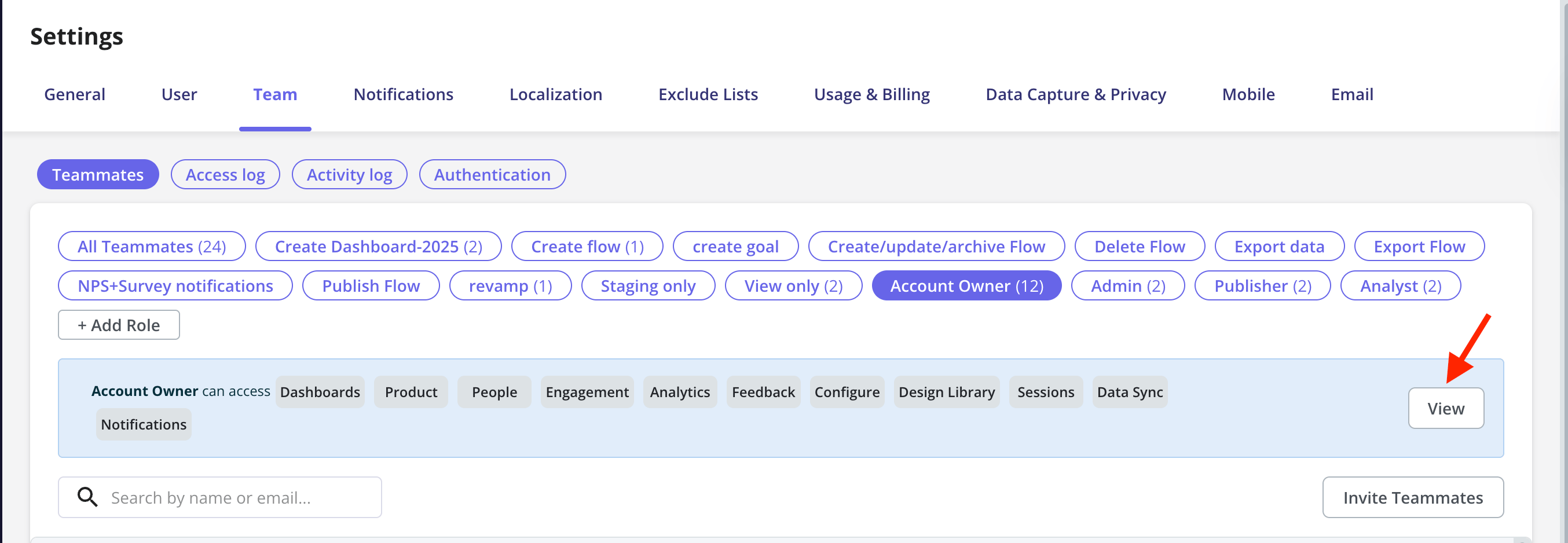
Userpilot’s premade roles (Account Owner, Admin, Publisher, and Analyst) can’t be edited. If you need different permissions, create a Custom Role instead, since custom roles can be edited at any time.
How roles work with automated provisioning
When teammates are created automatically, their role comes from one of three settings, depending on how they arrive:- JIT default role. A teammate created on their first SSO login gets the JIT default role you chose on the Authentication page. This is a starting point: a later SCIM sync can replace it with a mapped role.
- SCIM group mapping. With SCIM enabled, teammates get the role mapped to their IdP group. A teammate in several mapped groups gets the highest-privilege role among them.
- SCIM default role. Teammates who belong to no mapped group follow the Individuals row in your group mapping. Pick a role there to provision them, or choose Skip to leave them out of Userpilot.