Users tab
In the Users tab, you will see all responses grouped by user. Just click a user to open their full history. Userpilot captures every submission, even multiple responses in one day. You can browse users with the next/previous buttons or switch to the table to see all responses together.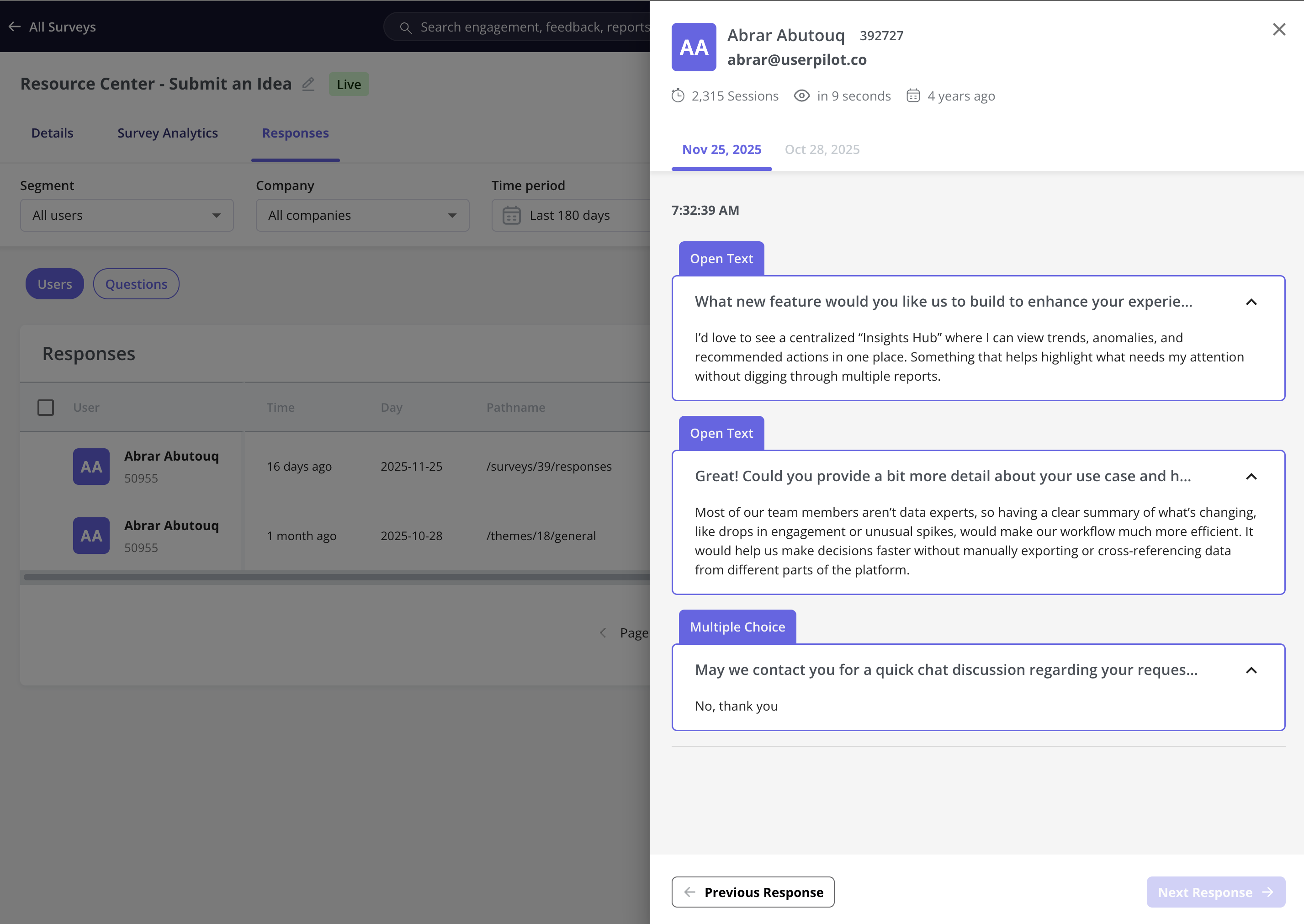
Questions tab
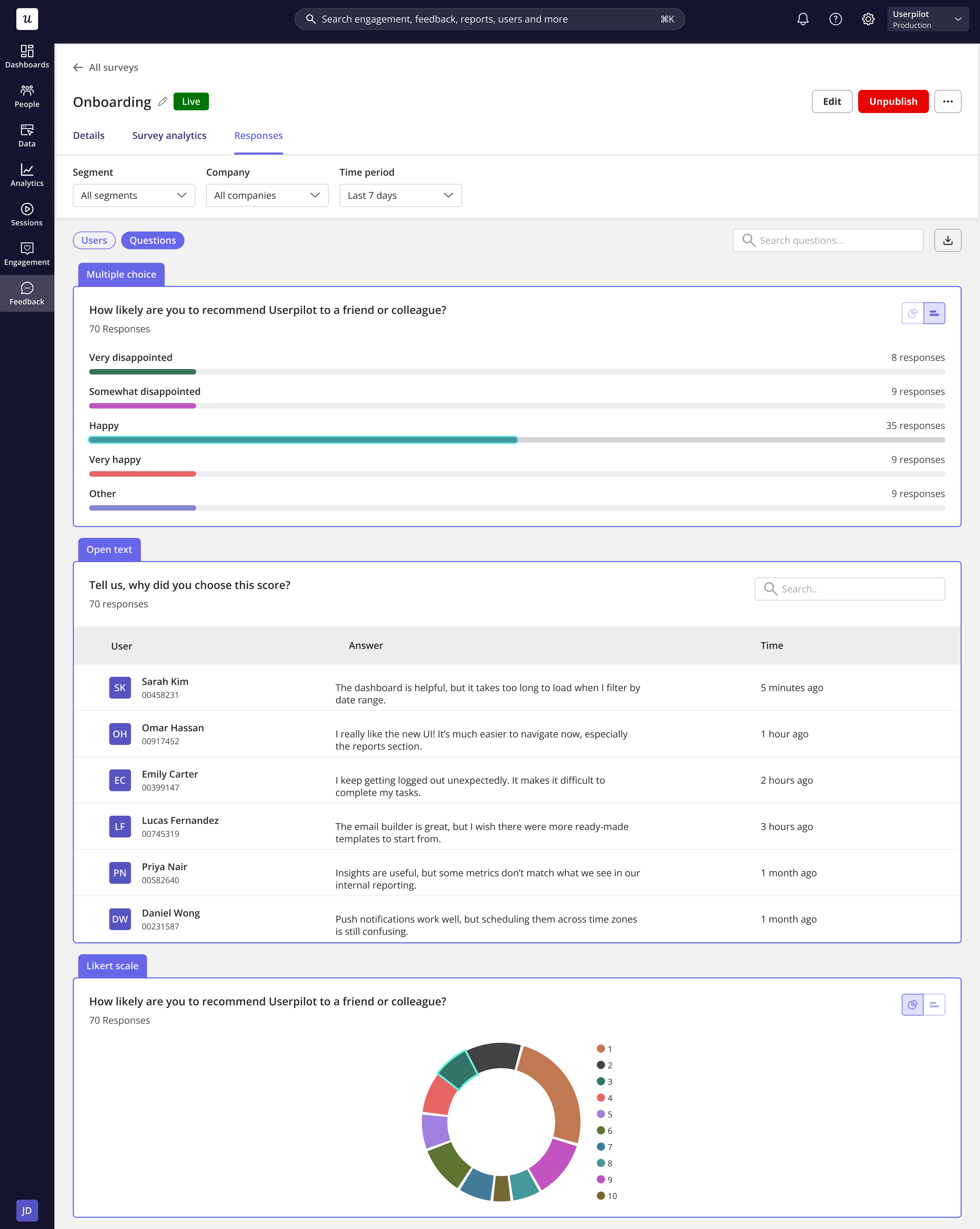
Through the Questions tab, you can view all user submissions to explore answer trends through charts.- Likert Scale and multiple-choice questions are visualized as pie or bar charts.
- Open text responses include user details and timestamps, and can be easily searched.
Export responses
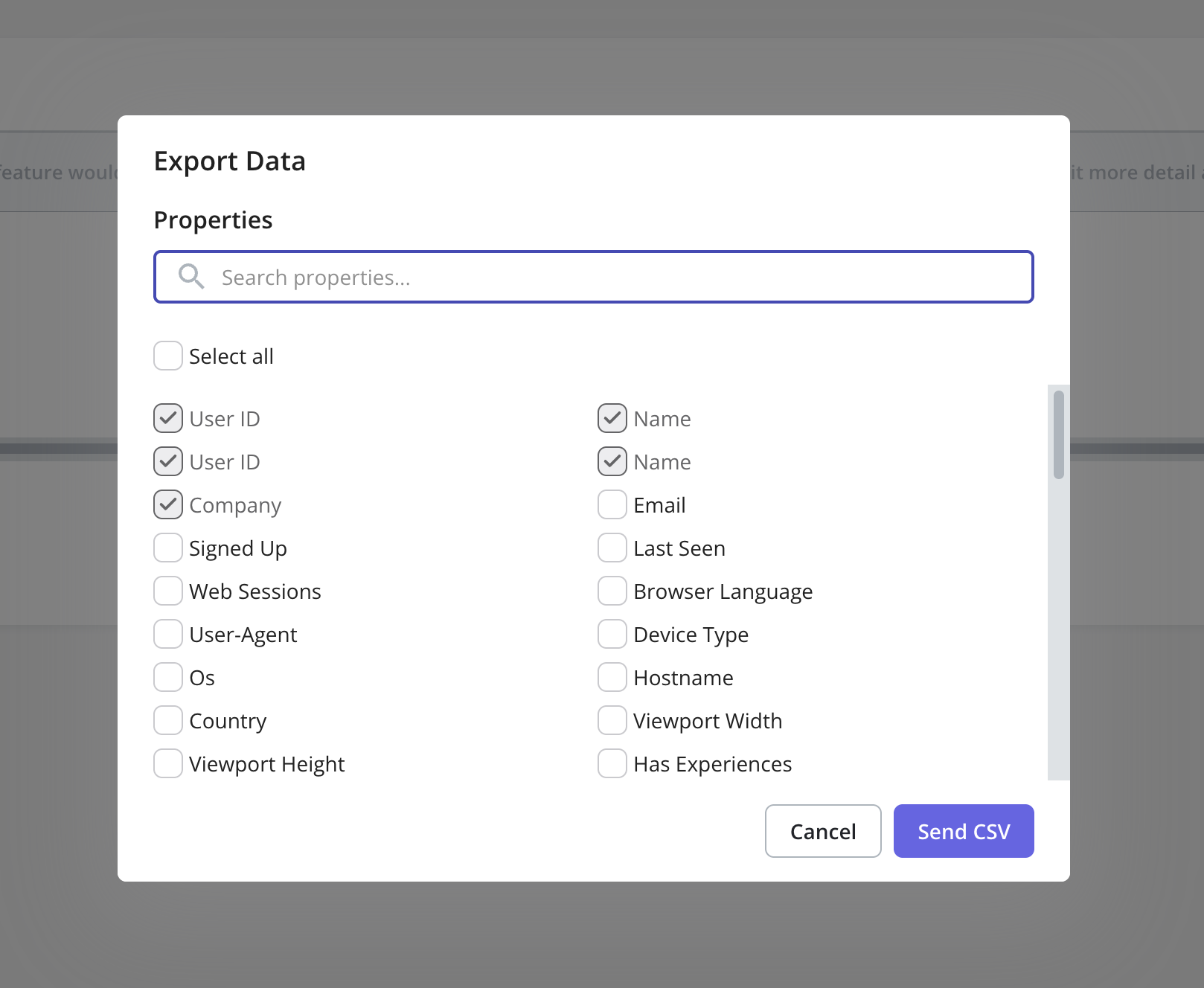
When exporting user responses from either the Users tab or the Questions tab, you can choose which user properties to include. The exported file will then contain all selected properties along with the full set of user responses.