

Overview
Failure signals surface the moments where your agent fell short — a fallback answer, a failed action, an escalation to a human, or the agent contradicting itself. Instead of reading every transcript to find these moments, Agent Analytics detects and groups them automatically, and lets you define your own signals for anything specific to your product.Use Cases
- Find where the agent is falling short without manually reviewing transcripts.
- Prioritize fixes by seeing which failure types affect the most users or conversations.
- Track custom failure patterns specific to your product that default detection doesn’t cover.
- Investigate a specific failure by drilling straight into the conversations behind it.
Getting Started
To get started, simply navigate to the Failure signals tab within Agent Analytics, you’ll see every failure pattern detected across your agent’s conversations, with usage stats you can sort and filter to find where the agent needs the most attention.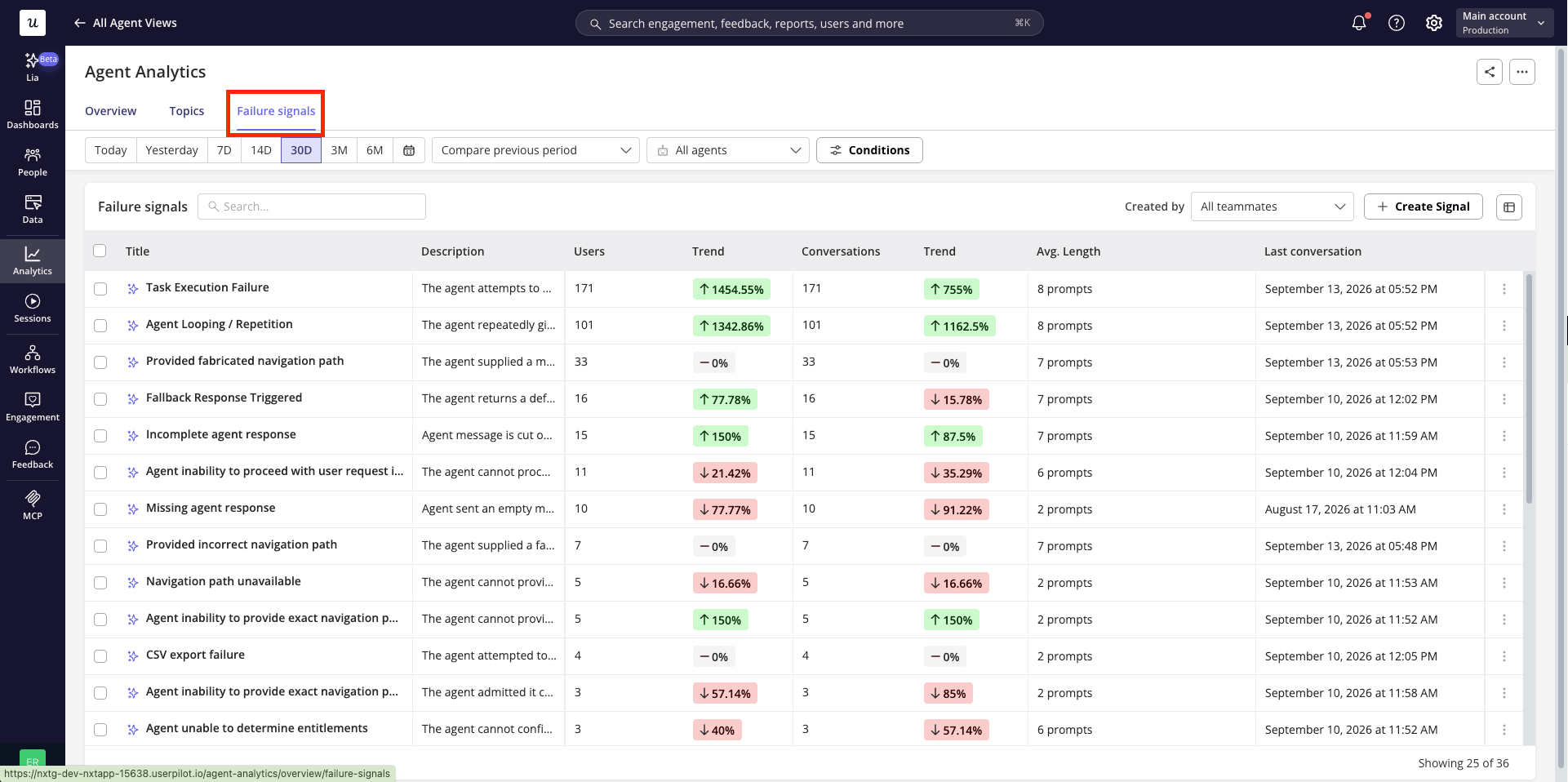
How failure signals work
Userpilot’s AI automatically detects a set of common failure patterns in agent conversations, including:
You can also create your own custom failure signals for behaviors specific to your product that the default detection doesn’t cover.
Creating a signal
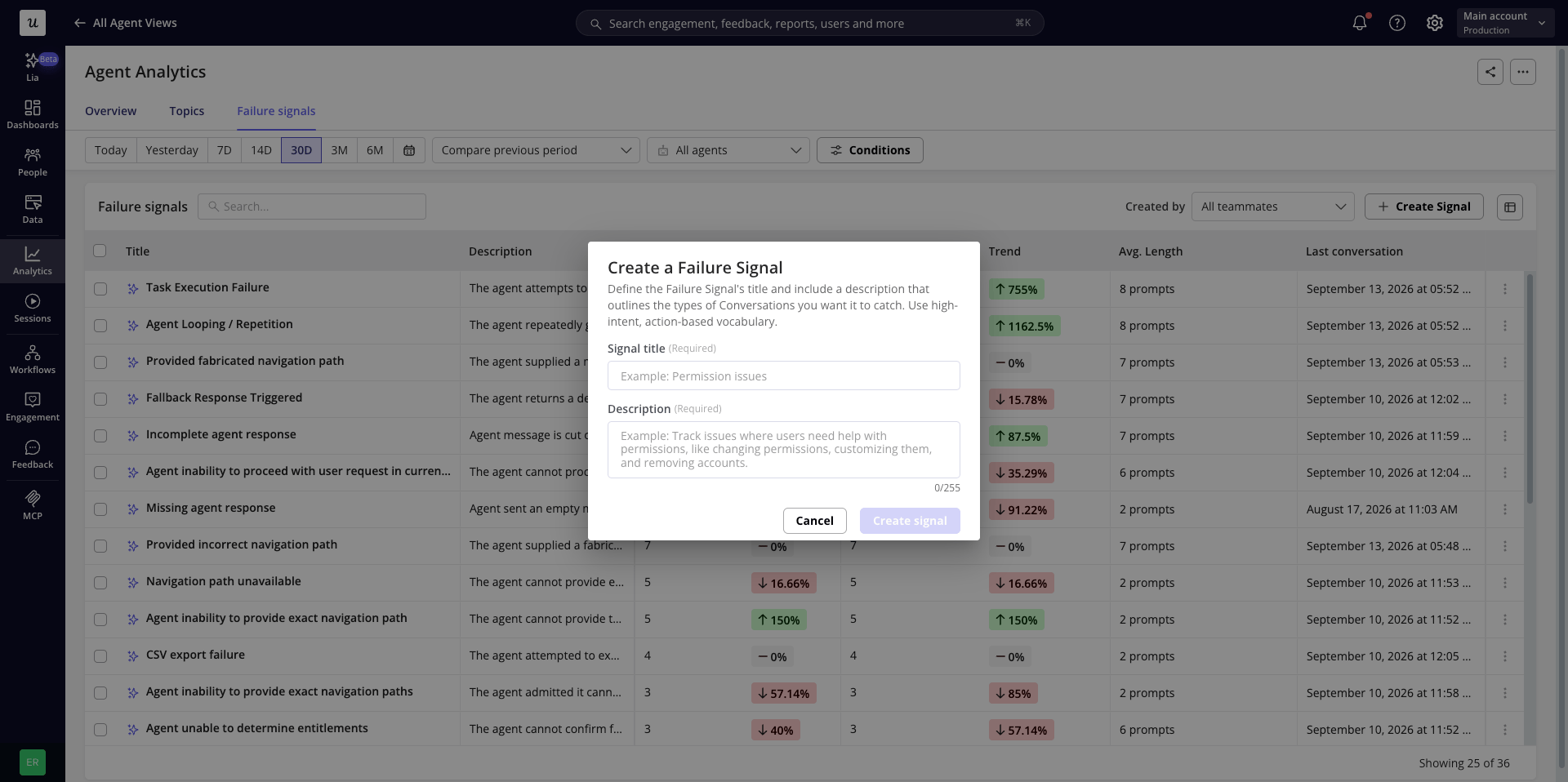
- Click Create signal.
- Enter a title and description — both required.
- Save. Conversations matching your definition will start being grouped under it.
Editing, pinning, hiding, and deleting
From a signal’s more actions menu:- Edit signal – update the title or description. Editing switches the signal from AI-identified to manually created.
- Pin / Unpin – pinned signals always show at the top of the table, sorted among themselves, and remain visible even with zero data for the selected period.
- Hide – removes the signal, and every conversation grouped under it, from all views and analytics. You’ll see a confirmation first. Restore it later from Hidden failure signals in the Overview’s more actions menu.
- Delete – permanently removes the signal. This option is only available for signals you created manually — AI-identified signals can be hidden, but not deleted, since Userpilot may re-detect the same pattern.
Viewing conversations for a signal
Click into any failure signal to open a slideout listing every conversation where it was detected, sorted by date (most recent first). You can search across all columns, expand to full screen, or switch to View replays where available.- Search across all columns.
- Expand the slideout to a full-screen view.
- Switch to View replays, if session replays are available for these conversations.
FAQs
What's the difference between a "frustration signal" and a "failure signal"?
What's the difference between a "frustration signal" and a "failure signal"?
A frustration signal reflects how the user is behaving (e.g. angry language, all-caps, repeated rephrasing). A failure signal reflects what the agent did (e.g. a fallback response, a failed action, an escalation). A conversation can have either, both, or neither.