

This feature is available on the Enterprise plan and requires SSO to be enabled.
Overview
Just-in-Time (JIT) provisioning creates a Userpilot account for a teammate the first time they sign in through SSO. No manual invite or prior sync is required. Without JIT, a person who signs in with SSO but has no account is turned away. With JIT, their account is created during sign-in and given a default role. JIT is the simplest way to onboard a team. It works alongside the other provisioning methods:- JIT handles individual first-time sign-ins.
- SCIM keeps whole groups of users and their roles in sync with your identity provider.
- CSV import invites a known list of teammates in bulk.
Requirements
- SSO enabled for the organization.
- An Account Owner role, or a role with the Manage SSO permission.
Enabling JIT provisioning
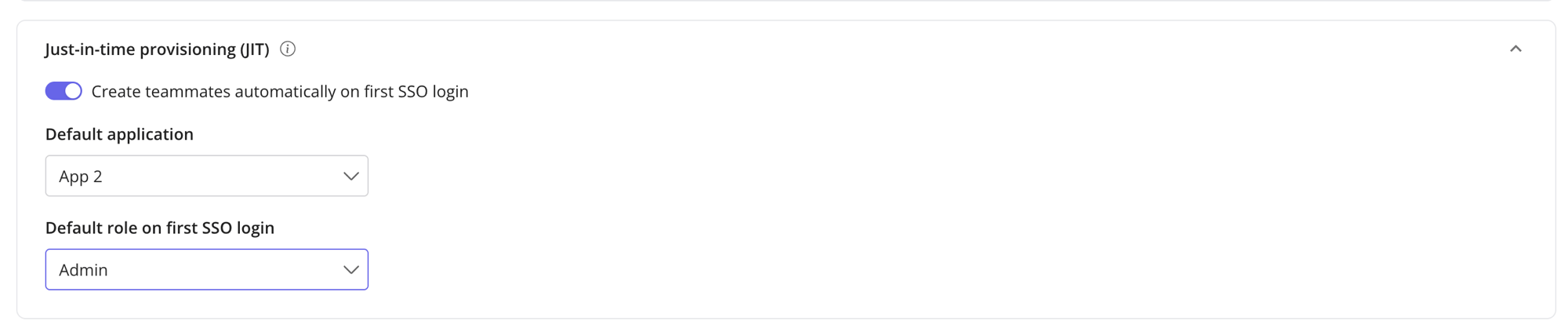
JIT is configured on the Just-in-time provisioning card under Settings > Team > Authentication. The card appears once SSO is enabled.1
Turn JIT on
Switch on Create teammates automatically on first SSO login.
2
Choose a default role
Set Default role on first SSO login. This role is granted when a teammate signs in via SSO for the first time, until SCIM assigns them a mapped role. The available roles are Admin, Publisher, Analyst, and Account Owner. Because this role applies to everyone JIT creates, pick Account Owner only if every teammate who signs in through your verified SSO domains should have full ownership.
JIT stays off until you choose a default role.
3
Choose a default application
Set Default application. This is where auto-created teammates land on their first SSO login, and on logins started from your IdP tile.
How it works
The first time a teammate signs in through SSO without an existing account, Userpilot does the following:- Confirms the sign-in came through your organization’s verified SSO connection.
- Checks that the teammate’s email domain is one of your verified SSO domains.
- Creates the account, assigns the default role, and places the teammate in the default application.
If SCIM later places a JIT-created teammate into a mapped group, that group’s role replaces the JIT default role on the next sync. The JIT default is a starting point, not a permanent assignment. The one exception is the Userpilot role-management mode, where SCIM never changes roles.
IdP-initiated SSO
JIT provisioning supports IdP-initiated SSO, so teammates can reach Userpilot straight from your identity provider without being invited beforehand. There are two ways to start an SSO sign-in, and JIT works with both:-
Service-provider-initiated. The teammate starts from Userpilot, enters their work email, and is redirected to your identity provider to authenticate before being sent back to Userpilot:
Userpilot → Identity provider → Userpilot -
IdP-initiated. The teammate opens the Userpilot tile from their identity provider’s app dashboard and is sent straight to Userpilot, where JIT provisioning creates their account and completes the sign-in:
Identity provider → Userpilot
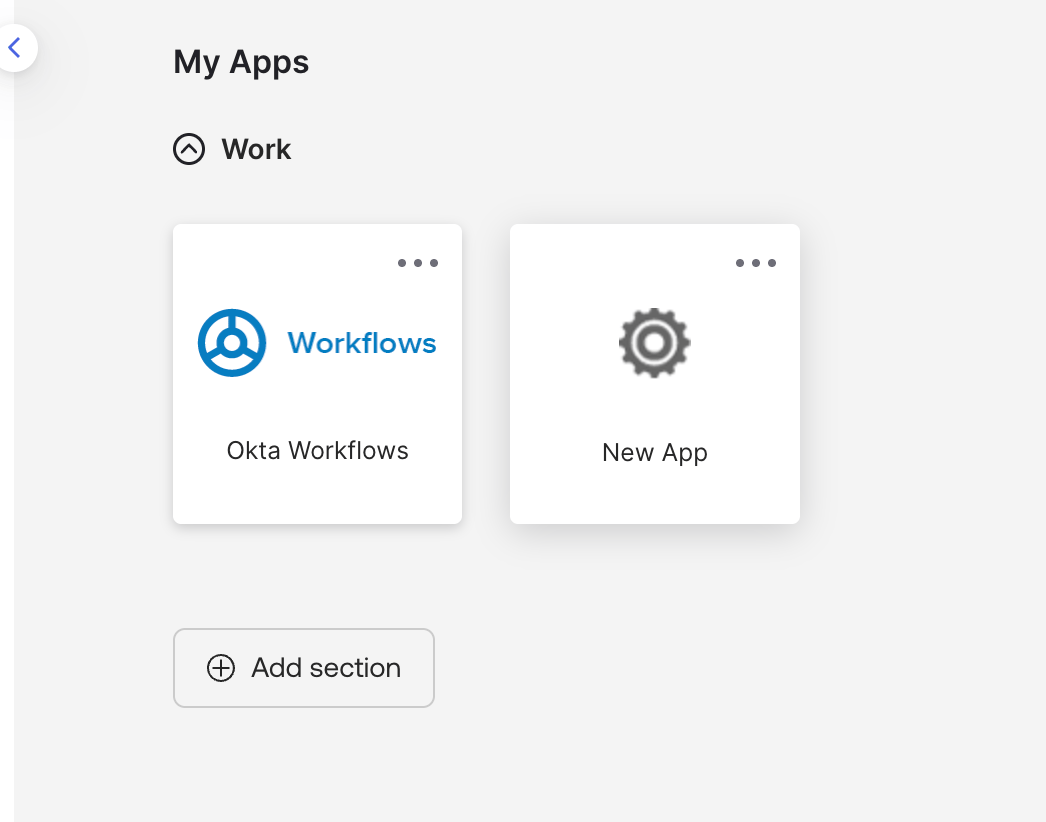
Example: an identity provider's app dashboard. Selecting an app tile (shown here in Okta) starts an IdP-initiated sign-in.
JIT and SSO are linked
JIT only runs during an SSO sign-in, so its availability follows SSO:- Disabling SSO automatically turns JIT off.
- Deleting the SSO configuration turns JIT off and clears the JIT default role.
FAQs
Why isn't a teammate being auto-created?
Why isn't a teammate being auto-created?
Check that JIT is on, that a default role and default application are set, and that the teammate’s email domain is one of your verified SSO domains.
Can JIT assign someone as Account Owner?
Can JIT assign someone as Account Owner?
Yes. Account Owner is selectable as the JIT default role, the same as in CSV import. Because the default role applies to every teammate JIT creates, choose it only when that is what you intend.
Do I still need SCIM if I use JIT?
Do I still need SCIM if I use JIT?
Not necessarily. JIT alone is enough to onboard teammates on first login. Add SCIM when you also want roles and de-provisioning to stay in sync with your IdP groups.
Does JIT work with IdP-initiated SSO?
Does JIT work with IdP-initiated SSO?
Yes. When a teammate opens the Userpilot tile in your identity provider (an IdP-initiated login), JIT creates their account and signs them in, the same as a sign-in started from Userpilot. No prior invite or SCIM sync is needed.